




Reasons for blocking

Misleading
This is the most common and difficult reason for blocking, which forces you to look for ways to unblock your account. Google believes that you are hiding something from the buyer. For example, there is no real office address, there are hidden payments, or the price in the ad does not match the price in the cart after adding the item. This also includes «fake» reviews and the use of other people’s photos of products in your online store. The algorithm compares your site with thousands of others, and if it finds «templates» without real confirmation of the existence of the business, you will be blocked. To unblock, you need to prepare documents and evidence: registration certificate, invoices or contracts with suppliers, photos or videos of the warehouse or office, and clearly display contact information and sales policies on the site.

The website needs further development
This reason for blocking means that the resource does not meet Google’s UX/UI and security standards. There are «junk» links, empty categories, no HTTPS protocol, or broken «Buy” buttons. Common technical gaps include incorrectly structured data (schema), 404 pages, and errors in the feed. The mandatory elements for unblocking an account are the price, name, description, availability, condition of the product, identifier, as well as the «Privacy Policy», «Return Policy», and «Shipping and Payment» pages. Ensure that contact details are visible, policies are loaded, users can complete their purchase without errors, and can easily find information about returning goods within 14 days. All of this will speed up the process of unblocking Google Merchant accounts after an appeal.

Violation of trading rules
Blocking for selling prohibited or restricted Google goods: brand replicas (even if marked as copies), unlicensed medical products, weapons, hazardous chemicals, and other regulated categories. Aggressive marketing claims or promises of «instant results» that are not backed up by evidence also often lead to Merchant account suspension. It is important to understand that even one questionable product in a feed of 10,000 items can lead to the blocking of your entire Google Merchant account without the right to a quick appeal. Therefore, it is recommended to promptly delete suspicious items and verify claims about product properties.

Problems with the payment process
Google strictly monitors that the user’s path from click to payment is secure and understandable. Account blocking occurs if the stated payment methods are missing or do not work, if the price in Merchant Center does not match the price in the cart after taxes and shipping, or if the site requires too much personal data before payment. It is also critical to have commonly accepted payment methods such as Visa/Mastercard, Apple Pay/Google Pay, and to ensure that they are correctly integrated (including 3-D Secure, if required). If the checkout process looks suspicious or complicated, the account will be blocked.
Reviews







If you want to be among them, get a unique offer
Cases of our company

Unlocking the Google Merchant Center account for an online store specializing in the manufacture of unmanned aerial vehicles, electronic components, and engineering solutions.
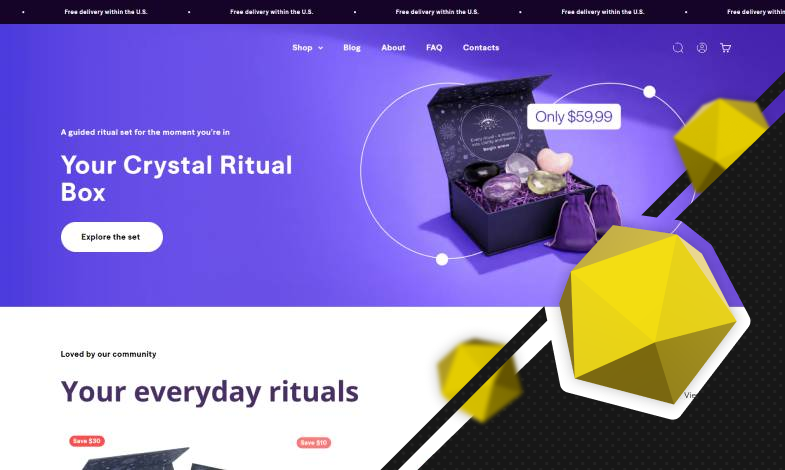
Unlocking a Google Merchant Center account for an online store selling spiritual well-being and mentoring products from the specialists at WEDEX.

Unlocking a Google Merchant Center account for an online power tool store by specialists from the WEDEX agency.
Stages of unlocking
Frequently asked questions
Fix the issues by going to Merchant Center: Products > Diagnostics > Account issues > Request review or Submit an appeal.
Under ideal conditions, 3–7 business days, up to 2 weeks during peak periods. However, the actual review time may be significantly longer. In 2026, Google strengthened its automated checks – submit only after corrections.
In 2026, Google introduced a “cool down period” system. After each unsuccessful appeal, the next opportunity to submit one may only appear after 7, 14, or 30 days. It is now almost impossible to contact support. Try verifying your identity in your account for issues related to misrepresentation.
Yes, the website must support online payments.
Legal address, phone number, email, website, extract from the Unified State Register. Google may request screenshots/licenses during the appeal process. Verification via SMS/email is mandatory.
On your own – yes, according to Google’s instructions. For complex cases (repeated rejections) – it is better to consult specialists.
Regularly check diagnostics, update data/policies, monitor feeds, comply with sanctions, and use monitoring tools.
Required fields: phone number, email, physical address (preferably with Google Maps), and business hours.
The website should have a separate page titled “Return Policy.” Clear terms (14 days) and methods of refund should be specified.