

 09/01/2026
  1221
1221


Інтернет-маркетинг
простою мовою
Content of the article
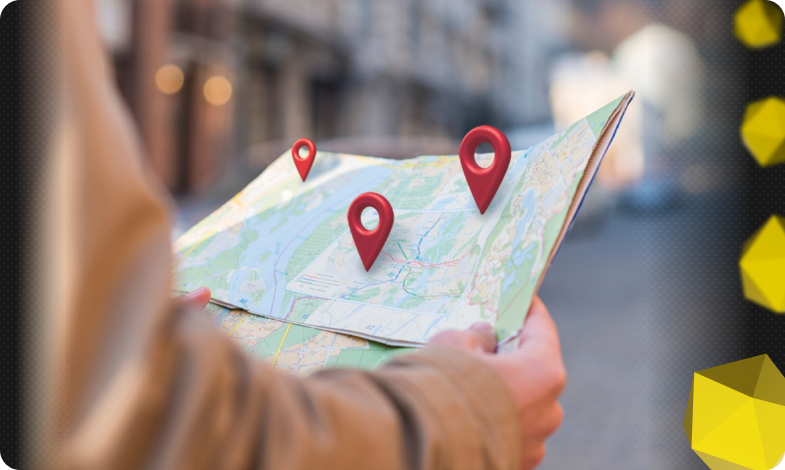
Google Maps for business: how to register a company

Local visibility often decides whether a customer will find your company within a few kilometers or go to a competitor. Google Maps is one of the main channels of such contact: it combines navigation, search, and reference information in one interface.
In this article, we’ll explain how to register a company on Google Maps and verify its profile, and what profile elements affect its attractiveness to customers. We’ll also give you some tips on how to promote and use related Google services for business.
Why businesses need to be on Google Maps
A presence on Google Maps is not just a mark with an address. For businesses, it performs several practical functions that directly affect sales results and customer convenience.
- It is a source of targeted traffic: users looking for a service or product in a specific location often make a choice based on a short list of results on the map.
- A full profile with a phone number, opening hours, and a link to the website reduces the steps to contact and increases the likelihood of a contact – an order, a call, or a visit.
- Reviews and ratings on the map create social proof: potential customers trust companies with high ratings more than those with few or negative reviews.
- Mobile audience: many users search for «near me» on their smartphones, and a well-configured map profile gives your offline locations an advantage in these searches.
- Integration with Google advertising tools: local campaigns in Ads, display in the business card, and the ability to use the API for your own solutions increase the efficiency of your marketing investments.
Finally, a presence in Google Maps is a basic element of long-term reputation management and local SEO. Even if you are a small business or provide services on the road, your profile on the map serves as an electronic business card that works 24/7 and allows you to control the information that customers see. That’s why the first step to increasing your local visibility is to have a properly and completely filled out profile on Google Maps.
How to add a company to Google Maps

First, make sure you have a Google account (Gmail) and are logged in to it on the device you plan to use. Registration and profile settings are performed through the linked account – without it, you cannot manage company information. Next, you need to follow certain steps.
Open Google Maps and sign in
Open the Google Maps home page in your browser or in the app. Make sure that you are logged in with the right account – this is important so that you become the owner of the profile and get access to editing it after verification.
Add a business to the map
There are several easy ways to add a business:
- enter the address or company name in the search, after which the option to add company information will appear in the sidebar;
- right-click on the map in the desired location and select «Add company»;
- you can use the application menu – the «Add company information» command will guide you through the registration form.
Fill in complete and accurate information
Fill in field by field: business name, exact address, phone number, business category, opening hours, website, and additional services, if any. Clear and truthful information builds customer trust and contributes to better visibility in local searches. If you need help step by step, you can find official instructions in the Google Maps Help Center. And remember to use the correct spelling and formats – mistakes in contact information reduce efficiency.
Confirm your ownership
To make your profile visible and give you access to management, Google will ask you to confirm that you actually represent the company. There are usually several verification options available: a code by phone or SMS, an email confirmation, sometimes a short video or other additional verifications. After entering the code, the profile becomes verified – only then will the business note appear in the map with a full set of data and the ability to edit. To fully manage your profile, you can also go to the Google Business Profile Management interface.
Add a photo and description, update your profile
After verification, fill out your profile with media content and a description: upload photos of the facade, interior, products, or work performed, and add a short informative description. Find the official instructions for filling out your profile here. Update your working hours for holidays, respond to reviews, and post news – an active profile looks more attractive and receives more requests from customers.
After completing these steps, your business will appear on Google Maps and become more accessible to the local audience. Next, you should work on filling out your profile and promoting it in the map to maximize the number of contacts and orders.
How to promote yourself on Google Maps
Registering a profile is only the first step. For business to start coming through the map, you need to work systematically with the visibility and credibility of your profile. The main methods of promotion are:

- Collecting reviews.
Customer reviews are one of the easiest and most effective signals for local search. Ask satisfied customers to leave a review, suggest what aspects are worth noting (for example, what service was provided, the speed of its execution, satisfaction with the service). Follow Google‘s policies for encouraging reviews. Reviews build trust, increase CTR in the map, and generate more relevant queries.
- Local advertising (Google Ads).
If you need a quick effect in a specific area, run local campaigns in Google Ads. Such campaigns increase impressions and guarantee a place in the results for geo-queries. Use radius targeting, segment audiences, and track response by call and route. You can learn more about Google Ads on the official website.
Attract customers in your region
We will set up local Google Ads campaigns with precise radius targeting, call and route tracking, and a focus on quick results.
- Publications and promotions in your profile.
Use the opportunity to publish announcements, special offers, events, and photos directly in your business profile. You can also find the rules for creating them in the instructions. All of this gives an additional incentive to the client and allows you to test the increase in conversions without changing the site. Posts work as mini-ad units for the local audience.
- Responses to reviews and Q&A
Quick and polite responses to reviews, as well as work with the questions and answers (Q&A) section, show that the business is active and customer-oriented. This increases trust and can adjust the perception of potential visitors. Google tells you how to do it right.
- Local SEO and mentions (NAP consistency).
Make sure that the name, address, and phone number (NAP) in your profile match the information on your website and in directories. Inconsistent data confuses search engines and can reduce your visibility. Audit local mentions and correct inconsistencies according to the official guidelines.
- Analytics.
Regularly analyze Google Business Profile statistics: the number of calls, clicks to the site, route requests, impressions by queries. This data allows you to optimize the time of publications, geotargeting of advertising campaigns, and operational work.
- Integrations and technical capabilities.
To improve the user experience, use the Maps API on your website, place the «Create a route» button, and integrate bookings or orders into your profile. Technical convenience increases conversions from maps, and how to do it is described on this page.
Finally, we would like to emphasize an integrated approach – a profile + reviews + analytics + local advertising, and it has a lasting effect. Don’t expect instant changes: local promotion should be done systematically, analyzing the results and adjusting priorities to the needs of your region.
What Google services can help businesses
In addition to Google Maps and the services mentioned above (Google Ads, Google Analytics, Google Maps Platform / API), other Google tools are useful for businesses: They work as a single ecosystem, and using them in a comprehensive manner, you can not only showcase your company to customers, but also measure efficiency, optimize costs, and increase conversions from local traffic.
A tool for monitoring website visibility in search and identifying technical problems. It provides information about the queries for which the site is displayed locally, indexing errors, and mobility issues. Use this data to eliminate technical barriers that can reduce visibility in local search results.
A service for uploading a product catalog and setting up local ads. For stores with physical locations, it allows you to show the availability of goods in a particular store and create local inventory ads. So, if you sell products offline and online, link your product feed to your profile so that customers can see where the product is available closest to them.
A tag manager that simplifies the implementation of analytics and event tracking without constant involvement of a developer. Convenient for setting up tracking of phone clicks, route clicks, and map interactions. Quickly add and adjust tags for Ads and Analytics to more accurately measure the ROI of local campaigns.
A simple tool for creating surveys and collecting customer feedback. It can be used to get additional feedback, conduct NPS surveys, or collect contacts for promotions. Use forms as an internal tool to control service quality or as a way to motivate customers to leave more detailed feedback.
To effectively use all the business opportunities, start by filling out and confirming your company profile correctly, connecting analytics, and only then increase visibility with paid Ads campaigns and technical integrations through the Maps API and Tag Manager. This step-by-step approach allows you to minimize costs and see measurable results from your Google presence faster.
Registering a company on Google Maps is a simple and free way to increase your business’ online visibility. A company profile on the map can actually replace a website for a local business: its creation does not require significant costs or the involvement of developers, but it allows you to post all the necessary information for customers. With Google Maps, your business becomes more visible in search, and customers are always two clicks away from contacting you. Combine the power of Google Maps and related services to help you significantly expand your customer base without significant investment.

commercial offer
Other articles by the author

06/10/2025
The World Intellectual Property Organization explains that managing trade secrets and taking a systematic approach to protecting them is a key element of business strategy in today's environment.

01/09/2025
The main goal of CRO is to make the most effective use of existing traffic, focusing not on increasing it, but on improving the user journey and removing barriers to conversion.

25/05/2024
Website indexing is the process of crawling a website by crawlers and adding it to the search engine database in a special form. Therefore, those pages that are in the search results are called indexed. This process is very important for the operation and promotion of the site.
Latest articles by #Useful tips
17/02/2026
Sitelinks are a set of internal links that Google sometimes displays below the main result in the search results.

28/01/2026
News websites operate in a fundamentally different way than corporate, e-commerce, or service resources.

19/01/2026
Links form navigation for users, transfer page weight in SEO, and determine how search robots scan your resource.