

 24/03/2026
  1239
1239


Інтернет-маркетинг
простою мовою
Content of the article
- /01 When to use AI for image generation
- /02 Where AI images bring real business benefits
- Marketing and SMM (quick iteration of banners and previews for posts)
- E-commerce (alternative product card visuals and lifestyle photos)
- Presentations and commercial offers (illustrations of complex processes)
- Design prototyping (ideation of the first visual concept)
- Personalization (creative options for audience segments)
- /03 Services for generating images using artificial intelligence
- /04 An effective promo formula
- /05 What to check immediately after generation
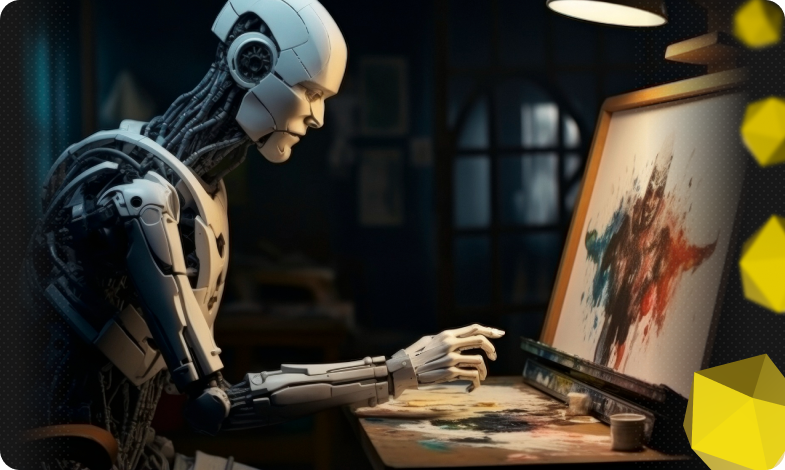
How to create images with artificial intelligence

Images are one of the fastest ways to grab the attention of an audience. Today, artificial intelligence enables businesses to generate visuals quickly, scale creative options, and accelerate iterations. In this article, we will analyze this issue in more detail, as well as practical guidelines for businesses in Ukraine, available services, and examples of AI application in image creation.
When to use AI for image generation
Use AI generation where it provides obvious added value, but remember that in some cases it is better to refrain from using AI or use it only as an auxiliary tool. Let’s consider clear guidelines.

When to use AI:
- Rapid ideation and prototyping. If you need to quickly visualize several concepts, such as landing page design options or ideas for posts, AI creates the basis for further work by a designer. This shortens the decision-making cycle and allows you to quickly choose a direction.
- Mass generation of variants for A/B tests. When you need to test several visuals against the audience, AI allows you to get 5-10 variants in a short time. This is useful at the stage of testing creative hypotheses.
- Content personalization. Generating localized or segmented images, for example, for regional advertising campaigns, saves resources and increases the relevance of the message.
- Supplementing content for social media and blogs. For illustrations in articles, quick banners, and visuals in posts where the image does not need to be of perfect «print» quality, AI is a convenient and cost-effective option.
- Preparation of references and briefs for designers. Generated sketches often serve as a visual reference in communication with a client or development team.
When not to ask for AI assistance:
- Final promotional materials or product packaging without revision. Print, packaging, or scalable branded communication material requires a guarantee of quality and brand consistency, and AI images often have small artifacts that become visible at high resolution.
- Logos and corporate identity elements that require uniqueness. A logo is a legally and strategically sensitive element. AI can produce similar or borrowed motifs, so it is better to engage a designer who will ensure originality and legal purity.
- Images of real people without their consent or sensitive subjects. Generating portraits that imitate the appearance of specific individuals or public figures carries the risk of violating privacy, reputation, or copyright rights.
- Medical, technical, or legal illustrations that require accurate information. When factual accuracy is important, such as with anatomy, electrical diagrams, or legal documents, AI can create plausible but false details, which is unacceptable in a professional context.
- Materials with high reputational risks (crises, legal statements). In cases where an error in the visuals could harm the brand or be interpreted as manipulation, rely on professional photography and expert editing.
To ensure that the use of AI for image generation is safe and effective, businesses should establish mandatory human review and revision of commercial materials, check license terms before large-scale use, save samples and test different solutions to ensure consistent results, and clearly define areas where AI is the main or auxiliary tool. As well as transparency in cases where the way a visual is created can affect the trust of the audience.
Where AI images bring real business benefits
Modern businesses operate at a pace where the speed of content creation often matters more than the perfect perfection of a single artifact. AI image generation allows you to get visual variants in minutes, experiment with composition and style without significant time and budget costs, and quickly scale visual content for different channels and audiences. Let’s take a look at the main areas of application.
Marketing and SMM (quick iteration of banners and previews for posts)
AI allows you to create several variants of a visual for one advertising idea, which simplifies A/B testing of headlines, colors, and compositions. This saves the creative team time at the initial stages and allows them to quickly adapt the creative to the audience’s reaction. For social media, it’s useful to generate different formats (story, post, video preview) at the same time while maintaining the overall aesthetic of the campaign.
E-commerce (alternative product card visuals and lifestyle photos)
In addition to standard photos, AI allows you to create lifestyle shots that demonstrate the product in the context of use, or variants of a product photo with different backgrounds and compositions. This helps to test which visuals sell better and quickly prepare seasonal or thematic lines without an additional photo shoot. You can also generate variants for localized campaigns, emphasizing regional features.
Presentations and commercial offers (illustrations of complex processes)
Instead of long textual explanations, AI images allow you to visualize business models, process stages, or abstract concepts in the form of clear diagrams and images. This increases the comprehensibility of the material for customers and investors and makes presentations more attractive. If necessary, such visuals can be easily integrated into slides and branded documents.
Design prototyping (ideation of the first visual concept)
In the early stages of work, a designer can quickly get several styles, palettes, and compositions without spending hours on manual work. This allows the team to choose the vector of project development and only then invest resources in a detailed elaborated version. AI prototypes are also useful for discussions with clients in the format of «what they like or dislike».
Personalization (creative options for audience segments)
By generating a series of visuals with slight differences, businesses can test the reaction of different segments and increase the relevance of the message. Dynamic advertising campaigns, where images are changed according to the audience, gain in CTR and engagement if the visual matches the expectations of the target group. This approach also allows you to use the budget for promotions more efficiently.
Remember: when generating AI images for commercial materials, always leave out the quality control and legal review stages.
Services for generating images using artificial intelligence
We recommend that you pay attention to five services that combine a clear interface, quick start without complicated training, advanced settings for advanced users, and practical applicability for daily business tasks.
Midjourney
A tool with a strong artistic accumulated handwriting that produces expressive, atmospheric images with a significant degree of detail. Since the service works through Discord, you need to understand the basic commands first. At the same time, this format provides more opportunities for experimenting with style, textures, and lighting, so the tool is often used for creative campaigns, covers, and branded illustrations. It is suitable when you need to create an emotional visual with a distinct visual style, but commercial applications usually require additional retouching or adaptation to technical requirements.
ChatGPT
A convenient option for those who want to work in a textual dialog: it allows you to gradually refine the prompt and get several image options at once. The interface is intuitive, and the generation is suitable for banners, hero images, and landing page concepts where composition and format are important. Power in combination with simplicity – a quick start for marketing and product teams, with the subsequent opportunity to finalize the material in graphic editors.
Ideogram
A tool characterized by the accuracy of text elements and clean, concise compositions. It is well suited for infographics, diagrams, illustrations with captions, and materials that require readability of the text on the image itself. The simplicity of the style makes it suitable for presentation illustrations and blog posts. For more complex artistic tasks, you’ll need to experiment with prompts.
Bing Image Creator
An easy-to-use web-based tool for creating photorealistic images and editorial illustrations. The interface allows you to quickly create «live» compositions for your blog, product cards, or editorial materials; a useful option is integration with standard work tools and search. The advantage is speed and accessibility, the limitation is a lower degree of artistic customization compared to specialized art models.
Craiyon
A simple and free service for ideation and quick sketches. Although the quality of the results usually lags behind the leading commercial models, the tool is great for brainstorming, initial meetings, and quick visualization of ideas when basic visuals are sufficient. The results should be considered as working sketches that will need to be finalized for publication or commercial use.
Choose a service for the task and use general prompts as a starting point, adjusting them to the brand guide, format, and target audience.
An effective promo formula
To get a predictable and useful result from an image generator, formulate a promo according to a clear structure:

- Style/genre.
Specify the desired visual style right away – for example, «photorealistic», «anime», «flat illustration», «sketch», «caricature», «cinematic», «watercolor». This sets the overall look and level of detail. Example: photorealistic for marketing hero, flat illustration for infographics, sketch for sketches and concepts.
- Main object and focus.
Clearly describe what should be in the image and what should be the focus of attention. Include age, pose, number of people or objects, if relevant. Example: «a 20-year-old woman in full-length, office clothes, looking at the camera» or «a black cat sleeping in a wicker basket».
- Frame and composition.
Determine the plan and point of view – full-length, half-figure, close-up, bird’s-eye, three-quarter view, etc. Add if you need any copy space. Example: «full-body, 3:4, ample copy space on the right».
- Atmosphere and lighting.
Describe the mood, weather, time of day, type of light (soft natural light, dramatic rim light, warm studio light). This critically affects the perception of the image. Example: «golden hour, warm soft light, slight lens flare».
- Details and props.
List the important elements that must be present: clothes, accessories, background, objects. If necessary, specify textures, materials, or specific objects. Example: «ceramic mug with matte navy glaze, wooden table, subtle steam».
- Color scheme and tone.
Specify a palette or color accents, especially if brand identity is important (corporate blue accents, muted earthy tones). Example: «muted corporate palette: navy, warm beige, soft gray».
- Technical parameters.
Specify the aspect ratio, desired resolution, or purpose (web hero 16:9, Instagram square 1:1, print 300 DPI). You can also specify the format (PNG, transparent background). Example: 16:9, high resolution, transparent background.
- Experiment level or restrictions.
Add clarification on the degree of creativity or restrictions (realistic, minimal stylization, avoid text on image, no logos). Example: «realistic, avoid visible brand logos, no on-image text».
- Optional references.
If necessary, add a link to a reference or the name of an artist or style (use as reference: [name of style/artist]). This helps the model get closer to the desired handwriting.

This formula provides a clear «framework» for the generator and greatly increases the likelihood of getting a successful first result.
What to check immediately after generation
|
Check point |
What to look for/how to check |
Actions in case of a problem |
|
Technical artifacts |
Errors in hands or fingers, distorted details, incorrect edges, unwanted text in the image |
Clarify the promo (e.g., «correct hands, no extra fingers») or edit in a graphic editor |
|
Composition and space for text |
Is there a free area for the headline/CTA; do important elements overlap? |
Change the composition in the email promo (add «ample copy space»), or crop/move elements in the editor |
|
Colors and contrast |
Compliance with the brand guide, saturation, readability |
Specify the exact colors in the promo (hex or description), make color correction in the editor |
|
Legal risks |
Availability of real brands, recognizable faces, elements with legal restrictions |
Remove or replace problematic elements, if necessary, obtain permission or use a stock, model |
|
Quality for the channel |
Size, aspect ratio, resolution (web/print/social media) |
Re-generate with the required technical parameters; if necessary, retouch for printing |
If the check reveals any defects, correct the proof by performing a short correction, and specify exactly what to fix. Edit the image in editors like Adobe Photoshop or repeat the generation on another platform for comparison. And be sure to save versions of the prompts and final files for further comparison and workflow optimization.

commercial offer
Other articles by the author

17/02/2026
Sitelinks are a set of internal links that Google sometimes displays below the main result in the search results.

02/03/2026
Your website is no longer just a showcase, but one of the main channels for sales, communication, and brand positioning.
05/02/2026
Geotargeting is an algorithm that allows content or advertising messages to be shown to users based on their geographical location.
Latest articles by #Useful tips
24/03/2026
Today, artificial intelligence enables businesses to generate visuals quickly, scale creative options, and accelerate the iteration process.
23/03/2026
AI-powered tools are no longer just an experiment. Today, they have become an integral part of the day-to-day operations of many PPC teams.

20/03/2026
Detailed feedback allows you to take targeted action, conserve resources, and increase revenue.