

 25/10/2021
  4262
4262

Інтернет-маркетинг
простою мовою
Content of the article

How to work with Google Ads audiences in observation
When setting up advertising campaigns and working with audiences, we repeatedly set ourselves the goal of showing ads to whom, depending on the objectives of our business.
Thus, to reach potential customers in contextual advertising, you can connect several targeting methods:
1. Audiences with Targeting
2. Audiences in observation
Let’s consider in more detail.
Audiences with Targeting
By selecting the Audience Targeting option, we only show ads to the audience that we have selected. An example of this is seen in the Display Network Remarketing ad campaign. To do this, we indicate users who have already visited the site in the “Targeting” mode. Our ads will only be shown to these selected users. This applies not only to custom audiences, but also to custom intent, affinity, and in-market audiences. That is, targeting allows you to narrow the reach of the campaign to only selected audiences.
Targeting is recommended for all advertisers on the Display Network for video campaigns.
On Audience Search, targeting can be used to set up search remarketing.
Audiences in Observation
What happens when observations are used? Watch audiences don’t change the reach of your campaign or who can see your ads where. That is, they do not narrow the reach, but simply “observe” and report on the actions performed by users regarding advertising.
Observations track the effectiveness of targeting to manually selected placements, topics, or audiences without stopping the campaign.
Observation audiences give us a great opportunity to collect statistics on different users, so if we enable observation, it does not affect the behavior of our advertising campaign in any way. However, when receiving referrals, we can analyze audience statistics and see how many users from a particular audience came to us, and what are their characteristics in terms of conversion and CTR.


The easiest way to collect statistics is from branded campaigns, or from those campaigns with the most conversions. Then we will need to monitor audience reports and filter out the most converting ones. We can see all the statistics in Google Ads reports. And then from this we can draw certain conclusions, which audiences we don’t need, and which ones turned out to be even very effective. And then, switching everything to the targeting mode, we concentrate only on these audiences that are beneficial to us.

That is, we now use the data that we receive to our advantage in further bid adjustments, to create new ad groups with targeting, based on observations.
When the audiences have been added and the statistics have already collected, then we set adjustments towards “+” or “-” for the audiences selected and marked by us, depending on their indicators. This will give us the opportunity to win – so that users from audiences with good behavioral data see our ads more often. Or vice versa – with the help of a negative adjustment, less likely to be shown to audiences that are not at all suitable for our business. For example:


Observation audiences are a very informative and profitable tool in Google Ads for your business, if you can use it correctly in your advertising campaigns.
Having collected statistical indicators in the “Observation” mode, we reliably determine for ourselves which audiences convert better and, based on these data, set the necessary bid adjustments.
All successful campaigns and high conversions!

commercial offer
Other articles by the author

28/05/2021
Quite often in the work of SEO specialists, contextual advertising specialists, and marketers, situations arise when you need to provide guest access to another user to Google Ads, Google Analytics, Merchant Center, and Google Tag Manager accounts.
Let's take a closer look at how to do it.

09/06/2021
When choosing an agency, it is important to consider
competence of specialists;
experience
approach to solving tasks and problems that arise.

16/11/2022
The Shopping Graph is a dynamic model, powered by artificial intelligence, that understands the ever-changing set of products, merchants, brands, reviews, and most importantly, product and assortment information that is sourced directly from brands and retailers, and how these attributes relate to each other.
Latest articles by #PPC
10/09/2026
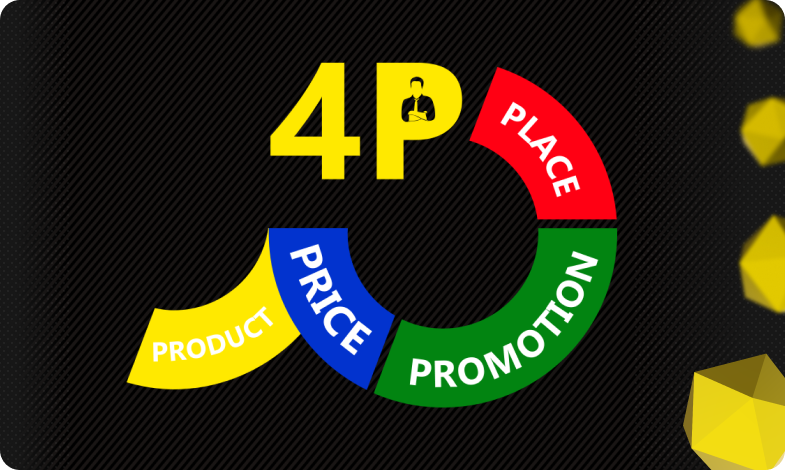
The 4P model serves as an architectural foundation that transforms disparate marketing activities into a single, manageable system.

08/09/2026
Today, an influencer is a distinct media platform with its own editorial policy, a keen understanding of its audience, and an established level of trust.

14/08/2026
While most brands focus their budgets on Instagram or Google Ads, Pinterest remains an underrated platform with an audience that has high purchasing power.