

 08/05/2026
  1428
1428

Інтернет-маркетинг
простою мовою
Content of the article
- /01 How Google decides who to show in local search results
- /02 The profile foundation without which promotion won’t work
- /03 Categories and attributes: how Google understand your business
- /04 Photos, videos, and visual design of the profile
- /05 Reviews and reputation management
- /06 Posts, promotions, and events on your profile
- /07 How to evaluate optimization results
- /08 What to do after basic setup

Google My Business optimization: how to improve your rankings in local search

For local businesses, a Google profile is often the first point of contact even before a visit to the website or a phone call. That is why a well-optimized profile affects visibility in Search and Maps, as well as route planning, calls, website visits, and other actions that lead to customer engagement. In this article, we’ll break down exactly what you need to set up in your profile, how to boost relevance, trust, and engagement, and how to track results without resorting to gimmicks.
How Google decides who to show in local search results
Google explicitly states that local results primarily depend on the following factors:
- relevance — how well the profile matches a specific query;
- distance — how close the business is to the user or to the location they are searching for. If a person does not specify their location, Google uses data about their whereabouts known to the system;
- authority — how well-known and visible the business is in its niche. Google takes into account, in particular, the number of mentions and links to the business online, as well as the quantity and quality of reviews;
- activity — whether the profile is regularly updated and looks active;
- engagement signals — whether users interact with the profile: calling, getting directions, visiting the website, sending messages, or booking services. Such actions indicate that the profile is genuinely useful to the audience.
This means that the system tries to find not the «loudest» but the best match between the user’s query and the profile data. Google specifically emphasizes that it is impossible to improve rankings in local search by paying or through a personal request.
Therefore, it’s important to understand: your profile must clearly explain who you are, where you operate, and exactly what you offer. If the information is vague, incomplete, or contradictory, it’s harder for Google to determine which search queries to display your business in. That’s why local optimization starts with accurate basic settings.
Local SEO is not just about maps it’s also about earning Google’s trust
The WEDEX team will help you set up your company profile, boost your local visibility, and improve the factors that influence your rankings in Google’s local search results.
The profile foundation without which promotion won’t work
Before working with reviews, content, or additional settings, make sure the profile itself is filled out correctly. It is the basic information that forms the first impression of the company and helps Google correctly match it with local search queries. So, let’s break down which steps are mandatory.
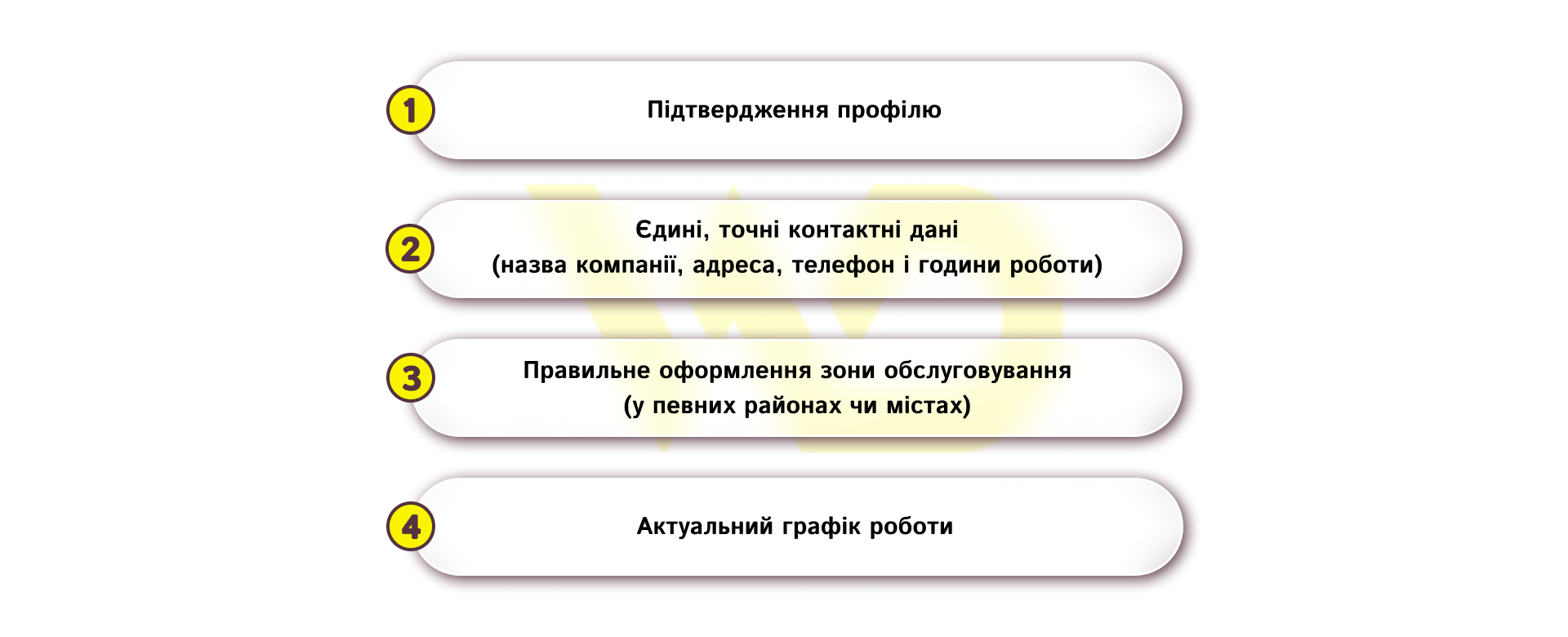
- Profile verification.
The profile must not only be created but also verified. This gives the business control over how the company appears in Search and Maps, and also allows to make real-time updates. Without verification, the profile cannot be fully managed or updated.
- Consistent, accurate contact information.
The company name, address, phone number, and business hours must match the actual business details. It is important that this information is consistent across the profile, website, and other platforms. This consistency helps avoid confusion and builds trust with both users and Google.
- Correctly defining the service area.
If a business operates not only from a specific location but also serves customers in certain areas or cities, this service area must be specified separately. For businesses that provide on-site service or combine a physical location with on-site service, it is advisable to specify the specific cities, districts, or towns where they operate, rather than simply setting a radius around the office.
- Current business hours.
Business hours must be kept up to date, especially if the company has rotating shifts, holiday hours, or temporary schedule adjustments. This is particularly important for a chain or a business with multiple locations, as each location must have its own accurate data without being mixed up with other branches.
When these basic elements are set up correctly, the profile becomes clear to both the user and Google.
Categories and attributes: how Google understand your business
The category in Google Business Profile helps the system understand what your company does and display it in relevant local search results. Google explicitly states that the categories you select influence local search rankings and also help customers find the right type of business more quickly.
How to choose the right category
The main rule is to choose the most accurate category that describes the core focus of your business. You shouldn’t invent your own categories or use them as a set of keywords, nor should you select options that describe only certain aspects of your company.
For example, if a company operates as a nail salon, the more accurate choice would be «Nail salon» rather than simply «Salon». If the business is a pizza restaurant, the main category should describe the business format itself, not just a single service or dish. Google even provides an example showing that a pizzeria’s profile can appear in broader local search results if the category is selected correctly.
Additional categories: when they’re truly relevant
Google allows you to add additional categories, but only when they truly reflect other important areas of the company’s operations. You shouldn’t pick a category for every single service or product, as this doesn’t help and only blurs the profile’s focus.
For example, if you have a grocery store with its own bakery and deli section, it makes sense to have the main category as «Grocery Store», with «Bakery» and «Deli» as additional categories. But if a separate, independent business operates within the same location, it needs its own profile, not an additional category in someone else’s account.
Attributes: what they offer in practice
Attributes are additional business characteristics that help users quickly understand the terms of service. Through attributes, you can indicate, for example, the availability of free Wi-Fi, an outdoor seating area, parking, barrier-free access, and other important business features. This helps users understand, even before visiting, how well your company meets their needs. Some attributes can be filled in by the business owner, while others are generated based on data from customers who interact with the profile.
The most useful attributes for a business:
- Wi-Fi, parking, wheelchair access, and outdoor seating help customers quickly assess the comfort of their visit;
- cash payments, cashless payments, delivery, and pickup address the most common questions even before the first contact;
- online booking, reservations, and on-site service — are especially important for service companies, beauty salons, medical centers, and other businesses where the convenience of booking affects conversion;
- Industry-specific features such as a children’s menu for a restaurant, online consultations for a clinic, or a fitting room for a clothing store, etc.
The list of available attributes depends on the selected business category. That is why the set of parameters can vary significantly across different niches.
Let’s look at a few more specific examples for a better understanding.
- For a café, the category and attributes can highlight the availability of delivery, takeout, or a patio.
- For a beauty salon, services, appointments, available payment methods, and customer amenities will be important.
- For a service company, it’s helpful to specify whether it offers on-site service, accepts clients at a specific address, and what specific services it provides.
This way, the profile becomes not just visible, but truly useful when making a choice.
Photos, videos, and visual design of the profile
Visual content on Google Business Profile serves as a trust-building tool. It’s worth adding photos and videos of the building’s exterior, products, and services, as exterior photos help customers recognize the business when they arrive on-site. All photos and videos appear on the profile after the business is verified.
This means that people should see not an abstract company, but the actual space they will be visiting. For a café, this could be the entrance, dining area, and outdoor seating; for a salon, the workstations and interior; for a clinic, the reception area; and for a store, the window display and product selection. This visual presentation reduces doubts even before the first contact and makes the profile more compelling to the user.
You should prioritize photos that answer the client’s basic questions even before their visit:
- what the place looks like;
- what the product looks like;
- who works at the company;
- what exactly the visitor will receive.
For many niches, it’s helpful to include short videos, as they help convey the atmosphere, workflow, or service results more effectively than a static image.
Reviews and reputation management
Google reviews are not only social proof but also an important channel for engaging with your audience. Google allows you to respond to reviews only after verifying your profile, and reviews themselves are not available in all countries or for all business categories. However, their availability may change over time.
This means that managing reviews should be a systematic process: asking customers to leave honest feedback, responding gratefully to positive reviews, and calmly addressing negative ones. A public response from the business owner shows that the business does not ignore feedback and is willing to communicate openly.
For example, if a customer highlights a strength of the service, a brief response can reinforce that experience and thank them for their choice. If the review is critical, a polite response helps defuse tension and shows other users that the company knows how to handle complaints. If a review violates Google’s guidelines, it can be flagged as inappropriate.
Posts, promotions, and events on your profile
Google Business Profile allows you to post updates, offers, news, and event details directly in Search and Maps. This is useful when a business wants to quickly announce a seasonal promotion, a new product, a schedule change, or a specific event. According to Google, these posts help customers better decide whether to visit the business right now.
This format is particularly convenient for companies with a regular flow of new information. A restaurant can announce a new menu, a salon can highlight available slots or a new treatment, a clinic can introduce a new service, and a store can promote a seasonal offer. The advantage here is that the profile looks lively and up-to-date, rather than static.
Posts, on the other hand, should be used for short and specific messages that have practical value for the customer: an offer, an event, an update, or useful news about the company. Google specifically emphasizes that content on the profile must comply with policies and create a positive user experience.
How to evaluate optimization results
Google Business Profile has built-in performance metrics that help you understand how people interact with your business on Search and Maps. These include views, clicks, and other user actions, as well as the ability to select a time frame for analysis. This allows you to evaluate not only visibility but also the actual value of the profile for your business.
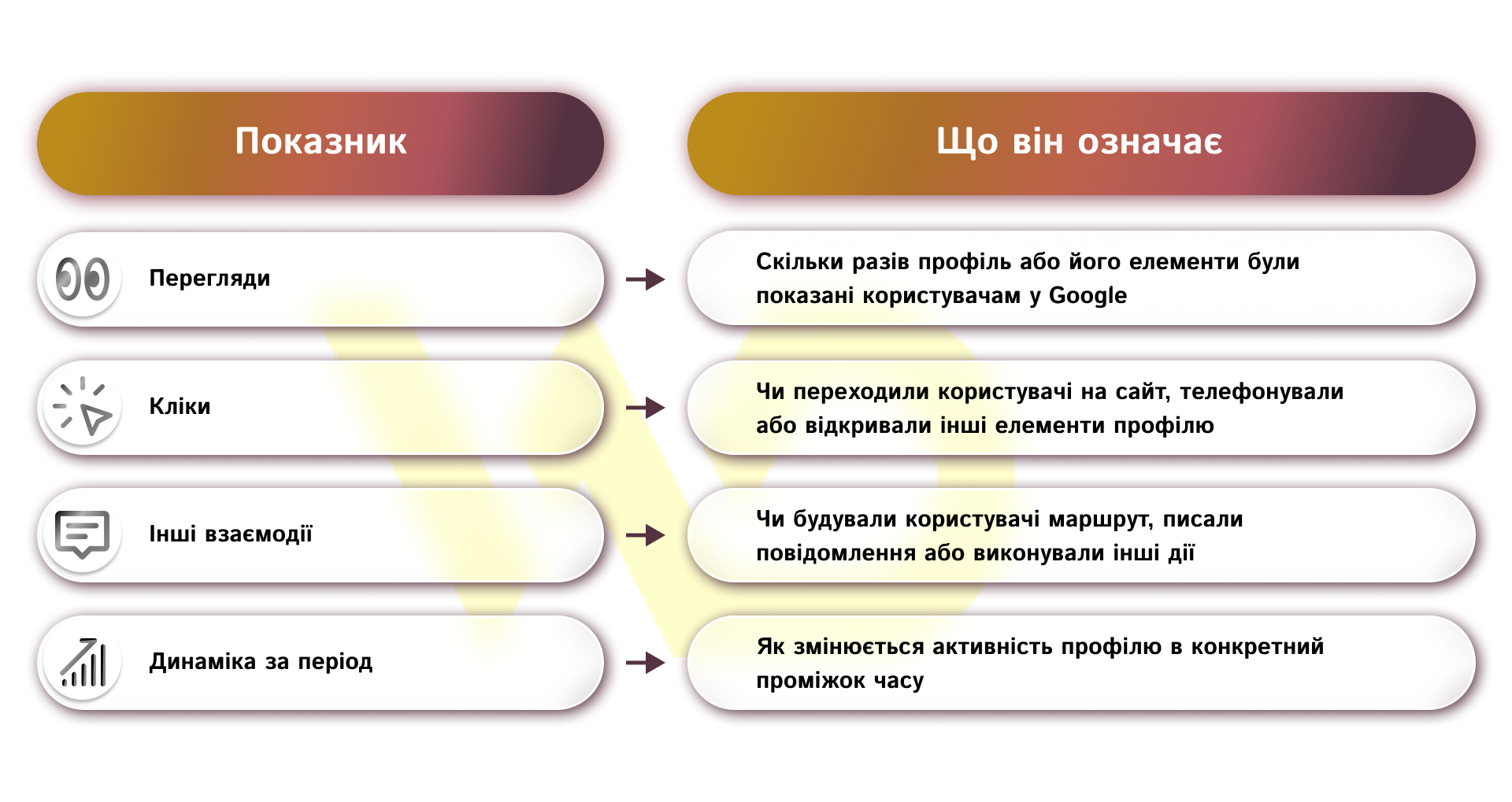
Google allows you to view this data over time, so it’s better to evaluate results not over a single day, but over a longer period. For businesses, this is a convenient way to understand whether photos, reviews, posts, and basic profile content work together as a unified system.
What to look for during analysis
The numbers themselves don’t tell you much if you don’t know how to interpret them. For example, a high number of views with a low number of clicks may indicate that the profile is visible in search results but doesn’t sufficiently convince users to interact with it. In this case, it’s worth reviewing the photos, description, categories, or the relevance of the offers.
If, on the other hand, users are actively calling or building a route but rarely visit the website, this usually means they find the essential information directly on the profile. For local businesses, this is a perfectly normal situation, as a Google Business Profile often meets the customer’s needs before they even visit the website.
Regular analysis of these metrics allows you not only to track statistics but also to understand which profile elements work best and which need improvement.
An additional profile quality indicator
In addition to the main metrics, it’s worth paying attention to the Profile Strength metric. This is a built-in Google indicator that assesses how complete the profile is and suggests what data can still be added. For example, the system may recommend uploading new photos, specifying attributes, adding a company description, or updating contact information.
This tool is especially useful after the initial profile setup or during regular audits. It helps quickly identify gaps and keep the profile as competitive as possible.
It is this comprehensive approach analyzing metrics alongside Google’s recommendations that allows for systematic improvement of local SEO results.
What to do after basic setup
Once the profile is complete, verified, and logically structured, the work doesn’t end there. Regular updates are required.
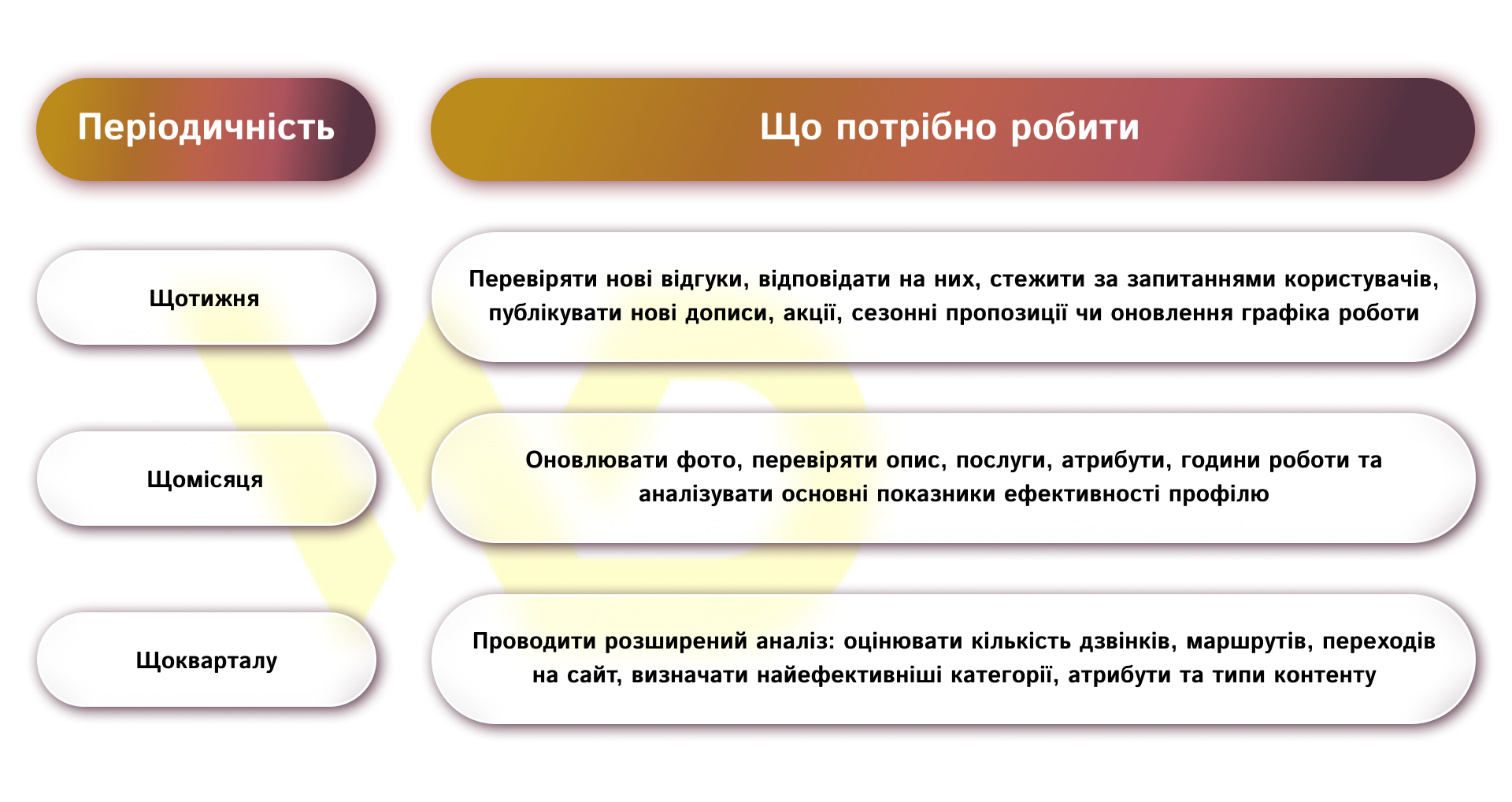
It is this consistency that makes the profile a strong channel for local presence, rather than just a technically formatted company listing.

commercial offer
Other articles by the author
26/08/2026
TikTok has long since ceased to be merely an entertainment platform and has evolved into an effective channel for promotion, lead generation, and building brand relevance.

15/04/2026
Meta AI is an AI-powered chatbot built on the LLaMA 3 language model.

14/05/2026
Content moderation is the systematic management of audience engagement with a brand on social media.
Latest articles by #SEO

09/09/2026
The Facebook lead form helps businesses collect contact information from potential customers directly from an ad, without requiring them to visit the website.
08/09/2026
Today, an influencer is a distinct media platform with its own editorial policy, a keen understanding of its audience, and an established level of trust.

04/09/2026
Instagram Shopping is a set of Meta features that allows businesses to integrate their product catalog with their social media profile.