

 01/07/2026
  1377
1377

Інтернет-маркетинг
простою мовою
Content of the article
- /01 Basic and hidden elements of the profile header
- /02 Rules for choosing and optimizing your profile picture
- /03 The difference between a nickname and a profile name
- /04 The formula for an effective text description (Bio)
- /05 Clickable links and multi-links
- /06 Contact buttons, navigation, and calls to action (CTA)
- /07 Pinned stories (highlights) as an interactive website menu
- /08 Design specifics: business accounts and personal brands
- /09 A few more effective tips

Instagram Bio: how to properly format your profile header for a business and personal brand
Holding the attention of today’s social media user is a matter of seconds. According to HubSpot analysts, brands have only about 3 seconds to capture a visitor’s interest, because it’s during this brief moment that a person decides whether to stay on the page. The main tool responsible for this first impression and for converting a casual visitor into a follower or customer is the profile header (Bio). If it’s designed incorrectly, any investments in targeted advertising or influencer collaborations will be wasted.
In this article, we’ll break down the current best practices for optimizing every element — from the avatar to the contact buttons — how to integrate your USP within the character limit, set up on-page SEO for free search traffic, and turn pinned Stories into an effective sales funnel.
Basic and hidden elements of the profile header
An effective profile header isn’t just pretty text it’s a clearly structured modular system where each element serves a specific marketing function. Instagram’s interface imposes strict limits on the amount of information, so you need to use the available space to your greatest advantage.
The overall layout of the top section of a profile consists of several key areas that users see on their smartphone screens without having to scroll down the page:
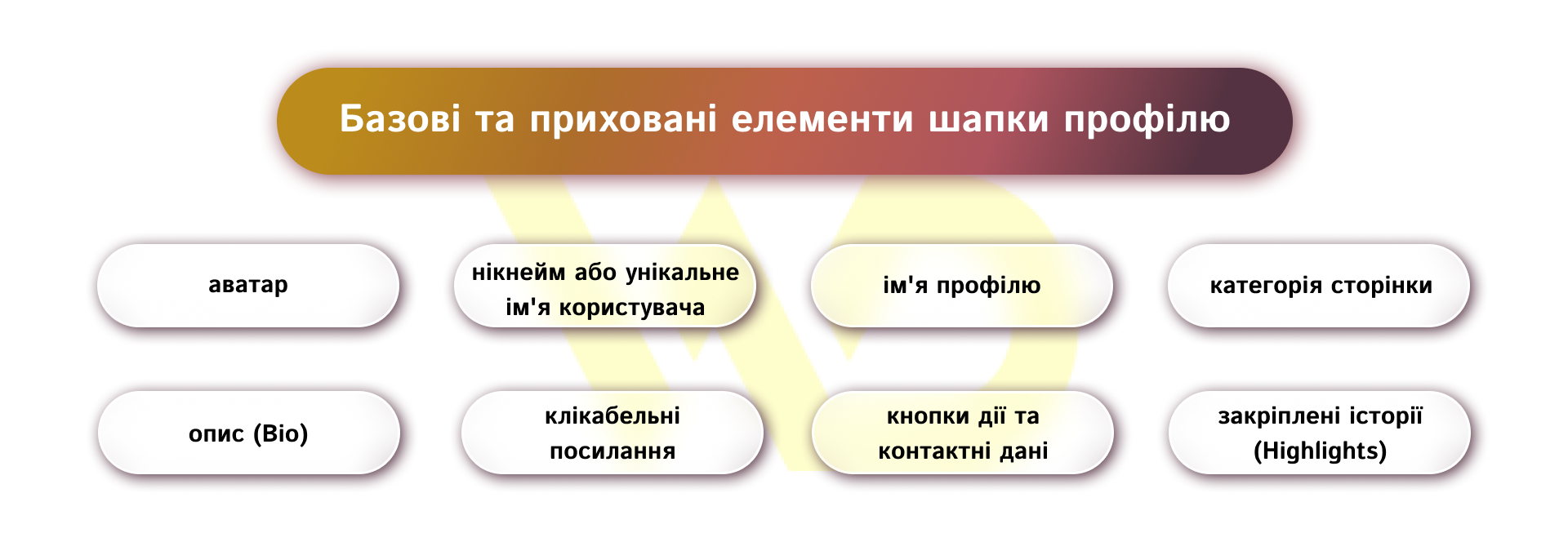
- avatar — the brand’s visual identifier;
- Nickname or unique username (@username) — the page’s web address;
- Profile name — the main line displayed in bold and used in internal search;
- Page category — an indicator of the account’s focus, available for professional accounts;
- Description (Bio) — a text field with a limited character count for presenting your unique selling proposition;
- clickable links — a tool for redirecting traffic to external resources;
- Call-to-action buttons and contact information — elements for quick communication;
- Pinned Stories (Highlights) — an interactive menu that addresses users’ common objections.
The main technical challenge is that the platform limits the direct text description (Bio) to just 150 characters, including spaces. If you try to cram the company name, a list of all services, the address, and a call to action into that space haphazardly, the text will turn into a solid block that Instagram’s algorithms will simply hide under the «More…» button.
Therefore, the task of a marketer or copywriter is to distribute the information evenly across all areas of the profile, while completely avoiding repetition of content.
Rules for choosing and optimizing your profile picture
Your profile avatar is the first thing a user sees when they visit your page, in the news feed, in stories, in comments, and in direct messages (DM). This small circle, measuring 180×180 pixels on a mobile device screen, should instantly be associated with your business. For this visual element to be as effective as possible, it’s essential to clearly distinguish between the approaches to selecting it for commercial organizations and personal brands, as well as to adhere to technical quality standards.
Logo for a business account: simplicity and contrast

For commercial organizations, online stores, local businesses, and brands of any size, the best solution is to use the official logo. If a company’s logo contains a long text name in a delicate font or a large number of small details, it’s best to create a simplified, adapted version for the Instagram profile picture for example, using only a graphic symbol or a monogram. On a smartphone screen, complex text within a 180×180-pixel square will turn into an illegible blur, which will negatively impact brand recognition.
The image should contrast as much as possible with the background. For the background, it’s best to choose solid, clean colors: the brand’s signature shade, white, or a deep dark color, depending on the company’s overall brand identity. The logo should be positioned exactly in the center of the circle, leaving sufficient margins from the edges so that the app’s interface doesn’t crop important elements of the logo.
Portrait for a personal brand: trust and professionalism

When it comes to the personal brand of an expert — such as a doctor, lawyer, coach, blogger, or creative professional — logos and abstract images in the profile picture are not recommended. People buy from people, so the center of the profile picture should feature a high-quality, professional portrait. Choose a photo where your face takes up at least 60–70% of the frame, and your gaze is directed straight at the camera. This establishes a subconscious psychological and emotional connection with visitors to your profile.
The facial expression in the photo should convey friendliness, openness, and confidence that align with your professional niche. The background for an expert profile picture should be neutral such as a light-colored office wall or contrasting; in any case, avoid detailed interiors or landscapes that distract attention from your personality. It is acceptable to use a neat colored border around the portrait if it is part of a coordinated visual strategy; however, this technique should look natural, not like an artificial attempt to boost click-through rates.
Technical standards and quality optimization
Regardless of the type of image you choose (logo or portrait), the avatar must meet the platform’s technical requirements. The recommended size for the uploaded image is 1000×1000 pixels; Instagram will automatically crop it to a circle and compress it to the required display format. Before uploading, make sure all key elements are positioned within the imaginary circle at the center of the square.
The image must be clear, with no visible pixels, blurriness, or excessive digital noise. If you’re using icons or graphic symbols, it’s best to upload them in .PNG format on a transparent or pre-prepared colored background. Optimize the contrast and brightness of the photo so that it remains recognizable even at the smallest display size, such as in the list of direct messages.
A well-chosen and optimized profile picture is an investment in your brand’s instant recognition on Instagram. It acts as a visual beacon that helps users spot your profile among hundreds of others in their feed or search results.
Ignoring the rules for designing a profile picture instantly lowers trust in your business and reduces the effectiveness of any subsequent marketing efforts.
The difference between a nickname and a profile name
One of the most common mistakes when setting up a page on your own is not understanding the difference between a username and a profile name. This leads to the loss of a huge amount of free organic traffic that comes through Instagram’s internal search engine. The platform is actively developing its SEO algorithms, analyzing text markers to deliver relevant results based on user queries.
Username
A username (the @username field) is your business’s unique address within the site’s URL structure. It must be written exclusively in the Latin alphabet and should be as short as possible, easy to remember, and simple to type on a mobile keyboard. Ideally, the username should match the brand name or the expert’s last name exactly.
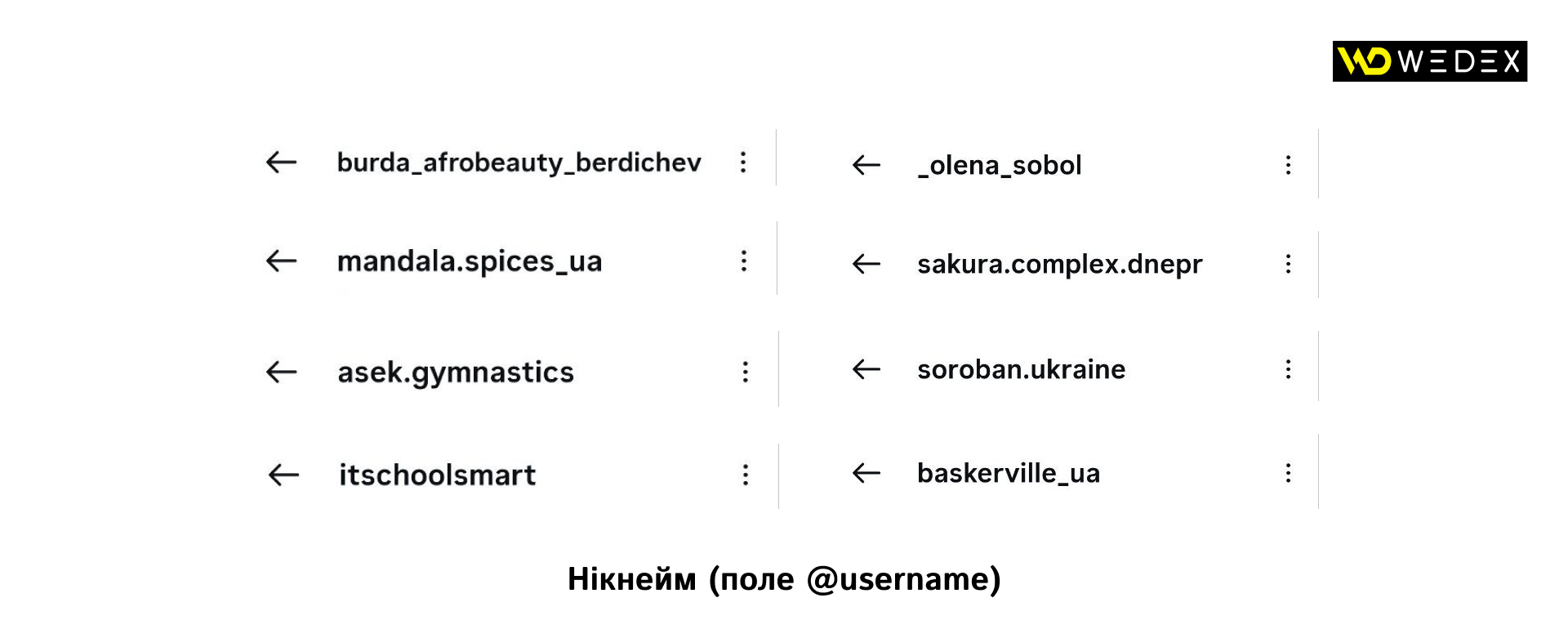
If the name is already taken, businesses should use clear extension patterns without overloading the username with symbols. For local companies, it’s effective to add a geographic marker, such as brand.ua or brand.kyiv. For large chain companies or services, concise prefixes work well: brand.shop, brand.app, brand.agency.
Avoid long sequences of underscores, multiple consecutive periods, or numbers that have no semantic meaning for example, beauty_salon_kiev_2026 looks unprofessional and is difficult to search for manually.
Profile name
The profile name (the «Name» field) is the top bold line in the text block; the platform allocates 30–64 characters for it, and this limit is periodically adjusted by algorithms.
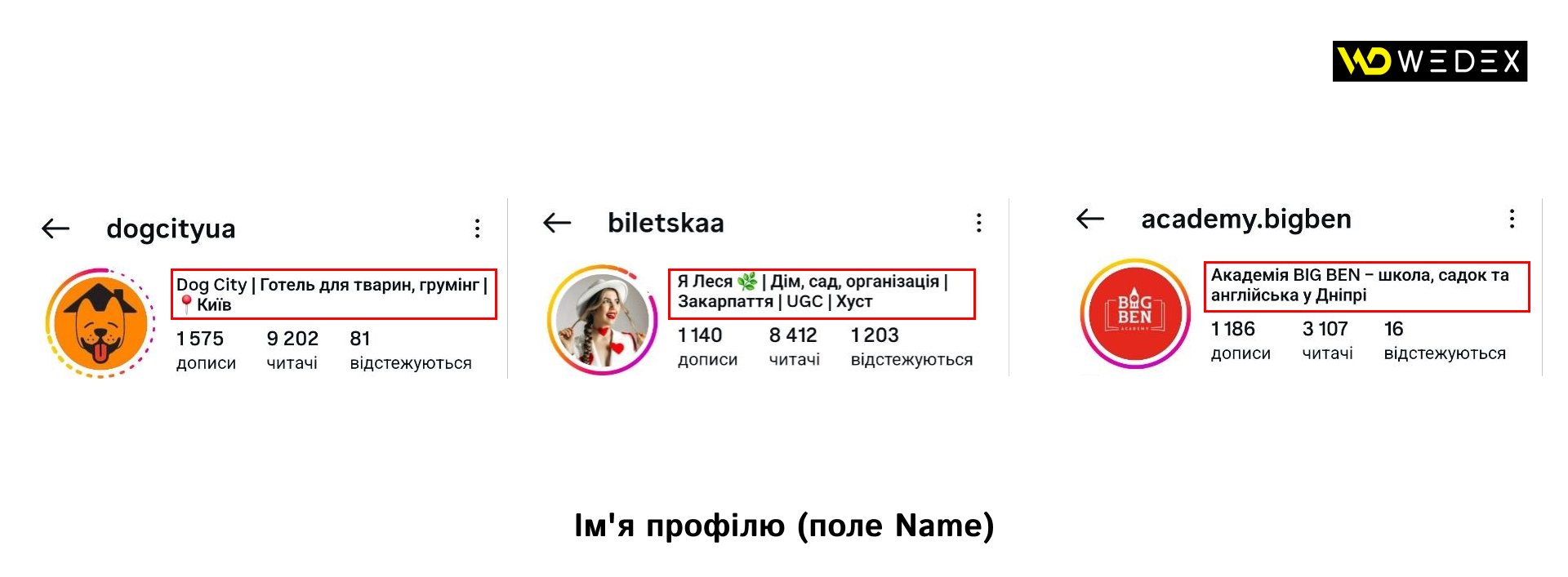
This field is Instagram’s primary internal search tool. If a user is looking for a service, they won’t type in your company name which they don’t yet know but will instead enter a specific search query.
That is why it is strictly prohibited to duplicate a nickname in the «Name» field, unless it is a world-famous brand. Instead of repeating your company name, you should include the most important high-frequency keywords that clearly describe your niche and location.
Examples of proper profile name transformations for businesses:
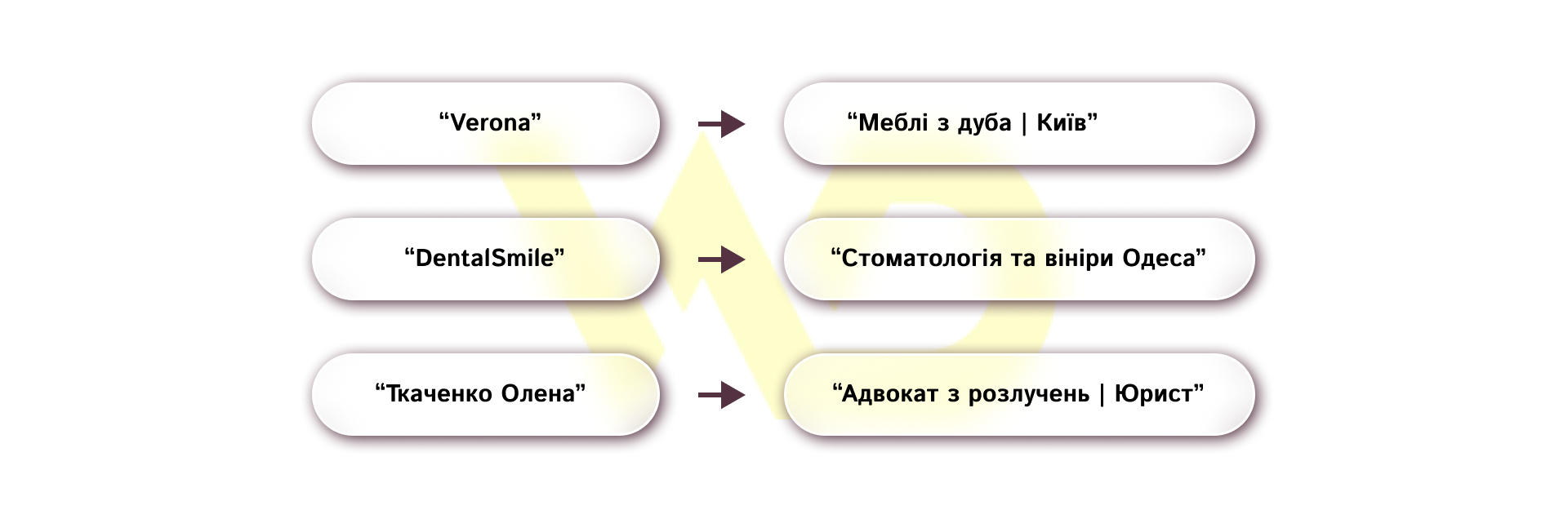
Combine keywords in your profile name using concise separators:
- a vertical bar (|);
- a slash (/);
- a period.
Don’t try to use emojis instead of letters, because Instagram’s search bot can’t recognize emojis as text, and you’ll simply waste valuable characters that could be used for indexing.
The formula for an effective text description (Bio)
When a user finds a page through a search or clicks on an ad, their eyes immediately go to the «Bio» field. This is the key spot for driving conversions. Since the character limit is only 150, strict editing rules apply here: remove any fluff, clichés, and generic phrases that could apply to any competitor in the market.

Phrases like «personalized approach», «high quality», «low prices», «rapidly growing», or «best service» have completely lost their marketing power. Consumers perceive them as white noise. The description should include specifics, numbers, and a unique selling proposition (USP).
To free up space in the main text for your USP, the first step is to switch to a professional account (Business or Creator) and select the correct business category. Instagram offers hundreds of options, so everyone can find the one that fits them best.
Once selected, the category will appear below your profile name in gray text. This automatically answers the question «Who are you?», saving you 20–30 characters in your main bio.
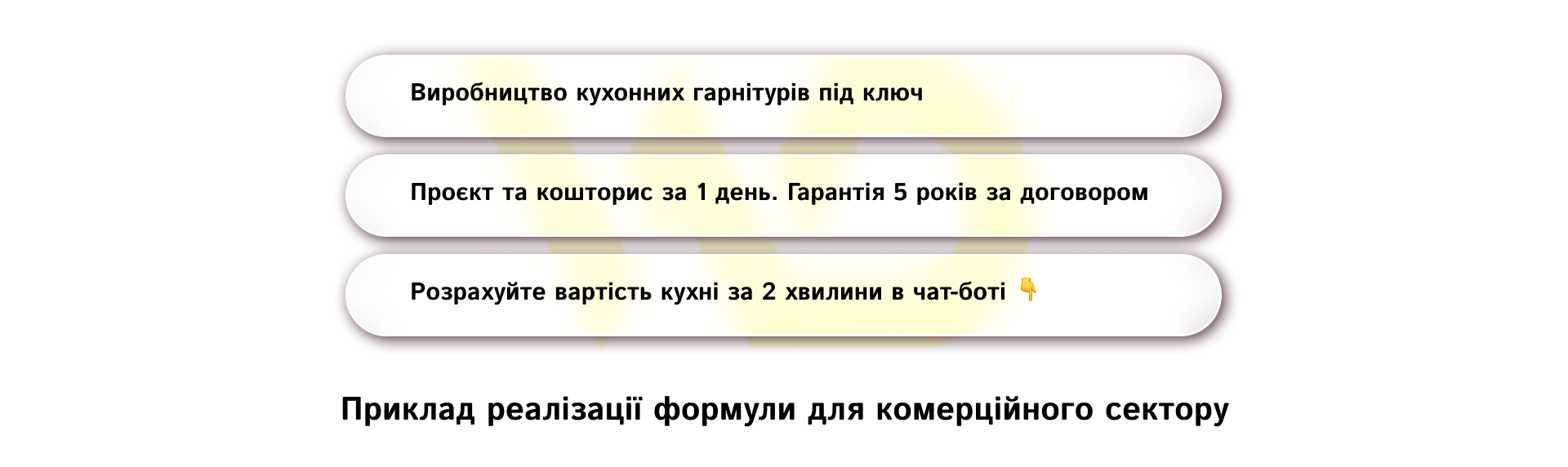
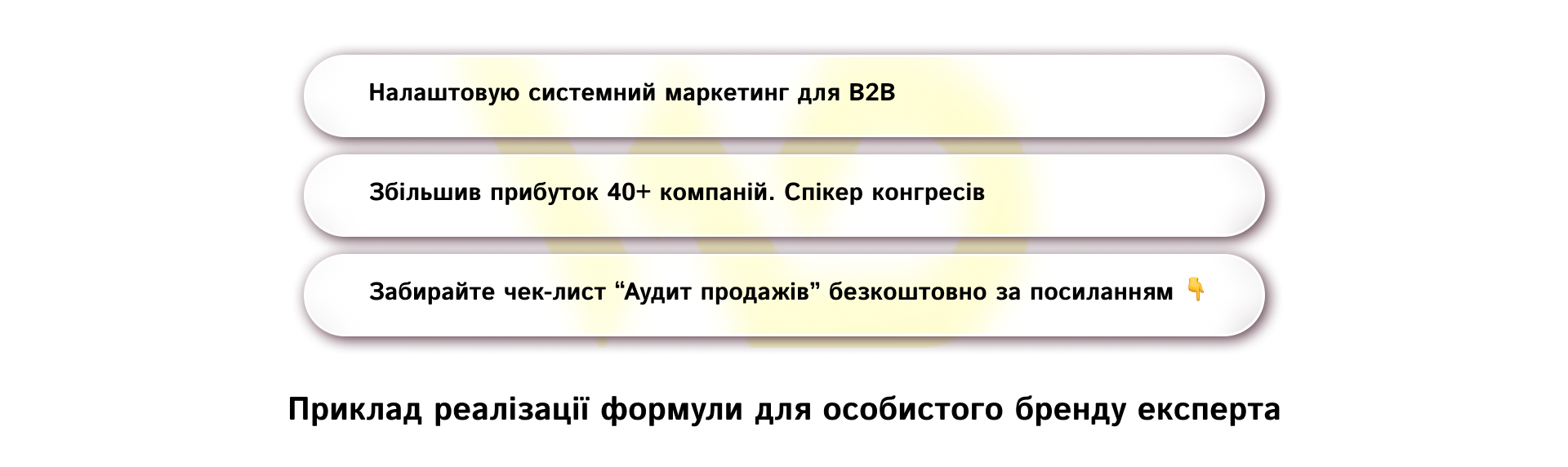
The formula for the perfect bio is based on three sequential levels of information:
- essence and positioning (first line): what exactly you do and for whom;
- unique value, offer, or rational benefit (second and third lines): why a client should choose you specifically, what specific problems you solve, or what facts confirm your expertise. Here, it’s appropriate to use numbers, specific terms, or unique service features;
- a logical call to action (fourth line): an instruction on what the user should do right now.
Example of applying the formula to a commercial account:
Example of applying the formula for an expert’s personal brand:
From a visual design perspective, the bio text must be structured. No solid blocks of horizontal text. Each thought should start on a new line. To wrap lines, use the standard Enter key in the mobile version or format the description via the website’s web version using invisible spaces if necessary.
Emojis can and should be used in the description, but exclusively as functional markers at the beginning of each line, instead of standard periods or dashes in lists. They help structure how information is perceived.
Emojis must align with your business’s theme. Avoid using emojis that are too bright, childish, or irrelevant, as they instantly diminish the perceived formality and seriousness of your commercial brand. Also, completely avoid using third-party hashtags in your bio unless it’s your unique branded hashtag for navigation. A clickable hashtag in the header is a gateway through which a user can click, go view other people’s posts under that hashtag, and never return to your account.
Clickable links and multi-links
The profile description serves to attract users, but on its own, it rarely sells complex or expensive products directly. To complete a transaction, sign up, or explore your product lineup in detail, users need to be guided to the next stage of the sales funnel. This is where the clickable links section comes in.
Today, Instagram allows you to add multiple active links directly to your profile interface; however, haphazardly placing direct links to various messaging apps and website pages often confuses customers. Marketing practice shows that two approaches yield the best results:
- For large e-commerce projects, brands with a wide product range, or service companies with a complex service structure.
It’s best to use a direct link to the official website or a specific landing page relevant to the current advertising campaign. Long, complex URL with a bunch of technical characters can look suspicious to users. Use clean, short links or set up internal redirects on your domain, for example, [site.com/insta](https://site.com/insta).
- For small businesses, local services, and independent experts.
The ideal solution is to use micro-landing pages or multi-link services, such as Linktree, or a custom-built mobile page based on the company’s CMS. Multi-links solve the problem of limited choice by allowing you to gather the following on a single, convenient mobile page:
-
- quick-access buttons to popular messaging apps (Telegram, Viber, WhatsApp) for direct contact with a manager in a single click;
- short video presentations or lead magnets (free instructions, guides, and checklists in exchange for contact information);
- a catalog of top products or services with prices;
- a feedback form or an online appointment booking form for a consultation.
From a web analytics perspective, placing any link in the profile header without using UTM tags is a major mistake. You won’t be able to track the actual effectiveness of the channel in Google Analytics and will see this traffic as general traffic, making it impossible to accurately calculate the return on investment (ROI) for social media. Each link must be tagged with unique source, campaign, and media tags.
Contact buttons, navigation, and calls to action (CTA)
A business account must provide customers with the ability to contact the company instantly, bypassing the lengthy process of writing messages in Direct, where responses can sometimes take hours due to managers’ heavy workload. To this end, a block of quick-action buttons is provided in the professional profile.
Don’t try to include the company’s phone number, email address, or physical address within the 150-character text limit of the Bio description. There are special hidden fields in the profile settings for this purpose the «Contact Methods» section.
Once you fill them out, neat native buttons for «Contacts», «Call», «Email», or «Directions» will appear in the interface. For local businesses, such as coffee shops, beauty salons, showrooms, or medical clinics, integrating a physical address is critically important because when a customer clicks on the address, they automatically open the built-in maps on their smartphone and get directions to your location.
Any buttons and links will be several times more effective if they’re backed by the right call to action (CTA). People tend to follow prompts, so the last line of your bio should clearly state what to do next and visually highlight the clickable links using arrow emojis or downward-pointing fingers👇, ⬇️.
Examples of strong marketing CTA for your profile header:
- Lead magnet-focused: «Download the 3 Steps to Business Automation here 👇»
- Direct sales-focused: «Order the limited-edition collection with a 15% discount 👇»
- Service-focused: «Book a convenient time for a visit online 👇»
Pinned stories (highlights) as an interactive website menu
Pinned Stories, «eternal stories», or highlights are technically located directly below the text description and call-to-action buttons, so they serve as a direct visual and thematic extension of your profile header. While your bio provides a brief initial answer to a customer’s question, highlights should fully explore the topic and address the consumer’s main concerns before they make a purchase.
The main mistake is turning pinned Stories into a haphazard archive of your personal life or a jumble of memories from five years ago. For businesses and personal brands, highlights serve as a full-fledged navigation menu for the site, organized by categories.
There is a mandatory minimum number of pinned stories folders that must be set up on a commercial page.
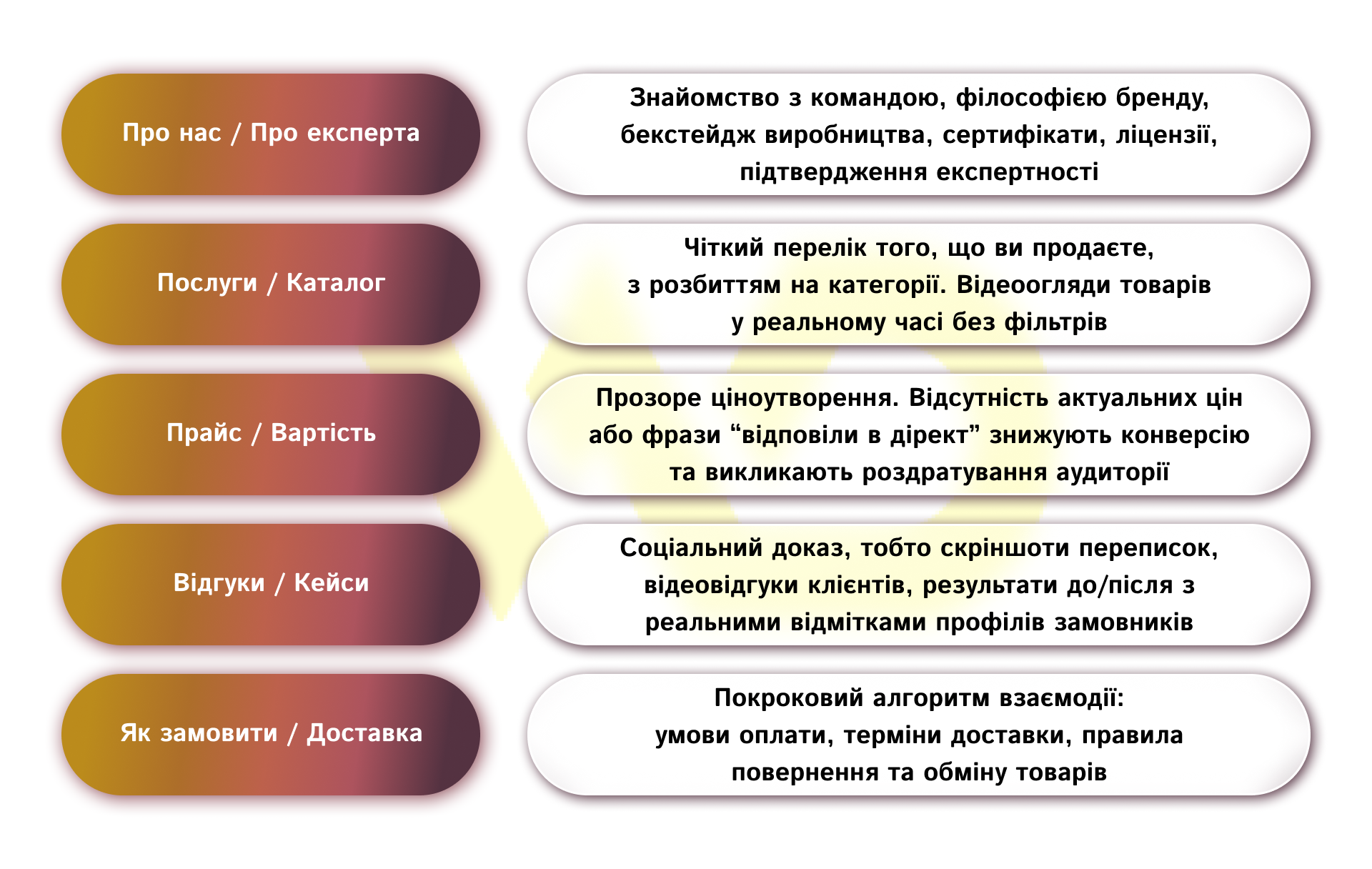
All cover images for pinned stories must follow a consistent visual style that harmonizes with the profile picture and the brand’s overall aesthetic. Use the brand’s color palette or simple, minimalist graphic icons.
Folder names should be short up to 10–12 characters so that the social media platform doesn’t truncate them with an ellipsis on the user’s screen. Try to name folders using clear, straightforward terms («Prices», «Reviews», «Contacts») rather than abstract, creative metaphors that confuse customers.
Design specifics: business accounts and personal brands
Although the basic technical tools for designing a profile header are the same for everyone, the marketing focus, content, and psychological triggers for commercial companies and personal expert brands differ dramatically.
Commercial business account
Focuses on the product, service, scalability, and tangible benefits for the consumer. Here, the personality of the owner or managers usually takes a back seat. The company’s profile header conveys stability, reliability, and a readiness to quickly meet the buyer’s needs.
The main selling points are delivery speed, the availability of a warranty, product variety, and geographic coverage — for example, «Delivery throughout Ukraine within 24 hours» — as well as clear terms of service.
Personal brand
This is built on a completely different logic. Here, the primary factor is trust in a specific individual their charisma, professional experience, life values, and way of thinking. Users follow an expert not only for factual information but also for the opportunity to observe their growth and adopt their worldview.
Therefore, in addition to a professional description, the header of a personal brand profile must include a unique emotional detail or a signature slogan that conveys individuality. Key factors here include a unique, original methodology, recognition within professional circles, media coverage, or specific achievements of students or clients.
A few more effective tips
Optimizing your Instagram profile header isn’t a one-time technical task based on the «set it and forget it» principle. It’s a flexible marketing tool that requires regular review, updates, and testing.
Here are the key rules for managing this part of your profile, which directly impact your business metrics:
- Dynamic adaptation to the marketing calendar.
The profile header should change in line with the company’s current strategy. If you’re launching a seasonal sale, a major promotion like Black Friday, a new product, or a webinar the third and fourth lines of your bio, along with the clickable link, should be quickly updated to reflect this event. Once the campaign ends, the profile reverts to its default appearance.
- The impact of profile design on the cost per follower (CPF).
When you run targeted ads on Instagram or purchase collaborations with bloggers to attract a new audience, your landing page’s conversion rate becomes the key factor in your budget’s return on investment. If the profile bio is vague, doesn’t align with the message in the ad creative, or looks unprofessional, users will click on the ad, visit the profile, and leave immediately. High-quality bio-optimization can reduce the cost per targeted follower and lead by several times.
- Regular technical and content audits.
It is recommended to check the display of the profile header at least once a quarter. Test the page on various mobile devices, as app layouts are regularly updated, and text that looked perfect on one smartphone may be incorrectly truncated or wrapped on another. Also, ensure that all links and contact buttons are working properly and that the information in your pinned Stories is up to date, removing outdated promotions and inactive contacts.
A well-designed profile header transforms your Instagram account from a passive photo album into an active, self-sustaining lead-generation tool.
Invest time in a thorough analysis of your unique value proposition, remove unnecessary text from your bio, and organize your navigation and you’ll have a solid foundation for scaling your business on one of the world’s most popular social networks.

commercial offer
Other articles by the author

24/09/2026
While feeds were previously viewed as a purely technical feature for running contextual ads in Google Ads, today their quality directly determines the share of impressions across all sales channels.
17/08/2026
Mass copying of text, photos, or videos not only reduces a website’s uniqueness but also creates legal and SEO-related risks.

05/02/2026
When a brand tells stories about people, challenges, and solutions, it becomes more understandable and relatable to the customer.
Latest articles by #Useful tips

29/09/2026
A content pipeline transforms the creation of content from a spontaneous creative process into a managed production system. In such a system, AI serves as a powerful assistant.
10/09/2026
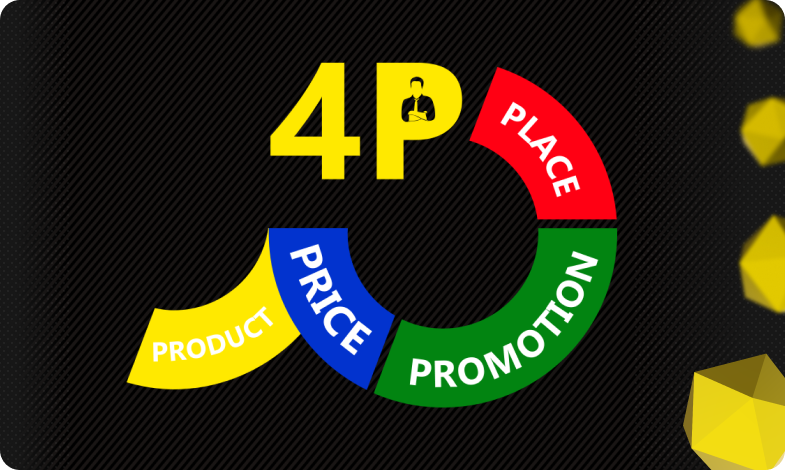
The 4P model serves as an architectural foundation that transforms disparate marketing activities into a single, manageable system.
08/09/2026
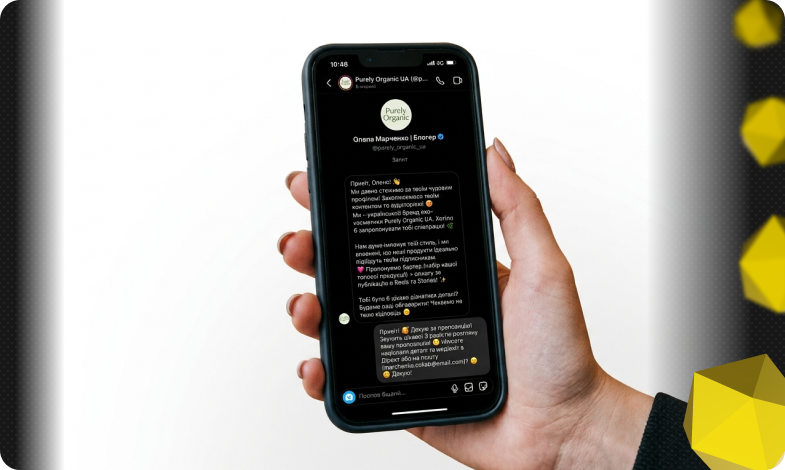
Today, an influencer is a distinct media platform with its own editorial policy, a keen understanding of its audience, and an established level of trust.