

 12/08/2026
  916
916

Інтернет-маркетинг
простою мовою
Content of the article
- /01 What does a 404 (Not Found) error mean?
- /02 Why the error occurs: 5 main causes
- /03 The impact of 404 errors on SEO, traffic, and business conversions
- /04 How to identify 404 pages: a breakdown of tools
- /05 How to fix the errors found: a step-by-step plan
- /06 A Custom 404 page as a user retention tool
- /07 Why regular audits protect your conversions
Error 404: what it means, how to find it, and how to fix it

Broken links and non-existent pages aren’t just technical flaws in a website they’re a direct path to losing potential customers and dropping in search rankings. For any business, every user you attract has a specific value, so a blank screen instead of the expected content often means the end of the interaction with the brand.
In this article, we’ll break down what a 404 error means, why it occurs, how it affects business metrics, what tools can be used to detect it, and what reliable ways exist to fix it.
What does a 404 (Not Found) error mean?
A 404 error is a standard HTTP status code that indicates the client was able to successfully connect to the server, but the server cannot find the requested resource. In other words, the server is functioning normally, the connection is established, but the web page, image, or file at the specified address does not physically exist.
This issue is classified as a client-side error, although the root cause often lies in website management. Depending on server settings, system language, and browser, this message may appear differently.
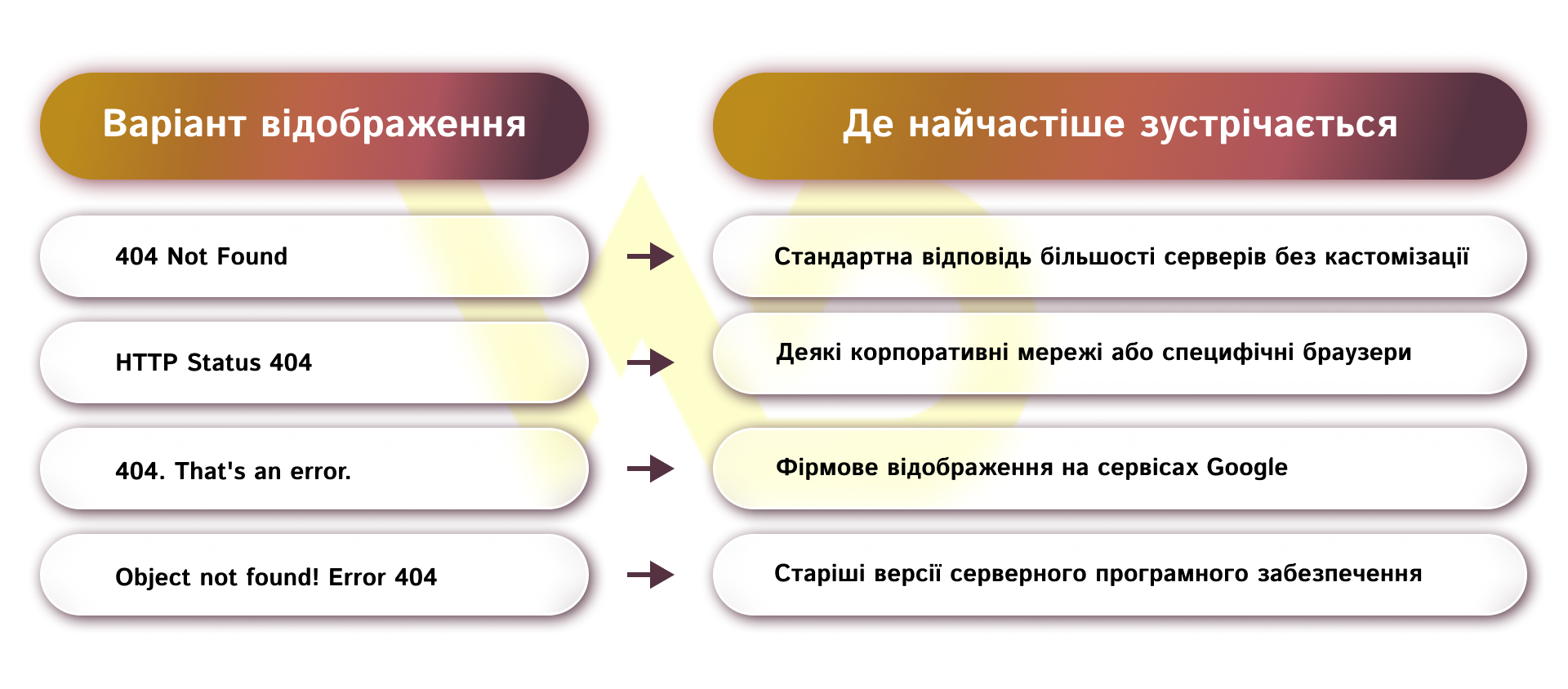
Regardless of how the system phrases this message, its technical meaning remains the same. The browser was unable to retrieve the content because there is no endpoint at this URL.
Why the error occurs: 5 main causes
Understanding the source of the problem is the first step toward resolving it. Pages don’t disappear on their own; this is always preceded by a specific technical action or human error. The main causes of the «Not Found» status can be broken down into five categories.
- A change in the URL structure or the deletion of a page. This is the most common situation in e-commerce and on large portals. A product has been discontinued, a blog post has been deleted, or a category has been renamed, changing its URL, but the old link remains on the web or in users’ bookmarks.
- Human error when entering the address. The user may have simply made a mistake while typing the address manually.
- Incorrect DNS settings. If the domain recently switched hosting providers and the process of updating the DNS records isn’t complete yet, the server may point to the wrong address, resulting in an error.
- Browser caching issues. Sometimes a page works perfectly for everyone except one specific user. This happens when the browser has cached a previous version of the page from when it was actually unavailable and now refuses to load the updated version.
- CMS malfunctions. For example, in WordPress, the permalink system can malfunction after updating plugins or themes. This causes internal routing to break, and all pages except the homepage start returning a 404 error.
Let’s look at an example. A marketer launched an ad campaign and specified the link [site.com/promo-2026](https://site.com/promo-2026), but the content manager accidentally saved the page with the address [site.com/promo2026](https://site.com/promo2026) (without a hyphen) when creating it. All users who click on the ad are guaranteed to receive a 404 error due to this minor discrepancy.
Thus, the causes can range from a simple typo to major server configuration issues. Clearly identifying the root cause of the problem allows you to choose the most effective tool to resolve it.
The impact of 404 errors on SEO, traffic, and business conversions
From a technical standpoint, search engine algorithms, such as Google, consider the presence of 404 pages to be a normal part of the internet evolution. An isolated error in and of itself will not result in manual penalties. However, from a business and marketing perspective, ignoring this issue has serious indirect consequences:
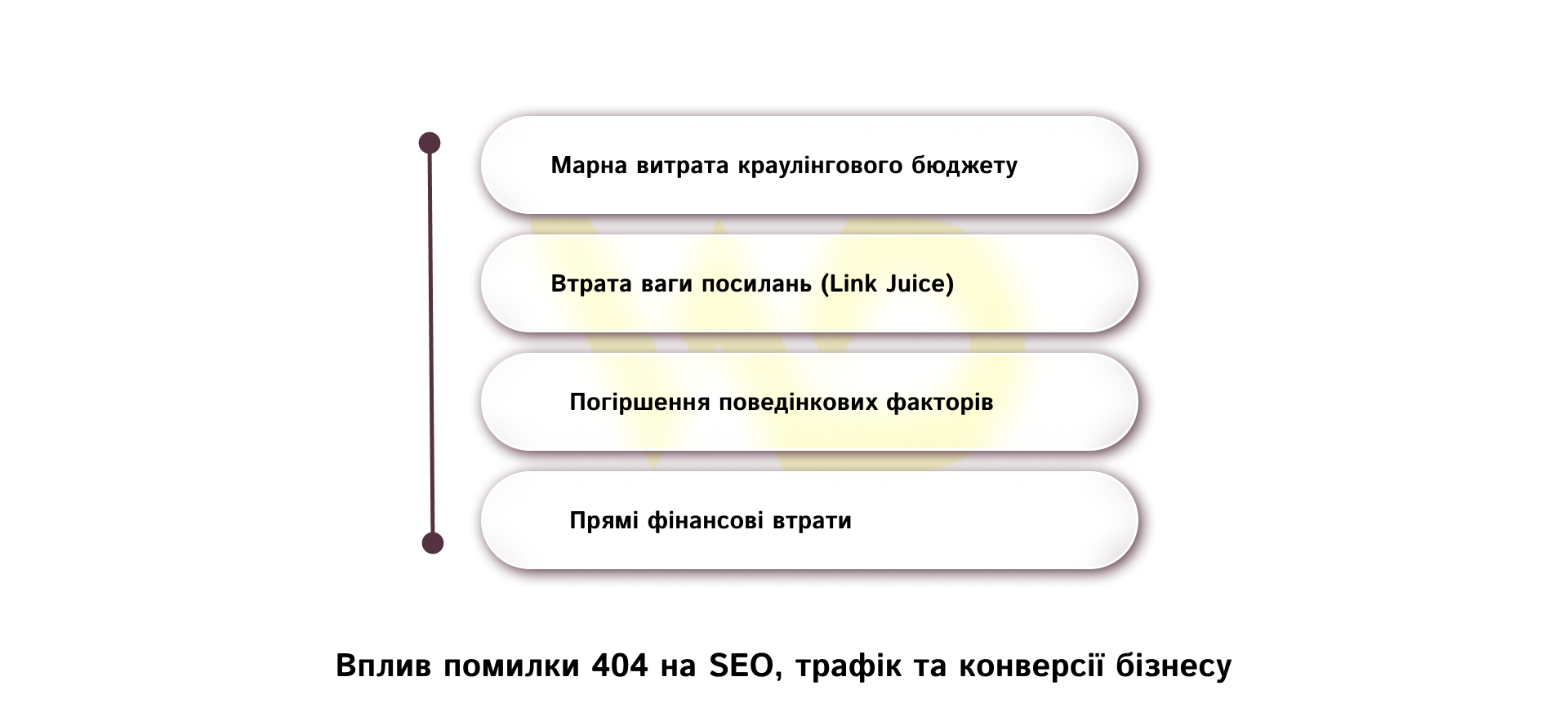
- Waste of crawl budget. Search engine bots have a time and resource limit for scanning your site, known as the crawl budget. If a bot constantly encounters broken links, it wastes this budget instead of indexing your new, commercially important pages.
- Loss of link juice. If a page you’ve deleted received external links from other authoritative sources, all of their SEO value is lost. This link juice simply vanishes, even though it could have helped improve your domain’s overall ranking.
- Negative impact on user experience. When a user searches for a specific product or service, clicks through from a search result to your site, and sees a «Not Found» page, they immediately close the tab and return to Google. This signals to the search engine that your site does not meet the user’s intent, which over time leads to a drop in rankings for the entire site.
- Direct financial losses. In the B2B segment or high-value sales, losing even a single lead due to a technical error can cost a company thousands of dollars in lost revenue.
The combined impact of these factors makes regular broken link audits a critically important task. The technical health of your website is the foundation without which any investment in advertising or content marketing will fail to deliver maximum return on investment (ROI).
Check to see if your website is losing traffic due to technical errors
We’ll conduct an audit of your website and identify 404 pages, problematic redirects, and links that may be causing you to lose link equity and potential customers.
How to identify 404 pages: a breakdown of tools
The nature of a 404 error is such that a business owner may remain unaware of its existence for months until receiving a complaint from a customer. To stay one step ahead, it’s important to know the tools available for automatically or manually searching for «dead» pages on a website.
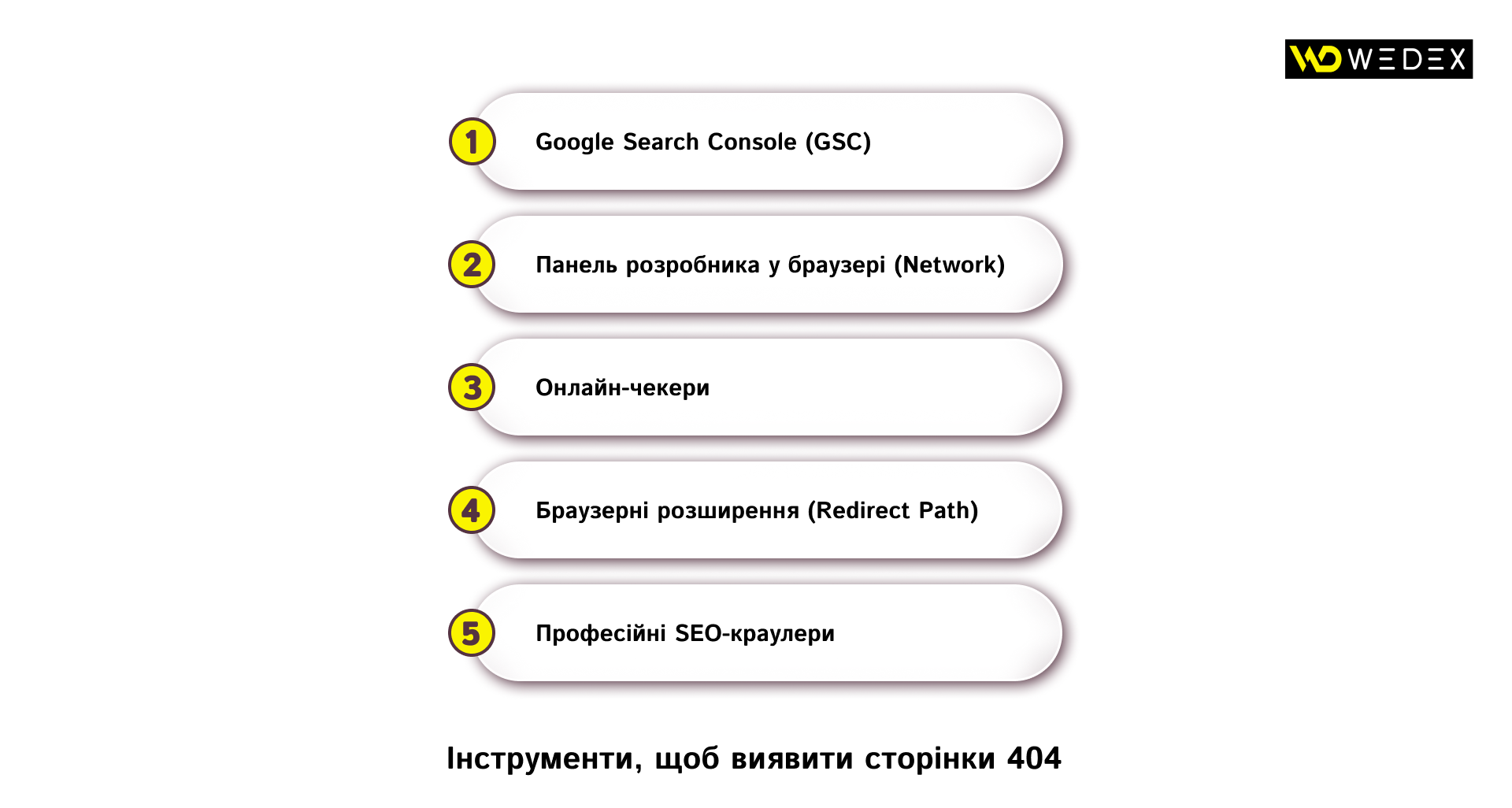
- Google Search Console (GSC). The most authoritative and free tool directly from the search engine. It shows exactly which pages Googlebot tried to crawl but was unable to.
- Browser Developer Tools (Network tab). A tool for targeted manual checks. It lets you view the exact server response code for a specific URL.
- Online checkers, such as httpstatus.io. Convenient services for quick batch checks. They allow you to upload a list of links and check their statuses in bulk.
- Browser extensions (Redirect Path). Plugins that run in the background and instantly alert marketers or SEO specialists to response codes while they’re browsing their own site as usual.
- Professional SEO crawlers (Frog SEO Spider , Netpeak Spider). Desktop applications that mimic the behavior of search engine bots. They scan the entire website from A to Z and generate comprehensive reports on all internal and external broken links.
The choice of a specific tool depends on your current tasks: GSC and browser extensions are sufficient for daily monitoring, whereas professional crawlers are essential for large-scale website preparation for the sales season.
How to fix the errors found: a step-by-step plan
Once you’ve compiled a list of problematic URL, you need to take action. Leaving everything «as is» is the worst strategy. The steps you take will vary depending on the cause of the problem, but we’ll walk you through the standard process.
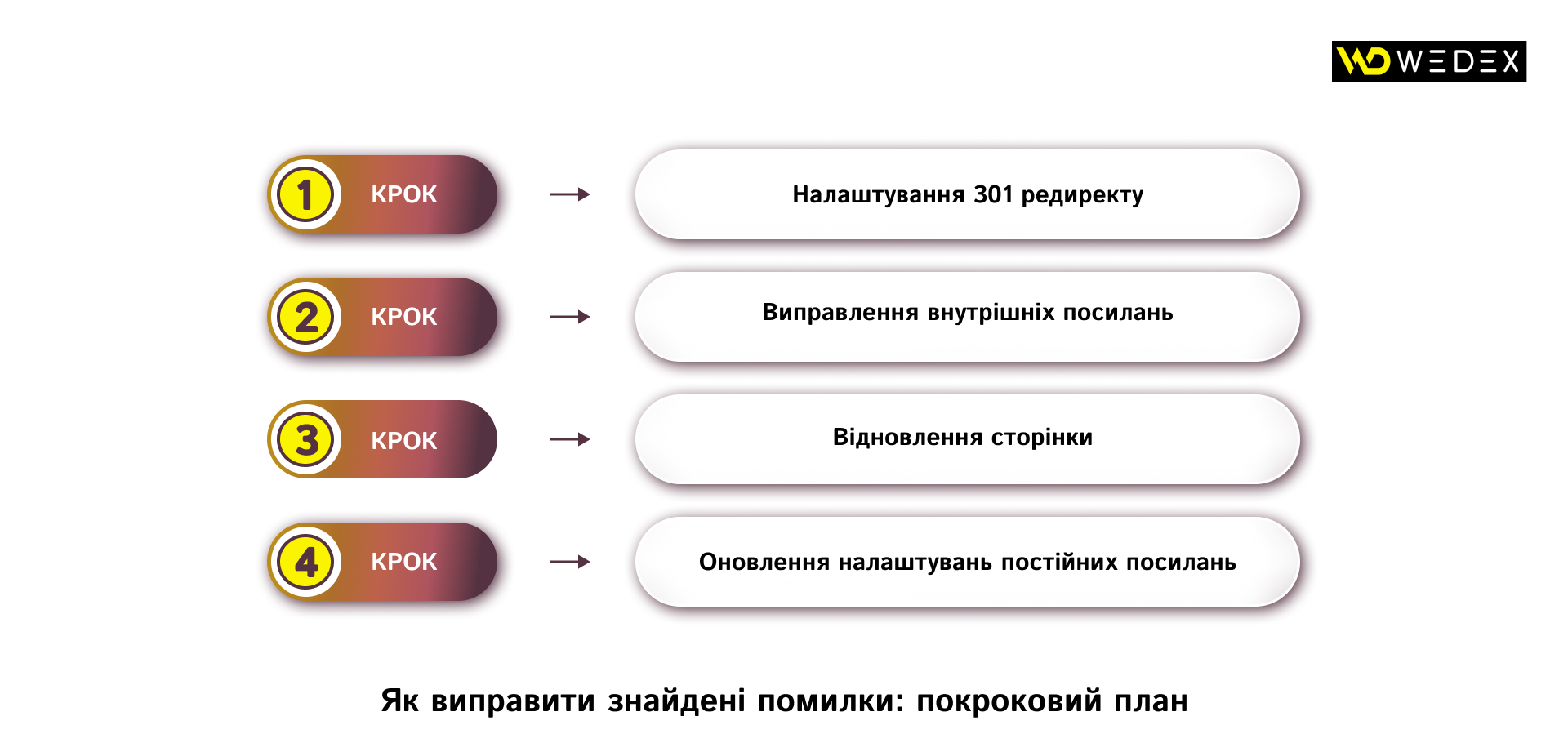
- Set up a 301 redirect. This is the most popular and, from an SEO perspective, the most effective method. If a page has been deleted or moved, you configure the server to automatically redirect users and search engine crawlers to the new, most relevant URL. For example, if a specific smartphone model has been discontinued, it makes sense to set up a 301 redirect to the category for those smartphones or to a newer model in the same line.
- Fixing internal links. If a crawl reveals that you’re linking to non-existent pages from your blog or menu, you simply need to find these links in the admin panel and either update them to the correct ones or remove them entirely.
- Restoring a page. If a page was accidentally deleted or its URL changed due to a technical glitch, the quickest option is to restore it to the same address that users are searching for.
- Updating permalink settings. For WordPress sites, it’s sometimes enough to go to Settings -> Permalinks and simply click the «Save Changes» button without making any edits. This forces the system to update the .htaccess file and fix a global routing error.
Let’s look at an example of a proper redirect. If a blog post at [site.com/seo-trends-2025](https://site.com/seo-trends-2025) is outdated, and you’ve written a new one, instead of deleting the old one which would result in a 404 error it’s better to set up a 301 redirect from the old URL to [site.com/seo-trends-2026](https://site.com/seo-trends-2026). This way, you’ll preserve all the accumulated traffic and backlink equity.
The main rule when making corrections is to be guided by logic and user-friendliness. You shouldn’t redirect all broken links you find to the homepage, as this confuses visitors and is viewed negatively by search engines.
A Custom 404 page as a user retention tool
There’s no such thing as a perfectly configured website, and users will still encounter this error from time to time for example, due to their own typos. That’s why modern marketing views the 404 page not as the end of the customer’s journey, but as an additional touchpoint and an opportunity to retain them. A standard white screen with black text only makes users want to close the site. In contrast, a professionally designed custom page can save a conversion.
An effective «Page Not Found» page for a business website should include:
- a user-friendly explanation of the problem, without complex technical terms. Write something like: «It looks like this page is no longer available, but we have plenty of other interesting content»;
- maintaining the site overall design. The header, footer, and navigation menu should remain accessible so that visitors can easily navigate to the section they need;
- a site search bar. Give visitors a tool so they can find what they were originally looking for on their own;
- A recommendations section, such as links to best-sellers, the most popular services, or the latest expert articles on the blog.
A well-designed page mitigates a negative experience. It demonstrates care for the user and turns a technical glitch into an opportunity to engage them with other, equally important sections of your site.
Why regular audits protect your conversions
Fixing existing broken links is only half the battle. Proactive efforts are essential to maintain high conversion rates and steady growth in organic traffic. A website technical health requires a systematic approach that’s integrated into the company’s overall marketing strategy.
First, make it a rule to run an automated site scan using crawlers at least once a month. For large e-commerce projects or sites that constantly generate new news or articles, such an audit should be performed weekly. This will allow you to identify issues before search engine bots and users notice them. Second, before any major catalog updates or redesigns, be sure to create a redirect map.
Ultimately, addressing errors on your website is a sign of business maturity. Companies that pay close attention to their users’ technical experience gain a more loyal audience, higher search rankings, and, as a result, a better return on marketing investment.

commercial offer
Other articles by the author

12/08/2026
More and more professionals in traditional fields are choosing hands-on online courses to quickly acquire in-demand skills and break into the IT and marketing industries.

02/06/2026
The best specialists are those who can see the real problems faced by clients and the needs of the business behind the lines of code.

15/07/2026
The Net Promoter Score (NPS) is a customer loyalty index that measures how likely people are to recommend a company, product, or service to their friends and family.
Latest articles by #Useful tips
10/09/2026
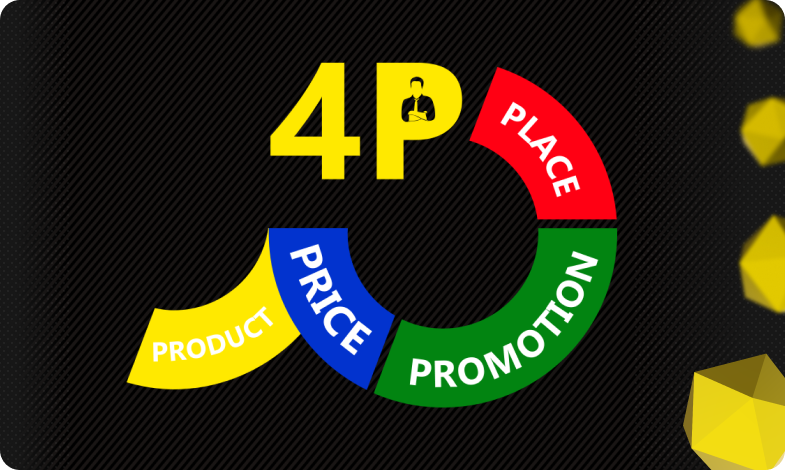
The 4P model serves as an architectural foundation that transforms disparate marketing activities into a single, manageable system.
08/09/2026
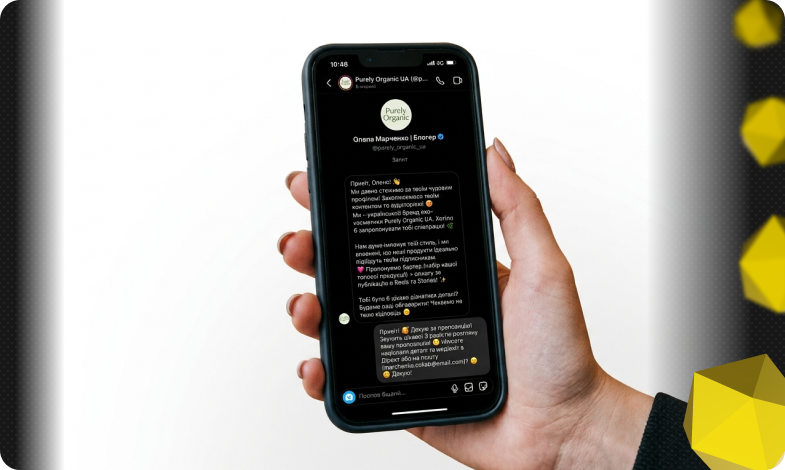
Today, an influencer is a distinct media platform with its own editorial policy, a keen understanding of its audience, and an established level of trust.

14/08/2026
While most brands focus their budgets on Instagram or Google Ads, Pinterest remains an underrated platform with an audience that has high purchasing power.