

 02/09/2026
  1205
1205

Інтернет-маркетинг
простою мовою
Content of the article
- /01 What is a Merchant Center product feed and how does it affect sales
- /02 Methods for creating and uploading a product feed
- /03 Required and recommended product feed attributes
- /04 Segmenting products in the feed using custom_label attributes
- /05 How to properly format product titles and descriptions in the feed
- /06 Optimizing images in the product feed
- /07 Common feed errors and how to fix them
- /08 How to check your feed in Merchant Center and set up diagnostics
- /09 How often should the product feed be updated?
- /10 How to optimize your product feed for more effective impressions and sales growth

Merchant Center data feed: Google requirements, attributes and optimization rules

The effectiveness of product ads on Google Shopping and Performance Max directly depends on the quality of the product feed. If Google algorithms receive outdated prices, incomplete data, or missing product details, your business loses conversions and wastes its advertising budget.
In this article, we’ll break down the rules for working with a product feed for Google Merchant Center, required attributes, content requirements, and practical steps for optimizing products to drive steady sales growth.
What is a Merchant Center product feed and how does it affect sales
In the context of e-commerce, a product feed is a structured file or standardized data stream that serves as the sole bridge between your website’s database and the Google ecosystem. Essentially, it’s a detailed digital profile for every product in your inventory. Instead of forcing a search bot to manually crawl thousands of web pages every day, the online store sends Google a pre-prepared document containing all key parameters: from product ID and price to color options, inventory status, and direct links to images.
The overall process of data transmission and its subsequent transformation into ad impressions looks like this:
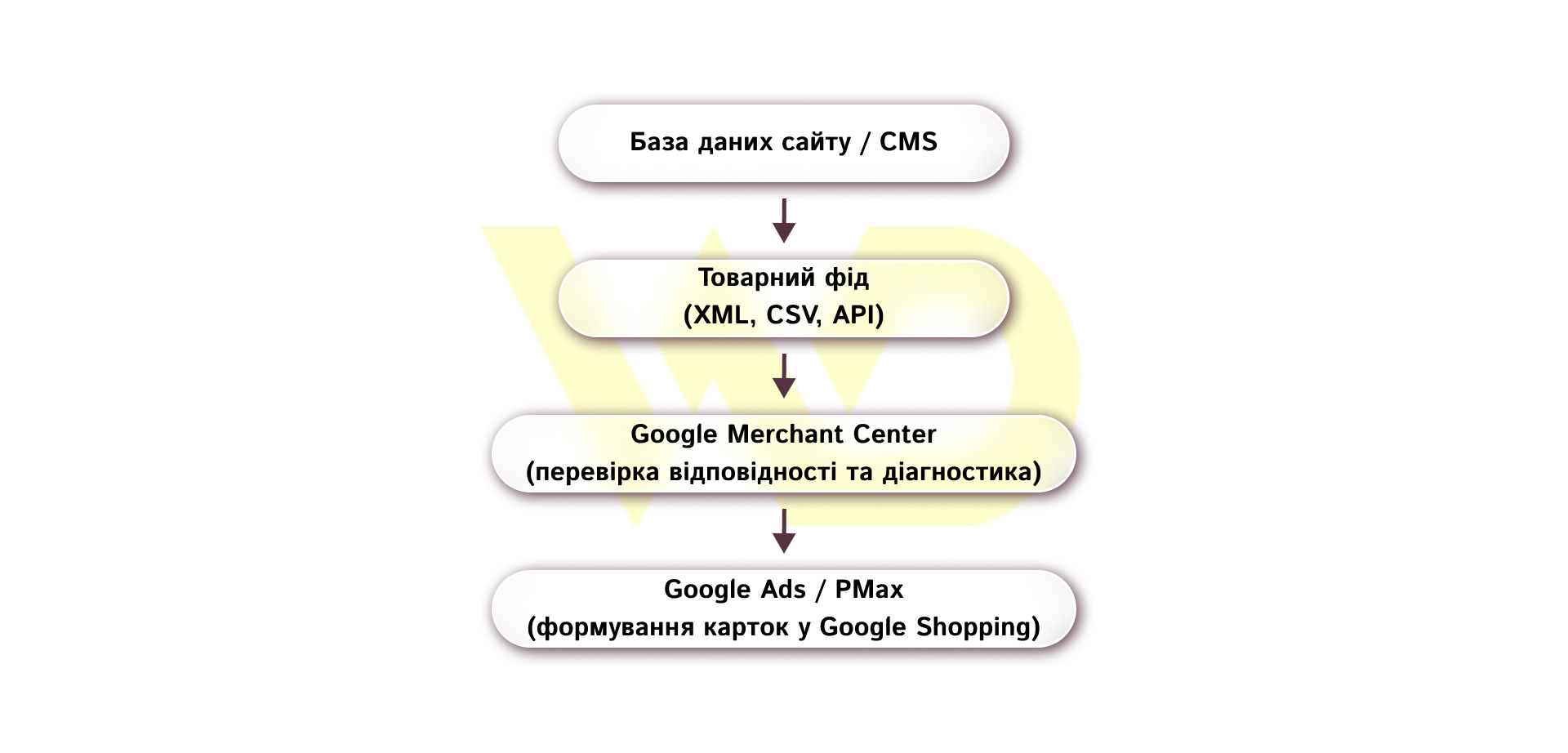
Why feed quality affects profit and ROAS
The quality of the data transmitted directly determines the internal ad quality score, which in turn determines the bid in the auction. The completer and more relevant the information in the feed, the lower the cost per click (CPC) the system requires to win the auction. Conversely, an incomplete or erroneous feed forces you to place inflated bids, which critically reduces your return on ad spend (ROAS). The worst-case scenario is a discrepancy in prices or availability status between the feed and the website, which can lead to the rapid suspension of product listings or even the entire GMC account for misleading users.
Methods for creating and uploading a product feed
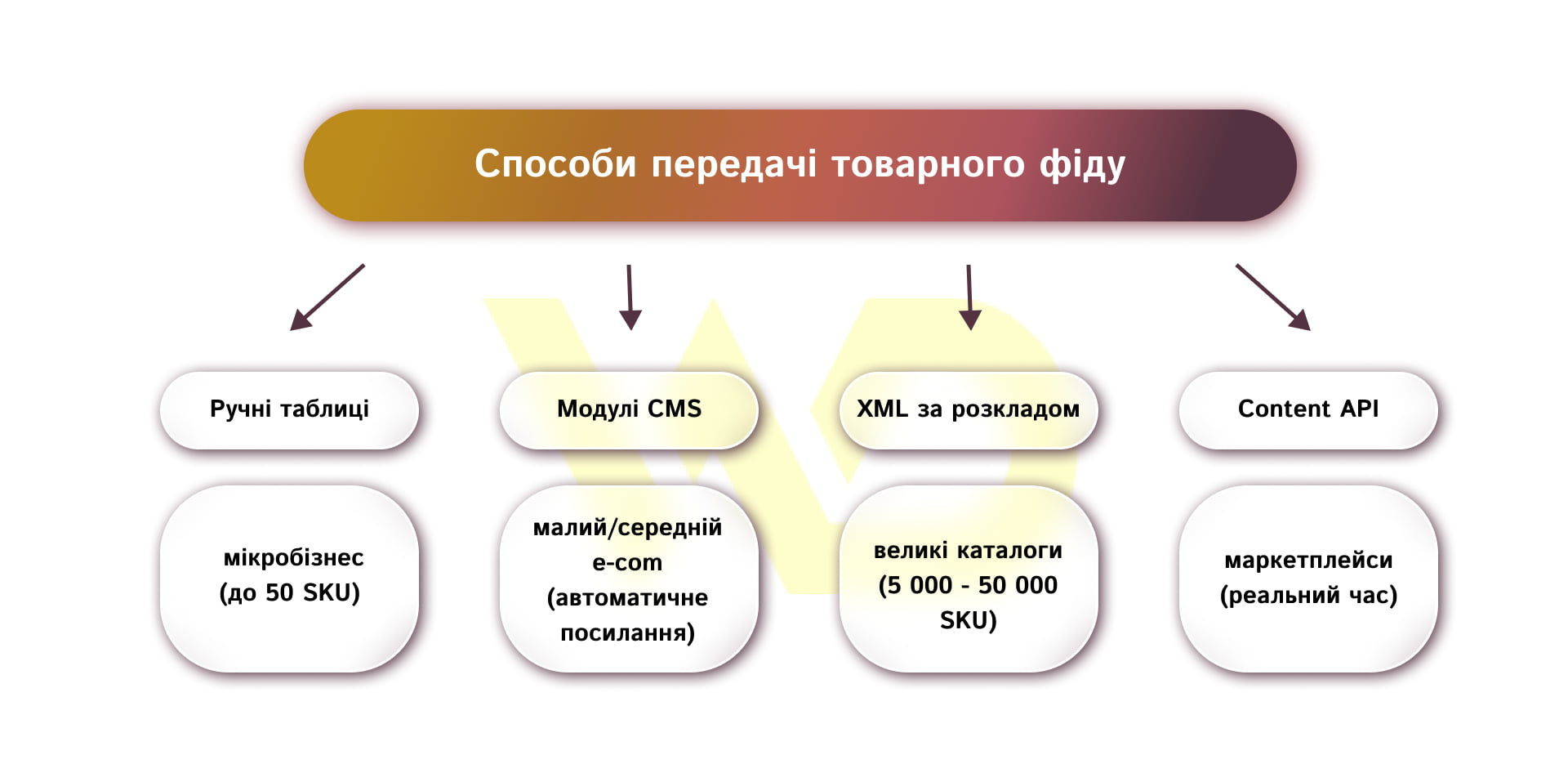
Choosing the optimal method for generating and uploading a product feed depends on three main factors: the size of your product catalog, the frequency of price or inventory updates, and the technical capabilities of your CMS. An incorrectly chosen data transfer method can result in either constant technical glitches or high server maintenance costs.
Manual creation in Google sheets or excel
This method involves entering data in text format or directly into a specially formatted Google Sheet that is linked to Merchant Center.
- Advantages: free initial setup without involving web developers or purchasing paid plugins.
- Disadvantages: high risk of human error with every price or availability update.
This format is best suited for microbusinesses with a small catalog of up to 50 product SKU, where the product range and pricing policy remain unchanged for months. For dynamic e-commerce with frequent updates, manual entry creates an excessively high risk of products being blocked due to untimely changes.
Ready-made plugins and modules for CMS
Most modern online store platforms, such as Shopify, WooCommerce, OpenCart, Magento, Horoshop or Prom.ua, have built-in functionality or ready-made plugins for generating product feeds.
- Advantages: automatic generation of links to XML or CSV files with periodic data updates.
- Disadvantages: limited configuration flexibility, potential export of unnecessary service characters, and additional load on the database during generation.
This solution is the optimal choice for small and medium-sized e-commerce businesses with a product range of several hundred to 10,000 items. It allows you to quickly launch product listings on standard platforms without incurring costly development resources.
Scheduled dynamic XML file
With this approach, a programmer develops a custom script that retrieves the necessary information from the website’s database and generates a structured XML file according to Google guidelines. Merchant Center automatically downloads it from the specified URL at a set time.
- Advantages: full control over the upload logic, no redundant data, and high processing speed.
- Disadvantages: the need to hire a qualified developer for initial setup and technical support.
The scheduled XML generation approach is ideal for medium and large online stores with a catalog ranging from 5,000 to 50,000 items. It ensures flexible attribute configuration and stable performance of advertising campaigns without the risk of server overload.
Content API for shopping
The Content API is a direct programming interface for communication between your server and Google Merchant Center. Instead of transferring a single file, the website sends specific requests for information about any changes to individual products.
- Advantages: data synchronization occurs virtually in real time.
- Disadvantages: high development costs and strict requirements for server-side developers’ expertise.
Using the Content API is justified for large marketplaces and national retailers with tens of thousands of products, where inventory and prices change by the minute. Instant data transfer prevents advertising budget from being spent on items that are no longer in stock.
The role and benefits of supplementary feeds
An additional feed is a supplementary data file that is «overlaid» on your main feed in Merchant Center using the id linking attribute. It is not intended for uploading new products, but rather for correcting and enriching existing listings.
Using a supplementary Google Sheet, you can bulk-optimize product titles for search queries, assign special labels for ad campaigns (custom_label), specify missing brands or GTIN codes, and temporarily exclude certain categories from ads.
Choosing the right technical channel for data transfer protects the company from constant technical glitches and ensures data integrity. Automating this process frees up marketers’ time for analytical work and the direct optimization of ad campaigns.
Required and recommended product feed attributes
Attributes in a product feed are standardized data containers (tags in an XML file or column names in a table) that convey clearly defined product characteristics to Google. Google has strict requirements for the syntax and formats of these attributes, so even the slightest error in a tag name causes the system to simply ignore the value provided.
Required fields in a product feed
Regardless of what you’re selling, your feed must include a basic set of attributes:
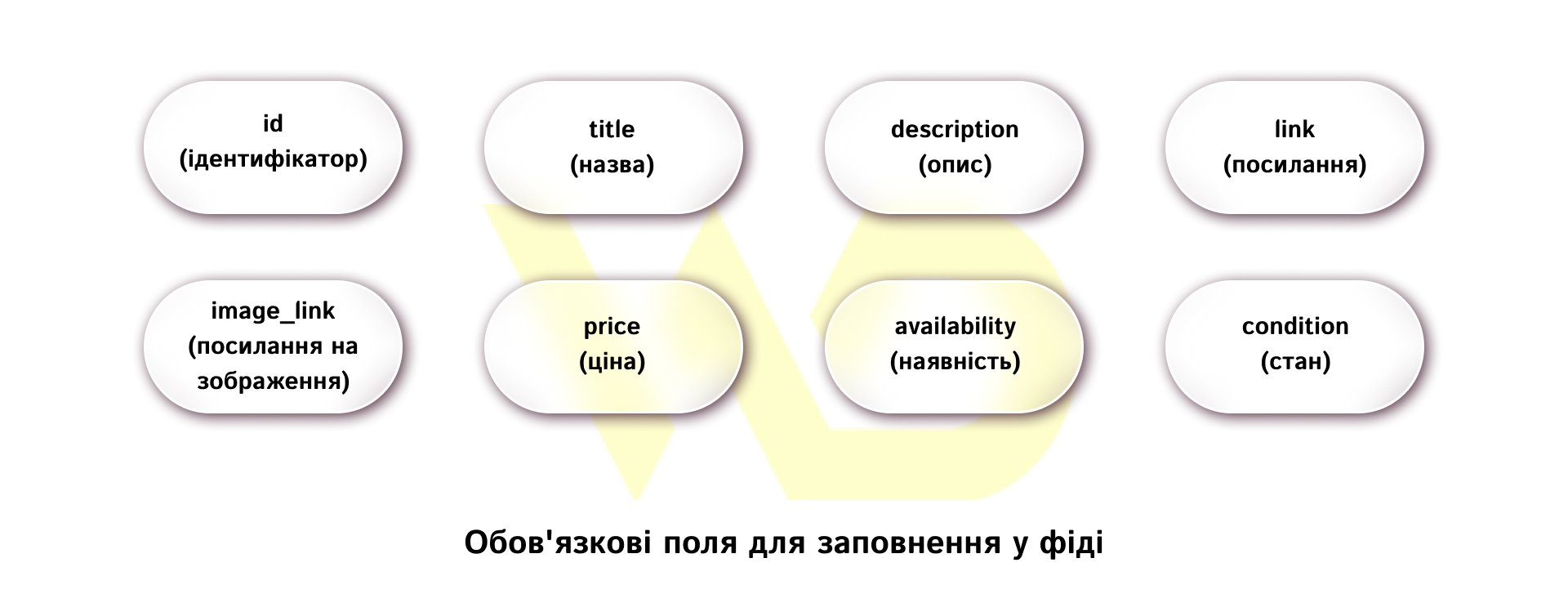
- id (identifier): the unique item ID in your system. It must remain unchanged throughout the product’s entire lifecycle. If you change the id value, Google will treat the item as a completely new product, erasing accumulated impression statistics and algorithm optimization in Google Ads;
- title (title): the product title displayed in the ad. The allowed length is up to 150 characters. The title must include the exact product name, brand, model, and key parameters, such as color or size;
- description: a detailed description of the product’s characteristics, up to 5,000 characters. It’s important to include specifications, materials, and features here without advertising spam, all-caps text, or phrases like «free shipping»;
- link: the direct URL of the product page. The link must begin with the https:// protocol and lead directly to the product page where the user can complete the purchase;
- image_link (image link): The URL for the main, high-quality product image. The photo must be on a plain white or light neutral background without store logos, «Sale» labels, or watermarks;
- price (price): the current price of the product, followed by the three-letter currency code separated by a space, for example, 1499.00 UAH. The price in the feed must match the price listed on the product page in real time;
- availability: the current stock status of the product. The system accepts the following specific values: in_stock (in stock), out_of_stock (out of stock), preorder (pre-order);
- condition: the physical condition of the product. Allowed values: new, refurbished, used.
Unique product identifiers: brand, gtin, mpn
This group of attributes is critical for identifying products in Google’s global catalog.
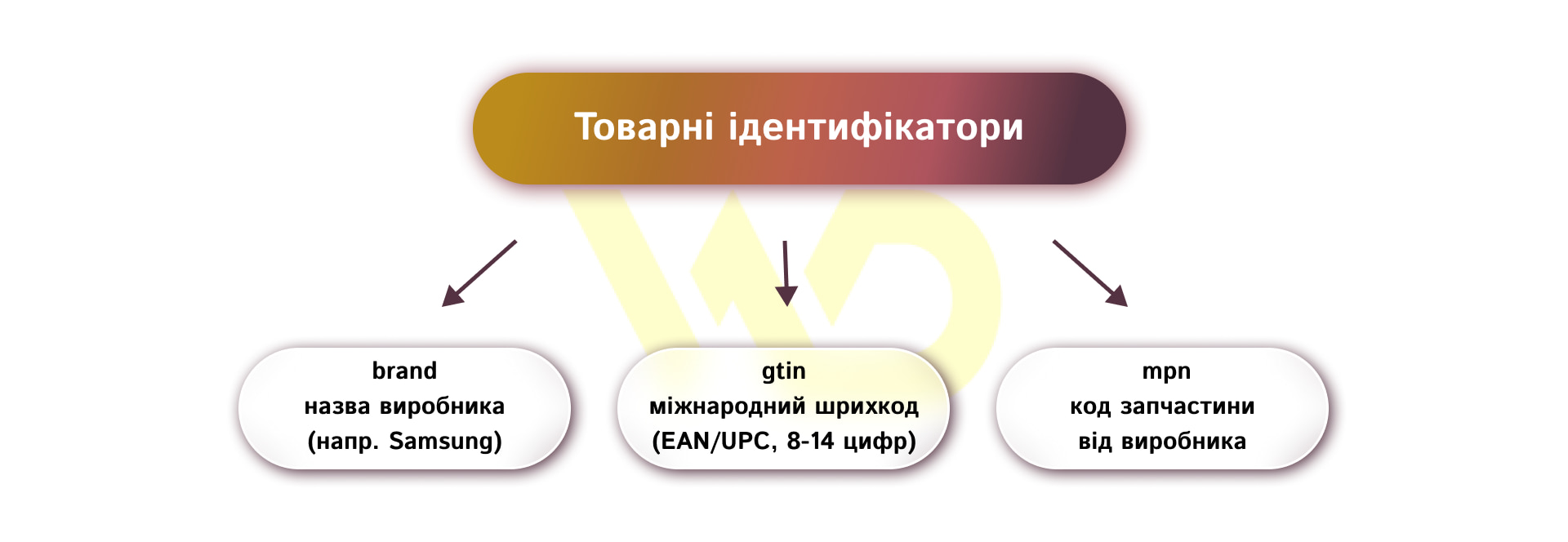
- brand: the official name of the trademark or manufacturer’s brand. You may only enter the name of your own online store in this field if you are the direct manufacturer of the product;
- GTIN (Global Trade Item Number): a unique numeric barcode code (EAN in Europe, UPC in the U.S., ISBN for books). It consists of 8, 12, 13, or 14 digits;
- MPN (Manufacturer Part Number): a unique code assigned to a product by the manufacturer (relevant for auto parts, electronics, and equipment).
Specific attributes for the clothing, footwear, and variant products category
For products in the «Clothing and Accessories» category, Google requires an expanded list of mandatory tags. Without them, products will either be rejected entirely or have their visibility restricted. Specific attributes include:
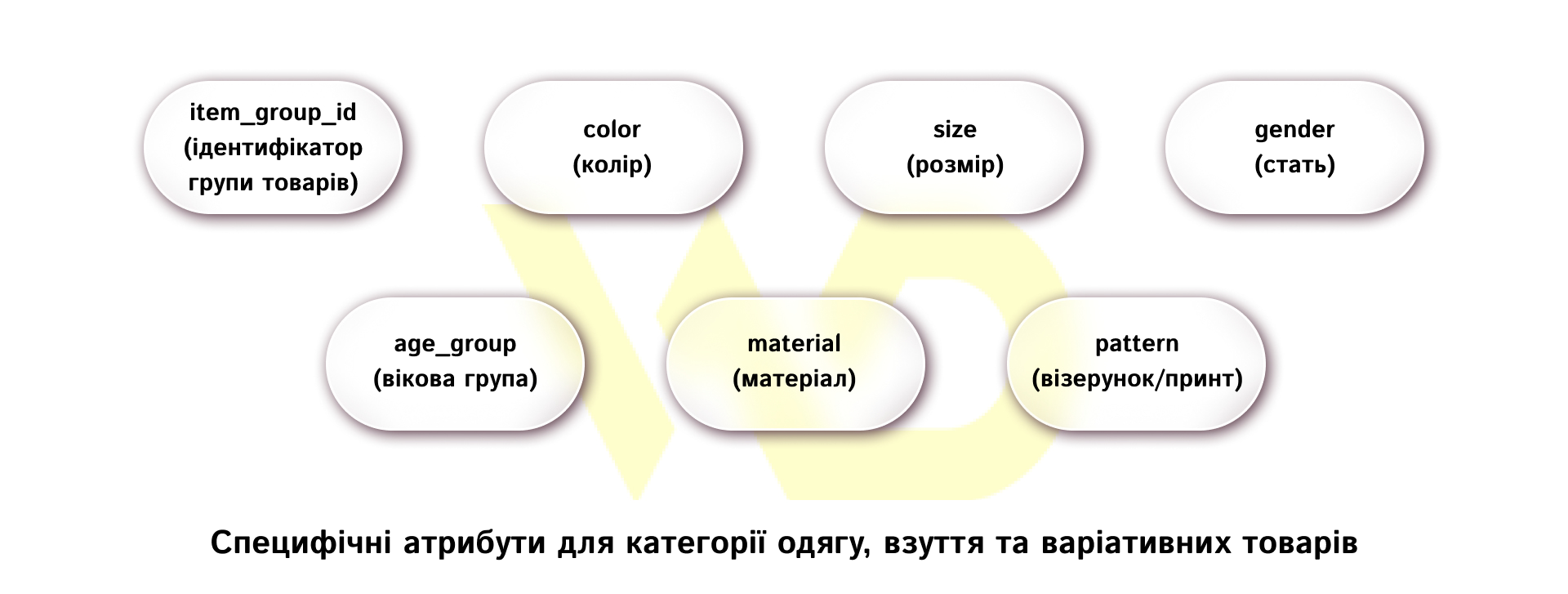
- item_group_id (product group identifier): a key tag that groups all variants of a single product into a single listing. For example, if a T-shirt is sold in 4 colors and 5 sizes, each of the 20 combinations will have its own unique ID but a shared item_group_id;
- color (color): the product’s primary color, such as green or black. Avoid using overly complex marketing terms like «breath of the night sky» it’s better to specify clear, basic colors;
- size: the size of a specific variant, for example, S, M, 42, 44;
- gender: target audience. Allowed values: male, female, unisex.
- age_group (age group): values: newborn, infant, toddler, kids, adult.
- material and pattern: used as additional qualifying parameters, for example, cotton, silk, striped.
Attributes for promotions, discounts, and pricing conditions
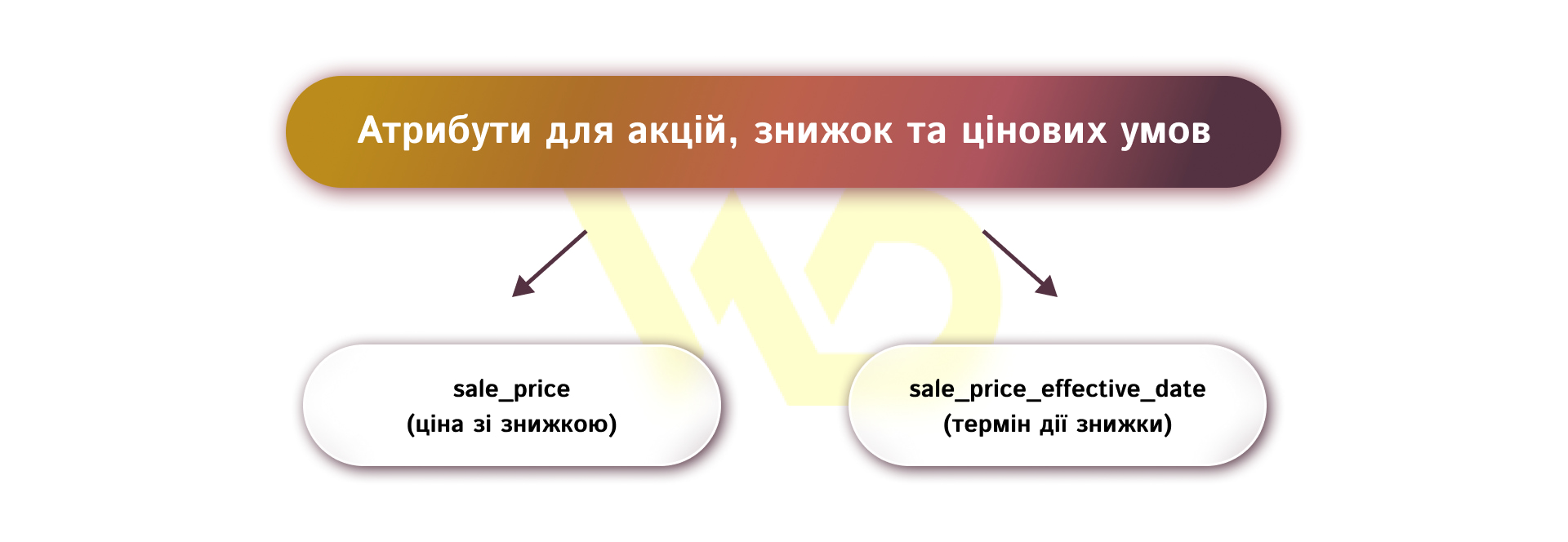
It’s also very important to know and use these attributes:
- sale_price (discounted price): the promotional price of the product. When this tag is filled in, Google visually strikes through the base price in the ad card and displays the attractive promotional price, which increases the CTR;
- sale_price_effective_date (discount validity period): the exact time period during which the discount is valid, in ISO 8601 format with the time zone specified. Once the specified period ends, the system will automatically revert the ad to the base price.
Understanding and correctly filling out each attribute creates a solid technical foundation for your entire product catalog. When every tag meets Google’s strict standards, you minimize the risk of technical failures and unlock the full potential for precise segmentation and product promotion in advertising campaigns.
Segmenting products in the feed using custom_label attributes
The attributes from custom_label_0 to custom_label_4 are five additional fields that shoppers don’t see but that marketers actively use to group products in Google Ads. With their help, you can categorize your product range based on the company’s internal business metrics.
The most common approach is to categorize products by profit margin, where high-margin items are allocated a higher advertising budget and a more lenient target ROAS. Seller labels can also be used to highlight bestsellers, slow-moving inventory, price categories, or seasonal promotional items. This approach turns the product feed into a flexible profit management tool, allowing you to direct advertising spend toward the items that are most profitable for your business.
How to properly format product titles and descriptions in the feed
The title and description directly influence which search queries will trigger your ads to appear to users. Google analyzes these texts to determine relevance.
When creating product names, it’s best to follow proven formulas depending on the niche. For example, for electronics, the ideal template is «Brand + Product Type + Model + Key Feature» and for clothing, «Brand + Product Type + Gender + Color + Size». Descriptions should include specific technical details, materials, and usage features without promotional spam, calls to action, or all-caps text.
Well-optimized text helps algorithms show products to exactly the audience that’s ready to buy.
Optimizing images in the product feed
The product image is the first thing a potential buyer notices in product search results. The «image_link» attribute must link to a high-quality photo of the product on a white or neutral light background.
Google has strict requirements for image quality. Photos must not contain promotional banners with discounts, store logos, watermarks, or extraneous objects. To display the product from different angles, be sure to use the additional_image_link attribute. Clear and attractive photos significantly increase ad click-through rates and make your offer stand out from the competition.
Common feed errors and how to fix them
Even minor technical discrepancies in the feed can lead to the blocking of individual products or your entire Google Merchant Center account.
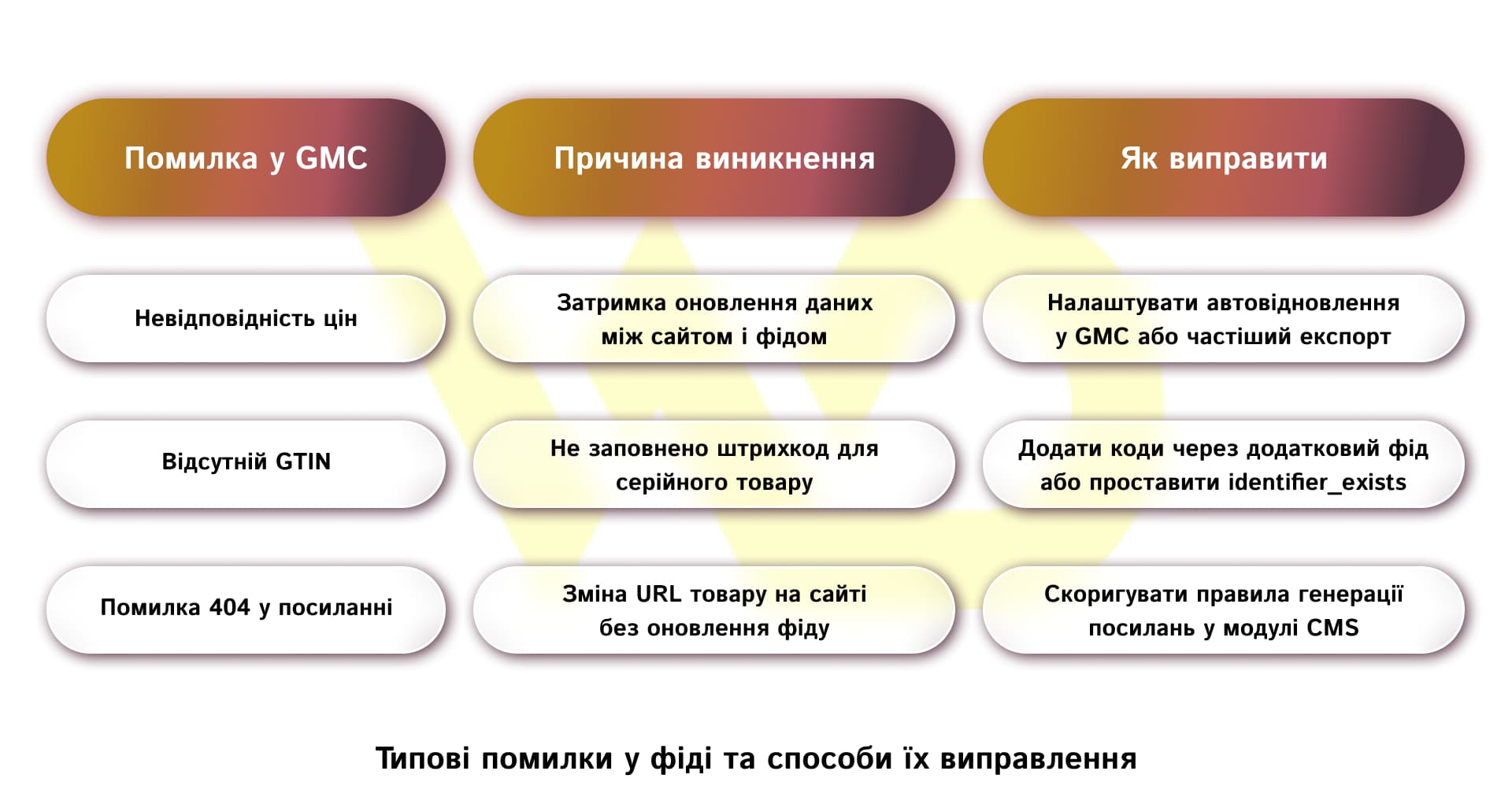
Quick diagnosis and prompt resolution of these issues restore product listings and get your ad campaigns back up and running.
How to check your feed in Merchant Center and set up diagnostics
You can monitor the status of your product data via the «Diagnostics» tab in your Google Merchant Center dashboard. The service’s interface categorizes all detected issues into three categories: rejected products, products with warnings, and recommendations.
Rejected products are completely excluded from the ad auction and require immediate correction. Warnings indicate potential risks that could limit reach in the future.
Regularly monitoring diagnostic reports allows you to identify technical issues on your website in a timely manner and keep as many products as possible in fully active status.
How often should the product feed be updated?
The frequency of data updates depends on:
- sales trends;
- the size of the online store’s product catalog.
If prices or inventory levels change daily, the feed should also be uploaded to the system at least once a day.
For large retailers with frequent changes to their product assortment, a standard daily upload may not be sufficient. In such cases, it is recommended to use integration via the Content API or to configure the upload of additional product feeds with prices several times a day. Keeping data up-to-date protects your business from account suspensions and prevents wasted budget on clicks for out-of-stock items.
How to optimize your product feed for more effective impressions and sales growth
Systematic optimization of the product feed is an ongoing process that directly impacts an online store’s net profit. To achieve maximum results, you must follow a set of practical guidelines.
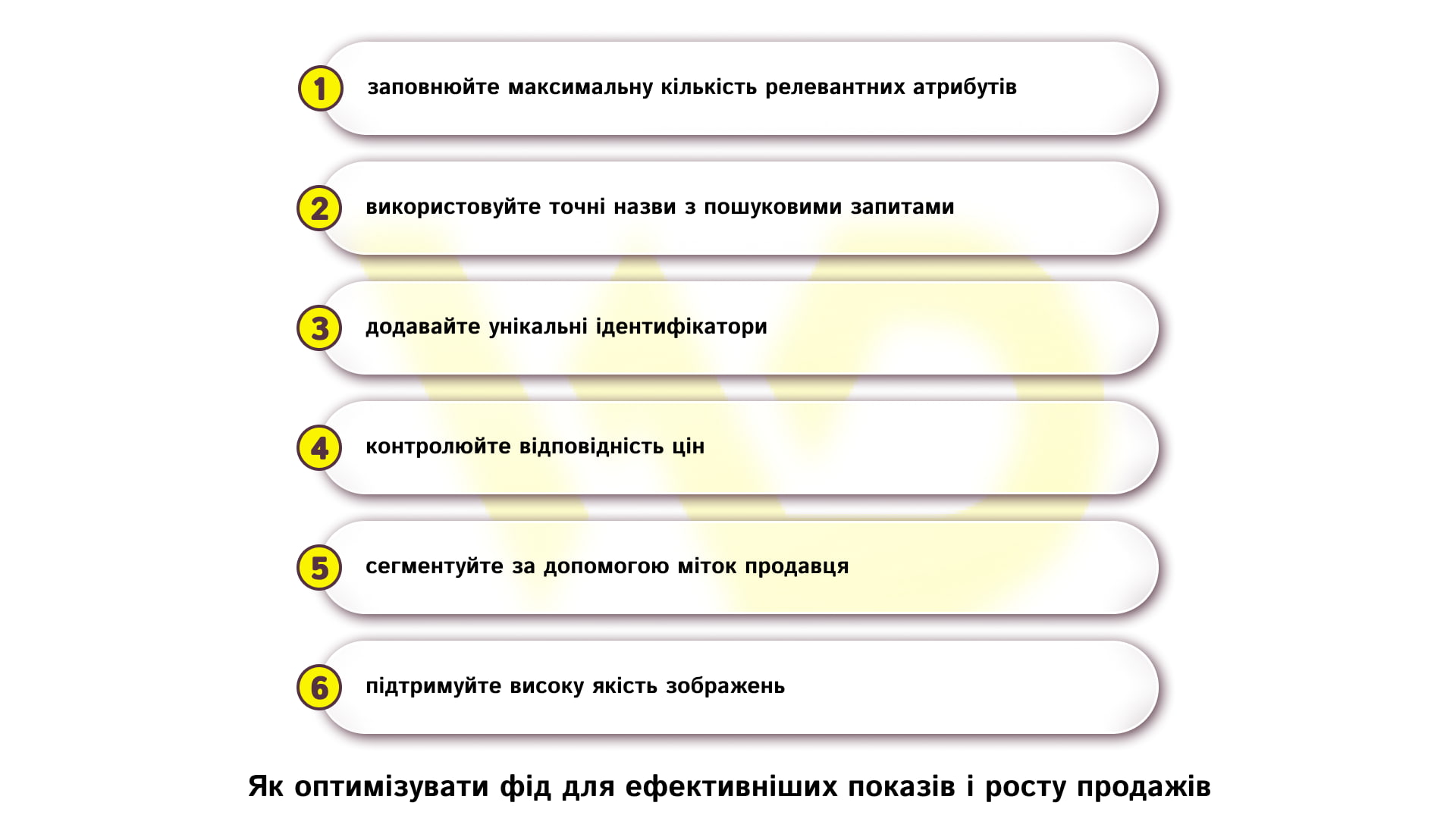
A high-quality product feed is more than just a technical file for transmitting information to Google. It serves as the foundation for the successful operation of Google Shopping and Performance Max. Constant monitoring of the product catalog’s relevance, prompt correction of errors, and flexible management of attributes ensure a high return on advertising investment and steady sales growth for your business.

commercial offer
Other articles by the author

21/04/2026
For businesses, this means a new reality in which interactions with a brand may begin not through a search engine or an ad, but directly within AI services.

06/05/2026
A workshop is an interactive, hands-on session during which participants listen to an expert and work together on a specific task.

23/03/2026
AI-powered tools are no longer just an experiment. Today, they have become an integral part of the day-to-day operations of many PPC teams.
Latest articles by #PPC

06/10/2026
From a business perspective, updating content is a sensible way to protect existing investments.

30/09/2026
Google's main focus in 2026 was the large-scale rollout and deep algorithmic integration of the AI Overviews (AIO) tool.

29/09/2026
A content pipeline transforms the creation of content from a spontaneous creative process into a managed production system. In such a system, AI serves as a powerful assistant.