

 06/05/2026
  1447
1447

Інтернет-маркетинг
простою мовою
Content of the article

What is a DNS server: how it works and its importance for SEO

In SEO, a website’s technical stability often influences results just as much as content or backlinks. One of the fundamental elements of this stability is the DNS server. It is the DNS server that ensures the domain functions correctly, the resource is accessible, and the website interacts seamlessly with users and search engines. In this article, we’ll explore how a DNS server works, why it’s important for business, and how its configuration can impact a website’s SEO metrics.
What is DNS and what role doing a DNS server play
DNS, or the Domain Name System, is a hierarchical system that helps a browser find the correct IP address for a domain. Various types of servers are involved in this process: recursive resolvers, root nameservers, TLD nameservers, and authoritative nameservers. Each of them handles a specific part of the query. That is why the term «DNS server» can refer to different infrastructure elements in practical use, even though their functions differ.
For example, when a user enters a website address in a browser, the DNS resolver first checks the cache. If the desired response isn’t there, it continues down the chain of DNS servers until it receives the IP address from the authoritative nameserver. Thanks to this, the browser knows exactly where to connect, and the page opens for the user.
How a DNS query works
When a user enters a website address into a browser, the system doesn’t open the page «by name». First, it needs to find the corresponding IP address. This is exactly what DNS does: it converts a human-readable domain into the technical address of the server where the website is hosted. In most cases, this process happens quickly and seamlessly, but it actually consists of several sequential steps.
First, the browser or operating system checks to see if the requested response is in the cache. If the data is already stored, the request is processed almost instantly. If there is no response, the DNS resolver moves further down the chain of servers: first to the root servers, then to the zone servers, and finally to the authoritative nameserver, which stores up-to-date information about the domain. It is the that returns the correct IP address, after which the browser establishes a connection with the server and loads the website.
Thus, it becomes clear that DNS does not simply «help find a website», but ensures the very possibility of opening it correctly. If an error occurs in this chain, the user may experience a delay, see the wrong page, or fail to access the resource at all.
For example, if a company moves a website to a new server but the old DNS data is still cached, some users may access the previous version of the site for a while, while others will see the new one. Because of this, technical changes must be planned in advance and implemented in a way that ensures the transition is as safe as possible for traffic and SEO.
Which DNS records are most important for a website
For a business, DNS is a set of records that determine where traffic should be directed, how subdomains work, where zone rules are stored, and how quickly changes are applied.
Most often, the following records are important for a website:
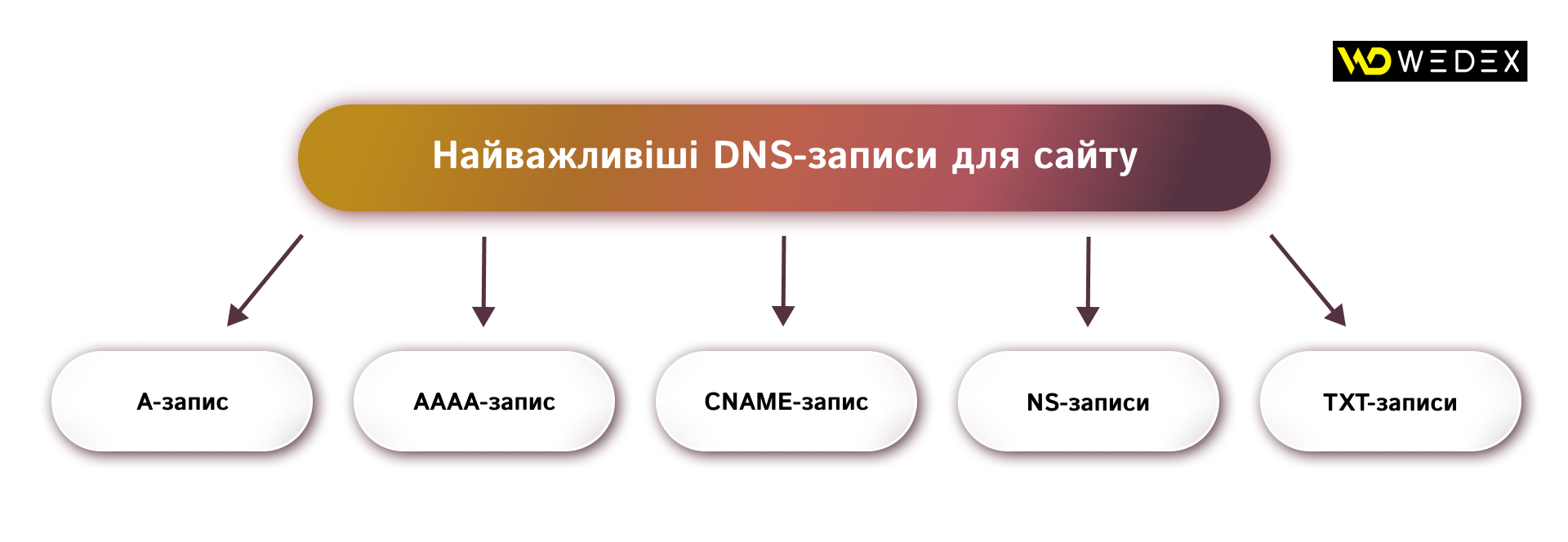
- A record — points to the server’s IPv4 address. It is through this record that the domain is linked to the specific server hosting the website. If the A record is configured incorrectly, the browser simply won’t find the desired resource.
- AAAA record — works the same way as an A record, but for an IPv6 address. This is important for websites that already use or plan to use modern network infrastructure.
- CNAME record — creates an alias for another domain or subdomain. It is often used when you need to redirect, for example, a blog or www to the main domain. However, a CNAME does not point directly to an IP address but triggers an additional DNS query to the canonical domain.
- NS records — indicate which servers are responsible for the domain zone. They determine where the domain’s official DNS records are stored; therefore, without correct NS records, a website may function erratically or fail to load at all.
- TXT records — used for technical domain verification and service configurations. These records are often required to confirm domain ownership with third-party services, such as web analytics tools, email services, or console process search tools.
DNS records do not exist «on their own» but function as part of a unified system. If an IP address changes, a new subdomain is added, or a website is migrated, you need to verify not only the existence of the records but also whether they are directing traffic exactly where it should go.
What is TTL and why is it important
TTL, or Time to Live, is the period during which a DNS record can be cached on third-party servers and in local systems. Alternatively, it can be explained as the «expiration date» of DNS data: until it expires, the system can use the cached version of the record without having to query the authoritative server every time. This allows the site to load faster and reduces the load on the DNS infrastructure.
At the same time, TTL has a downside. If a record has already been changed but the old value is still cached, users may see the previous version of the settings for a certain period of time. This is why TTL is particularly important when a website is migrated to a new hosting provider, the IP address changes, the domain structure is updated, or a new version of the resource is launched. The higher the TTL, the longer it takes for changes to propagate. The lower it is, the faster they become available to all users.
Most often, TTL should be considered in the following situations:

For businesses, TTL is not just a technical parameter, but a tool for controlling how quickly the infrastructure responds to changes. If it is not taken into account, even correctly entered DNS settings may start working with a delay. And this poses a risk of temporary website unavailability, confusion with resource versions, and loss of stability during important technical updates.
Why DNS Matters for SEO
From an SEO perspective, DNS is important not in and of itself, but because of how it affects a website’s accessibility, page load speed, and stability during technical changes. Search engines must regularly find pages, crawl them, and update data in the index, so any DNS failure can create an unnecessary obstacle before the bot even reaches the content.
That is why the technical correctness of DNS settings is not a minor detail, but a fundamental part of SEO stability.
This is especially noticeable when moving a site to new hosting or changing the IP address. Google recommends reducing the TTL for DNS records in advance so that new settings propagate faster and providers’ caches are updated without unnecessary delays. If this isn’t done, some users and bots may continue to access the old address or see an incorrect version of the resource for some time.
Another important point is temporary site unavailability. If the resource needs to be temporarily taken offline for maintenance, Google advises returning the server status code «503 Service Unavailable» rather than displaying a standard error page or leaving uncontrolled content. This helps the search engine understand that the issue is temporary and not related to page removal or changes to the site’s structure.
How businesses can work with DNS without unnecessary errors
Best practice is to treat DNS as part of the infrastructure that needs to be checked not only after launch but also before any changes to the domain, hosting, or site structure. Helpful:
- Keep an up-to-date list of DNS records and understand which ones are responsible for the website, email, and technical verification;
- test changes in advance within a separate timeframe.
A DNS server is not just a technical intermediary between the domain and the server, but the foundation of a website’s stable operation on the internet. For businesses, this is a matter of SEO manageability, the speed of changes, and uninterrupted access to the resource. That is why DNS should be checked just as carefully as content, redirects, or indexing, since errors here are often unnoticeable at first but have a significant impact on traffic and promotion results.

commercial offer
Other articles by the author

24/03/2026
Today, artificial intelligence enables businesses to generate visuals quickly, scale creative options, and accelerate the iteration process.

14/08/2026
While most brands focus their budgets on Instagram or Google Ads, Pinterest remains an underrated platform with an audience that has high purchasing power.

23/02/2026
A proper checklist does not describe general principles or strategy, but provides specific steps, completion criteria, and, if necessary, responsibility for implementation.
Latest articles by #SEO

16/09/2026
Choosing between search engine optimization and pay-per-click advertising is one of the most critical decisions when developing a marketing strategy.

11/09/2026
Email remains the primary channel for business communication, but at the same time, it serves as the main “entry point” for various cyber threats.

10/09/2026
The leader's primary goal is to create conditions under which every employee works to the best of their ability, with a clear understanding of the overall direction.