

 27/04/2026
  1609
1609

Інтернет-маркетинг
простою мовою
Content of the article
- /01 The basic principle of Google bots
- /02 Googlebot and its impact on SEO
- /03 Googlebot-Image: its role in search
- /04 Googlebot-Video: how it works with video
- /05 Googlebot-News: when businesses need it
- /06 Related Google bots
- /07 GoogleOther, Google-Extended, and Google-CloudVertexBot
- /08 What really affects how often Google crawls a website
- /09 How to check what Google sees
- /10 How businesses can use this in practice

Types of Google search bots and their impact on your website’s SEO

For businesses that are actively promoting themselves online and have websites, Google search bots are not a technical trifle, but one of the key factors that affect search visibility. They determine how quickly Google finds new pages, how correctly it reads content, and whether it can properly evaluate it for further ranking.
In this article, we will consider the main types of Google search bots, how Google crawls pages, what signals it takes into account, what technical errors prevent indexing, and what you need to do to make your website understandable and useful for the search engine.
The basic principle of Google bots
Google finds pages in several ways:
- through links from other pages;
- through the sitemap;
- through URLs already known to Google.
The sitemap helps the search engine to identify important pages, videos, and other files on the site faster, and also gives additional signals about when the page was updated and what alternative language versions are available. However, sitemaps do not guarantee indexing — they only facilitate crawling and help Google better understand the structure of the resource. For example, a company can add a page to the sitemap, but if it has no internal links or looks low-value (weak content, duplication), Google may crawl it but not add it to the index.
Once the page is found, Google crawls it, processes the content, and then decides whether to add it to the index and how to treat it during ranking. For large or frequently updated websites, the crawl budget (crawl resource) becomes important – that is, the volume and priority of URLs that Google can and wants to crawl. If a website has low page demand or a complex technical structure, Google may crawl it less often.
The role of robots.txt should be considered separately. This file controls access to crawling, but it is not a way to hide a page from search results. If you need to prevent a page from being found in Google Search, noindex or password protection are the right tools. Even if a URL is blocked in robots.txt, it can still appear in the search results if other pages lead to it.
Googlebot and its impact on SEO
Googlebot is the main web crawler of Google Search. It collects information about pages so that Google can index them and use them in search. In Google’s current model, the smartphone crawler is the main one for most websites, which means that the search engine focuses primarily on the mobile version of the content.
Google uses mobile-first indexing. For indexing and ranking, the mobile version of a website is taken into account, scanned by a smartphone crawler. This means that the mobile version must contain the same content as the desktop version and be technically accessible for scanning. If important content is missing or hidden on the mobile version, Google may give the page a lower rating. For example, if a part of the product description or characteristics that are available on the desktop version is hidden on the mobile version, Google may not take this content into account when indexing. As a result, the page ranks worse than the business expects.
Loading speed, page structure, internal linking, and the absence of technical barriers affect how effectively Googlebot can crawl a website. If important pages are deeply hidden in the architecture of the resource or the site is overloaded with low-value URLs, Google spends resources less rationally. That is why the technical cleanliness of a website is directly related to its organic visibility.
Start your SEO with a technical audit
Order a technical website audit from WEDEX to check loading speed, ensure pages are accessible to Googlebot, and resolve issues that negatively impact search visibility.
Therefore, it is worth paying attention: if a website is easy to read on a smartphone, opens correctly for Googlebot, and has no technical blockages for key pages, it is much better prepared for a stable presence in search.
Googlebot-Image: its role in search
Googlebot-Image is not only responsible for Google Images. Its crawling affects how images, logos, and favicons can be displayed in Google Search, as well as visibility in Discover and related video and search surfaces. So it turns out that visual content works not only as a design element, but also as a separate source of search traffic.
For images to benefit SEO, they must be understandable to the search engine. They include:
- file name;
- alt text
- caption
- the context of the page where the image is placed.
These are the signals that help Google better understand what is depicted in the file and how it relates to the topic of the page.
If an image is posted without a meaningful description, its chances of working for organic visibility are reduced.
For example, if a product image has a name like IMG_1234.jpg and no alt text, Google does not receive a signal about its content. But if the file is named «wooden-dining-table.jpg» and has a description, it can appear in search results for relevant queries.
For websites, this is especially important on service pages, product cards, case studies, and articles, where images often reinforce the main content. If Google cannot scan images correctly, the site loses some of its potential visibility in search and related surfaces.
Googlebot-Video: how it works with video
Googlebot-Video works with video signals and affects video-related functions, Google Search, and other video-dependent products. In other words, video content can give additional visibility in search, but only if Google can technically read and understand it.
What matters is:
- metadata;
- thumbnail;
- subtitles;
- transcription;
- general technical accessibility of the video.
Google also emphasizes that videos cannot be properly indexed without crawling, so restricting access to video files or placing them incorrectly can reduce search performance. For sites where the video explains a product, service, or process, this directly affects the SEO result. For example, if a video is embedded through a third-party player without structured data and without a text description on the page, Google may not recognize it as main content. In this case, the page does not receive additional visibility in video formats.
Therefore, the video should not only be published, but also designed in such a way that the search engine can see its content and context. If a page with a video is created technically correctly, it has a better chance of gaining additional visibility in Google’s search results.
Googlebot-News: when businesses need it
Googlebot-News refers to Google News, not to Google Search in general. Google notes that this user agent is used to allow certain pages to be included in Google News, including news.google.com and the Google News app.
Therefore, this bot is primarily important for news and media sites. For businesses, it becomes relevant when a company has an editorial blog, news section, or regularly publishes operational materials where the speed of content output matters. In such cases, Googlebot-News helps to better manage what materials can be displayed in the news vertical.
For news content, the following are especially important:
- a clear page structure;
- clear headlines;
- timely publication.
If the materials are neatly organized and scannable, Google has more reasons to process them correctly for the news product.
Related Google bots
In addition to the main Googlebot, Google has a separate group of specialized bots that work not for classic search, but for other products of the ecosystem. AdsBot-Google and AdsBot-Google-Mobile are used by Google Ads to check the quality of web pages for ads, and the general rule in robots.txt does not apply to them.
Mediapartners-Google is associated with Google AdSense and visits participating sites to help display relevant ads. It is important to understand this in order not to mix SEO logic with advertising or monetization logic.
Storebot-Google applies to all Google Shopping surfaces, including the Shopping tab in Google Search. And Google-InspectionTool works only for Search testing tools, including Rich Result Test and URL inspection in the Search Console, and does not affect Google Search or other products.
So it turns out that not every Google bot affects organic search results, although each of them can be important for a separate traffic channel.
GoogleOther, Google-Extended, and Google-CloudVertexBot
GoogleOther is a universal Google crawler that can be used by different teams to access publicly available content, for example, for one-time crawls or research. Google explicitly states that this bot does not affect Google Search and is not tied to a specific product. Its variants GoogleOther-Image and GoogleOther-Video work with images and videos, respectively, but also do not change the search visibility of a website in Search.
Google-CloudVertexBot is used for crawls initiated by the site owner when building Vertex AI Agents and also has no impact on Google Search. Google-Extended is a separate product token that allows website owners to control whether the content crawled by Google can be used to train future versions of Gemini models and be used as a source of verified data (grounding). At the same time, Google emphasizes that Google-Extended does not affect the inclusion of a website in Google Search and is not a ranking signal.
What really affects how often Google crawls a website
Google does not crawl all pages equally — it prioritizes those that it considers valuable. The frequency of crawling depends not on one parameter but on a combination of technical and content signals.
Let’s analyze the main factors that matter for a business website.
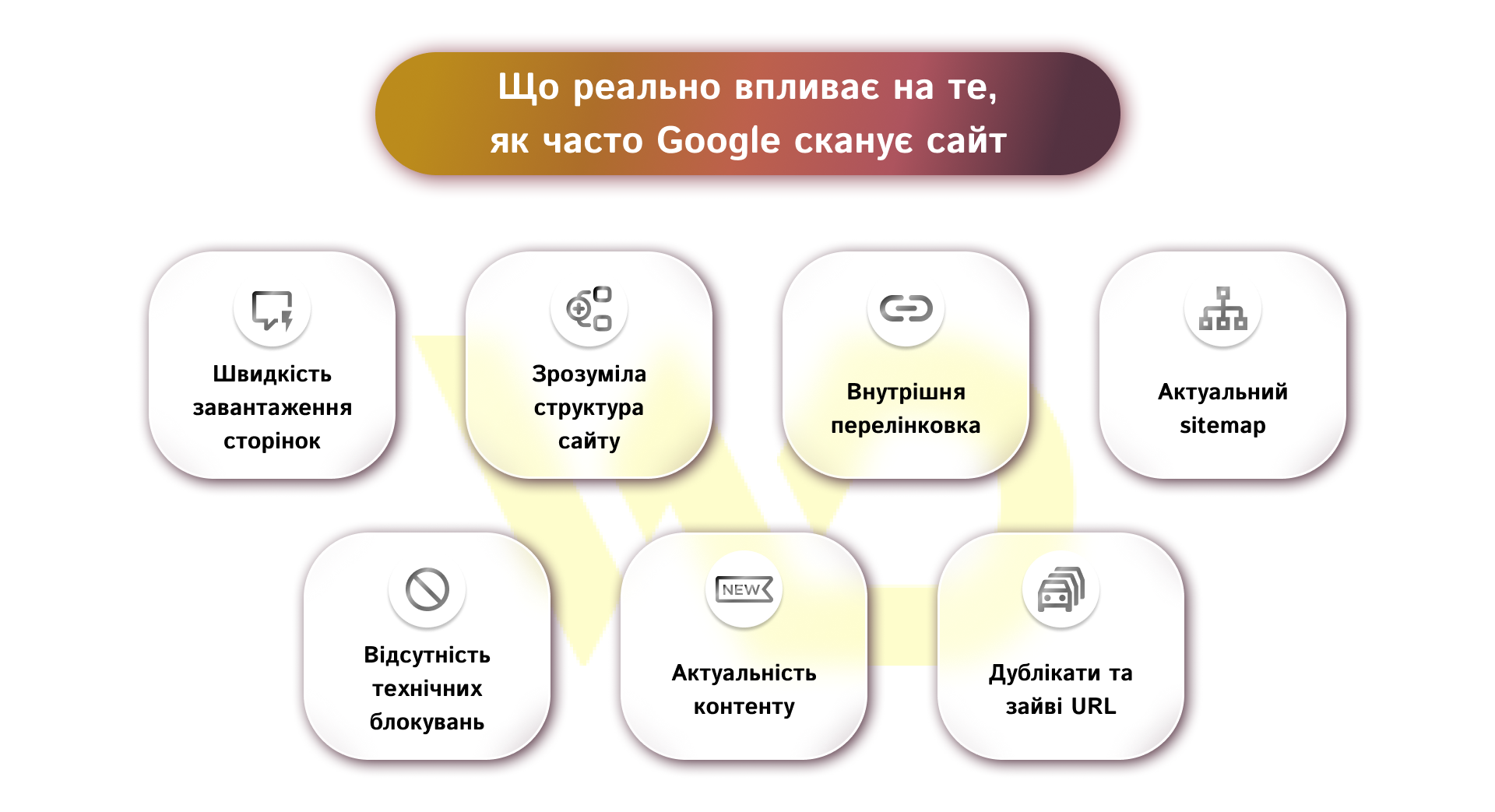
- Page loading speed. The faster the site opens, the easier it is for Googlebot to process it without wasting resources. Slow pages can make crawling more difficult and reduce the effectiveness of crawling.
- Clear site structure. If important sections are arranged logically and accessible in a few clicks, it is easier for Googlebot to find and update the necessary URLs. A confusing architecture, on the other hand, makes the robot spend more time on secondary pages.
- Internal linking. Links between pages show Google which URLs are prioritized. Strong internal links help to find new or updated content faster and better distribute the robot’s attention between pages.
- An up-to-date sitemap. A sitemap does not guarantee indexing, but it helps Google find important URLs faster, especially on large or frequently updated sites. If the sitemap is outdated or contains unnecessary pages, its usefulness is reduced.
- No technical blockages. If important pages, styles, scripts, or images are blocked from crawling unnecessarily, Google may have a poorer understanding of the site and spend the crawl budget inefficiently. Robots.txt controls crawling but does not replace noindex when you need to remove a page from the search.
- Content relevance. Websites with frequent updates and a real need for repeated crawling can be crawled more actively by Google. If the content does not change for a long time or is not in demand, the crawl frequency may be lower.
- Duplicate and redundant URL. Parameter pages, technical copies, and other low-value URLs create noise and distract Googlebot from important pages. The more such ballast there is, the less efficiently the crawl budget is used. For example, an online store with a large number of filters can generate thousands of URLs with parameters (price, color, size) that have no separate SEO value. As a result, Googlebot spends the crawl budget on these pages instead of crawling key categories or new products more often.
The cleaner the technical structure of the site and the more understandable it is for Googlebot, the more stable it is crawled and the less likely it is to lose organic visibility due to technical issues.
How to check what Google sees
The most convenient way to understand how Google processes website pages is to use Google Search Console. This is where you can find the main tools that give you access to data about crawling, indexing, and displaying pages in search.
Key actions that should be performed regularly:
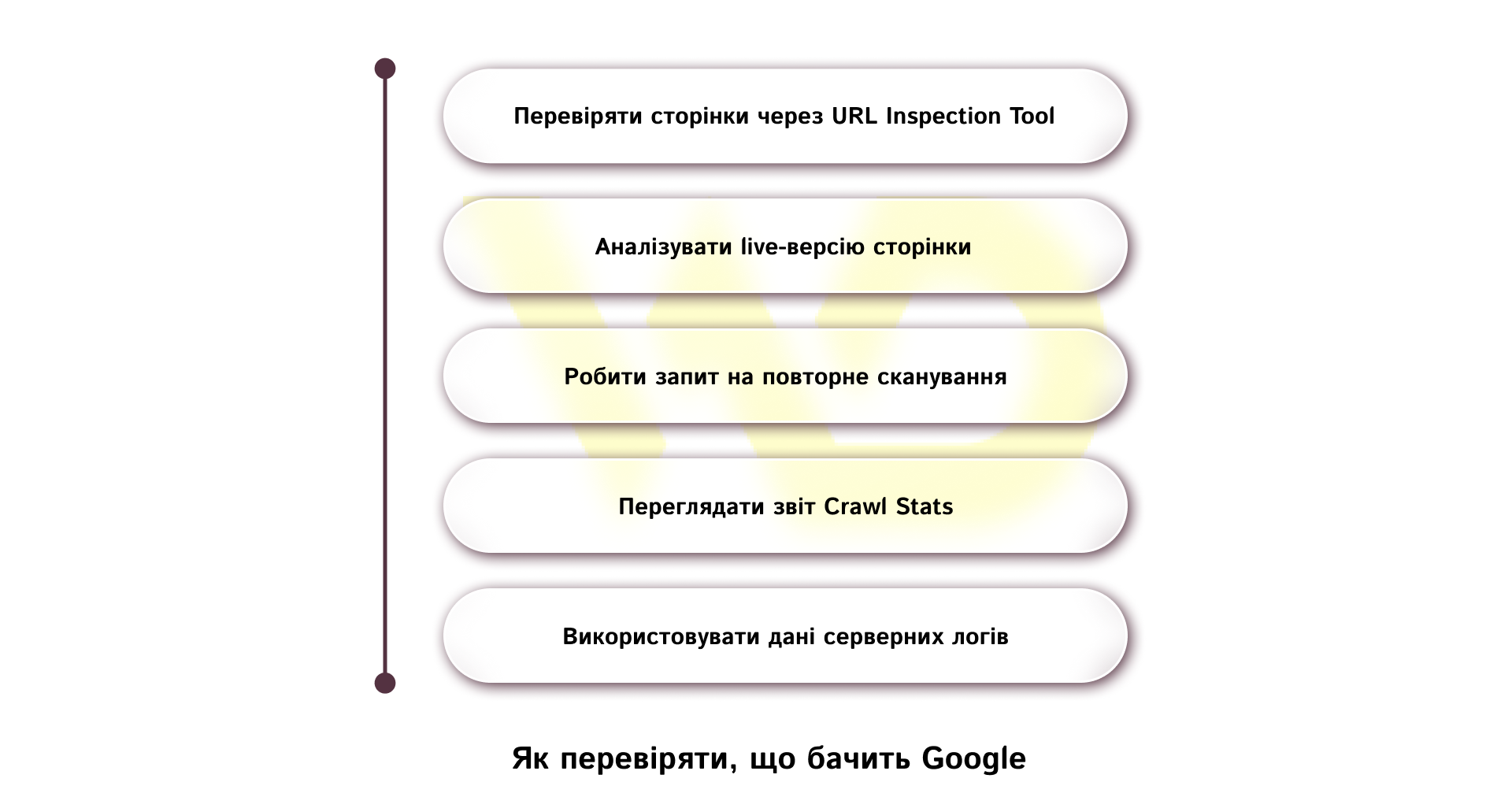
Check pages with the URL Inspection Tool
The tool shows whether a page is in the index, when it was last crawled, and how Google sees it. This allows you to quickly understand the cause of problems if a page does not appear in search or is displayed incorrectly. For example, if a page exists on your site but does not appear in search, URL Inspection can show that it is not indexed due to a technical error or lack of quality signals.
Analyze the live version of the page
The live check function helps you see how Googlebot is processing the page right now, including the availability of resources, scripts, and media. This is especially important after making changes.
Request a re-crawl
If the page has been updated or created recently, you can request a re-crawl. At the same time, it is important to keep in mind that this does not guarantee instant indexing, and the process may take time.
View the Crawl Stats report
This section shows the overall crawl dynamics: the number of requests, the amount of downloaded data, and the server response time. This way you can identify technical problems or sudden changes in Googlebot behavior.
Use server log data
For a deeper analysis, you should refer to the server logs, where you can see real Googlebot requests. This helps to understand which pages are crawled most often and which are ignored.
Together, these tools give a complete picture of how Google interacts with a website: from the first crawl to the page getting into the index and its subsequent display in search.
How businesses can use this in practice
The strategy should be simple and structured:
- Important pages should not be blocked in robots.txt if they are to be displayed in search, otherwise Google will not be able to crawl them, which will make it difficult to index and update content;
- if a page needs to be removed from the search results, use noindex or access restriction, because robots.txt only prohibits crawling, but does not guarantee that the page will not appear in the search;
- the mobile version should be full-fledged, not simplified to the point of losing content — it is used for indexing, so the absence of content or elements affects the page’s score;
- sitemap should be kept up-to-date because it helps Google find new and updated pages faster, especially on large websites;
- Search Console should be checked regularly, not only after a drop in traffic; this allows you to notice problems with crawling, indexing, and the technical condition of the site in time.
So, business owners should remember: the less technical noise and the clearer the site logic, the more stable it is crawled, the faster it is updated in the index, and the more reliably it retains organic visibility.

commercial offer
Other articles by the author
08/09/2026
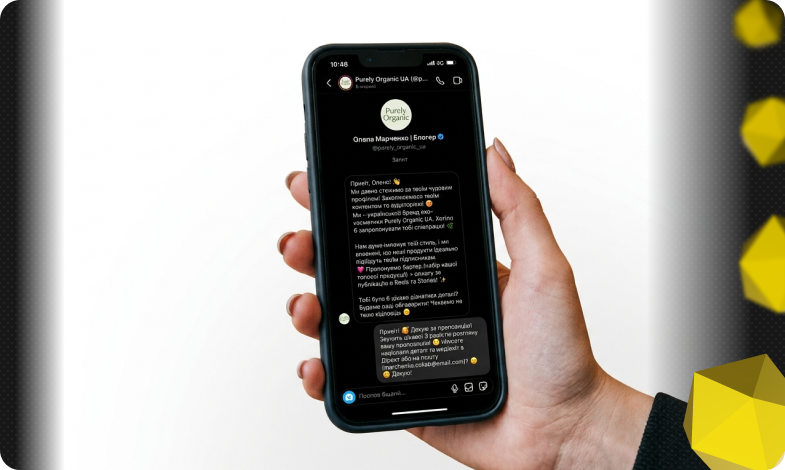
Today, an influencer is a distinct media platform with its own editorial policy, a keen understanding of its audience, and an established level of trust.
31/03/2026
Gemini is not just a single language model, but an entire platform that brings together several different models.

29/01/2026
Practice shows that content shared by employees generates higher engagement and better conversions compared to posts from official brand accounts.
Latest articles by #SEO

11/09/2026
Email remains the primary channel for business communication, but at the same time, it serves as the main “entry point” for various cyber threats.

10/09/2026
The leader's primary goal is to create conditions under which every employee works to the best of their ability, with a clear understanding of the overall direction.
09/09/2026
A well-chosen domain name strengthens the brand, shapes customers' first impressions, and facilitates search engine optimization, whereas a mistake at the outset can cost a company lost traffic and reputational risks.