

 27/05/2026
  1463
1463

Інтернет-маркетинг
простою мовою
Content of the article

Web analyst: who they are, what they do, and how to master the profession

Web analytics has become one of the key components of digital marketing, as it helps businesses understand what happens on their website after traffic is driven to it. With its help, companies can see where users are coming from, how they behave on the pages, where leads are lost, and which actions actually impact results. Therefore, a web analyst is a vital specialist within a company. In this article, we’ll explore who a web analyst is, what they do, what skills are required for the job, and how to master this profession.
Who is a web analyst
A web analyst is a specialist who analyzes the behavior of website visitors, identifies patterns and problem areas, and then uses this data to improve the effectiveness of the website and marketing activities. In other words, their work begins where a business wants not just to see numbers, but to understand why users behave the way they do and what needs to be changed to make the website more effective at driving sales.
Analytics data directly links advertising, user behavior, and business results.
Functions of a web analyst
A web analyst’s job isn’t just about looking at charts or preparing yet another report. It usually consists of several sequential steps:
- Determine exactly what needs to be measured.
First, the specialist works with the team to identify which actions on the website matter to the business: a purchase, a lead, a call, a file download, a subscription, or another target action. Without this, analytics becomes a chaotic collection of data with no practical use.
- Set up data collection.
At this stage, the web analyst ensures that events, goals, tracking of key actions, and parameter transmission are working correctly. If the setup is incorrect, even visually appealing reports will be misleading. For example, a website may show many additions to the cart, but if the «purchase» event isn’t triggered, the team won’t see the actual result.
- Verify data quality.
Analytics only makes sense when the data is accurate. That’s why a specialist regularly looks for errors such as duplicate events, missed transitions, incorrect traffic sources, and incorrect parameter transmission. It’s like checking the foundation before construction: everything may look fine on the surface, but without a solid foundation, the conclusions will be flawed.
- Analyze user behavior.
Here, we’re talking about exactly how people behave on the site. Where they click, where they stop, which pages they view longer, and at what stage they leave the site. For example, if users are leaving the checkout page en masse, this may indicate an overly complex form, an inconvenient interface, or distrust of the purchase terms.
- Look for causes, not just record facts.
This is precisely what distinguishes a strong web analyst from someone who simply reads reports. A drop in conversion rates may not be solely due to advertising. Sometimes the cause lies in the mobile version of the site, sometimes in slow page loading, and sometimes in poorly worded offers. The analyst’s task is to gather evidence and narrow down the range of possible causes.
- They formulate recommendations for the business.
The result of their work isn’t a table for the sake of a table, but clear conclusions. What to fix, what to test, where to remove unnecessary steps, which page to optimize, which channel to scale. It is at this stage that analytics translates into decisions that impact sales and marketing.
- Test the impact of changes.
If the team has made changes to the website, launched a new advertising campaign, or modified the application form, the web analyst then evaluates whether these changes have benefited the business. In other words, their work does not end at the reporting stage it continues with verifying the results.
For example, an online store receives steady traffic from ads, but sales aren’t growing. At first glance, it seems the problem lies in the acquisition channel. However, analysis may reveal that users are actively viewing product pages, adding items to their carts, but leaving the site at the checkout stage. In such a situation, the web analyst doesn’t just note the drop-in conversion rates but helps identify what exactly is preventing the purchase a complicated form, unclear shipping terms, or a technical error.
Another example is a service website where many visitors go to the pricing page but almost no one submits a request. Here, the analyst can compare user behavior across different pages, check where the traffic is coming from, and discover that visitors simply don’t see a clear benefit in the offer. In that case, what’s needed isn’t new advertising, but changes to the page structure, text, or visual focus.
This is where the value of the profession lies: a web analyst does not work with data in isolation from the business. They transform numbers into clear guidelines that help the company make informed decisions and better manage results.
Therefore, a web analyst’s responsibilities include the following:

Web analyst tools
A web analyst work always relies on tools, but these tools alone do not produce results. Value is created when a specialist properly configures data collection, understands what exactly needs to be measured, and knows how to translate technical settings into clear insights for the business. Let’s look at popular services and the role each plays in the workflow.
Google Analytics
Google Analytics is a basic web analytics tool, without which it is difficult to imagine modern website data management. With it, a specialist tracks user behavior, traffic sources, conversions, key events, and other metrics that help evaluate the resource’s effectiveness.
For businesses, Google Analytics is useful because it shows not only the number of visitors but also how they interact with the site and at what stage they reach the target action. For example, if an advertising campaign brings in a lot of traffic but there are almost no leads, analytics is where you can see where the problem lies: users aren’t reaching the form, are leaving the page quickly, or aren’t clicking on important buttons.
Google Tag Manager
Google Tag Manager is used to manage tags without constantly modifying the site’s code. Through it, a web analyst sets up tracking for events, clicks, form submissions, page views, and other user actions.
The strength of this tool lies in its flexibility. If a business launches a new landing page, changes the application form, or adds a new element to a page, the analyst can adjust the tracking much faster than would be possible with manual code editing. For the team, this means fewer delays and more precise control over the data.
Data Layer
The Data Layer is a structured data layer that helps transmit important information about user actions to the system. It is used in conjunction with Google Tag Manager and Google Analytics to ensure that data is accurate, logically organized, and suitable for further processing.
The simplest example is an online store: when a user adds an item to the cart, the Data Layer can transmit the item’s name, price, currency, category, or other parameters. Thanks to this, the analyst receives not just the fact of the action, but a more complete set of data that can then be used to analyze sales and buyer behavior.
Google Analytics Data API
This tool is necessary when standard reports are no longer sufficient for a company and automation is required. The Google Analytics Data API allows you to retrieve data programmatically, build custom dashboards, integrate analytics with other systems, and reduce the amount of manual work.
This is especially useful for businesses that need regular reports and want the team to quickly see up-to-date metrics without complicated intermediate steps. For example, it’s more convenient for marketers, managers, or company owners to view a concise dashboard with key metrics than to open dozens of different reports every time.
Remember! Start by ensuring the quality of your basic service configurations, establish a clean and clear data collection process, and only then scale your analytics using additional tools and automation.
What skills does a web analyst need?
Web analytics is a profession at the intersection of marketing, data work, and technical understanding of a website. The skill set here is quite broad: some skills are related to tools, while others involve mindset and how to work with information.
Technical skills:
- Google Analytics. A specialist must be able to not only open reports but also interpret them in relation to business goals.
- Google Tag Manager. This means greater flexibility and faster work with metrics. If the website changes frequently, working without GTM knowledge will be significantly more difficult.
- Excel or Google Sheets. Even when data is collected in analytics systems, it often needs to be cleaned, compared, structured, and prepared for analysis manually. Spreadsheet editors help you quickly spot patterns, organize data into a clear format, and prepare simple reports for the team or management.
- SQL. A basic understanding of SQL allows you to work with large datasets more deeply than standard analytics interfaces allow. This is especially useful when you need to build custom queries, analyze user behavior, or verify data from various sources.
- BI systems. If a company uses dashboards and data visualization, it’s important to know how to work with systems like Power BI, Looker Studio, or other similar platforms. This helps present data in a format that makes sense for the business.
- Understanding website logic and the data layer. This is necessary for correctly configuring events and avoiding measurement errors.
Analytical skills:
- Attention to detail. In web analytics, a small mistake can completely distort a report. An incorrectly configured event, a duplicate metric, or a missing parameter can lead to false conclusions.
- Analytical thinking. It’s important not just to see the numbers, but to understand how they relate to one another. For example, a drop in conversion rates could be the result of a change in traffic, an issue with the interface, or a technical error. Analytical thinking helps prevent jumping to conclusions.
- Ability to handle large volumes of information. A specialist must be able to distinguish the essential from the trivial and identify metrics that are important for the business.
- The ability to formulate hypotheses and test them. A good web analyst doesn’t stop at observation. They formulate hypotheses, test them, and draw conclusions based on data. This is especially important during A/B testing, evaluating changes to the website, or analyzing the sales funnel.
Communication skills:
- The ability to explain complex concepts simply. Analytics results must be understandable to analysts, marketers, managers, and business owners. If conclusions are presented in overly technical terms, they lose their value.
- A systematic approach to work. A web analyst often works on several tasks simultaneously: checking settings, analyzing reports, preparing recommendations, and communicating with the team. Here, it’s important not to lose sight of the logic of the process and to keep everything organized.
- Willingness to continuously learn. Tools, approaches, and requirements for analytics are constantly changing, so a specialist must be prepared to regularly update their knowledge. This is a field where development is ongoing.
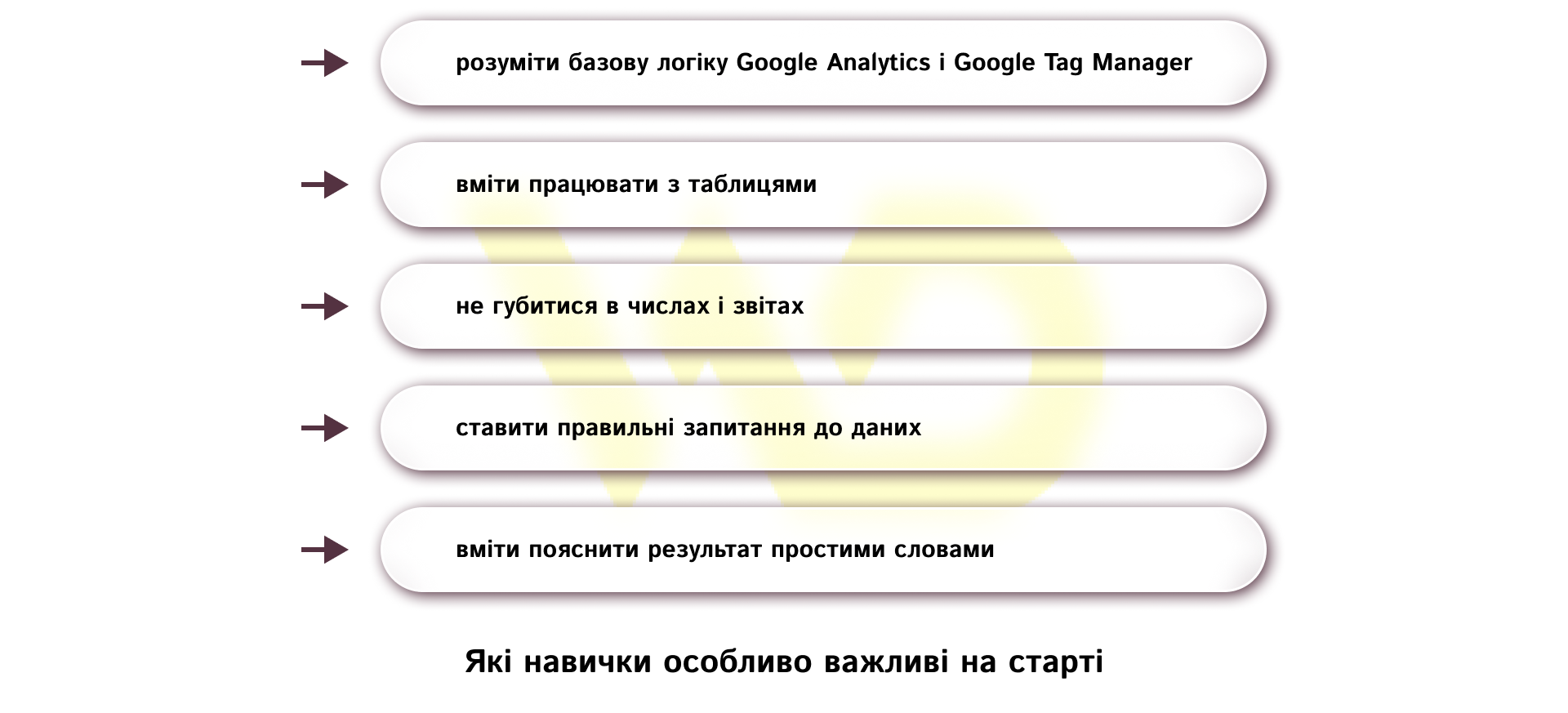
A strong specialist sees the cause, the effect, and the next step. A beginner sees just the report.
How to master the profession
It’s best to approach web analytics step by step, because this approach provides not just a superficial understanding, but real readiness for the job. Let’s look at a practical sequence of steps that can serve as a learning path.
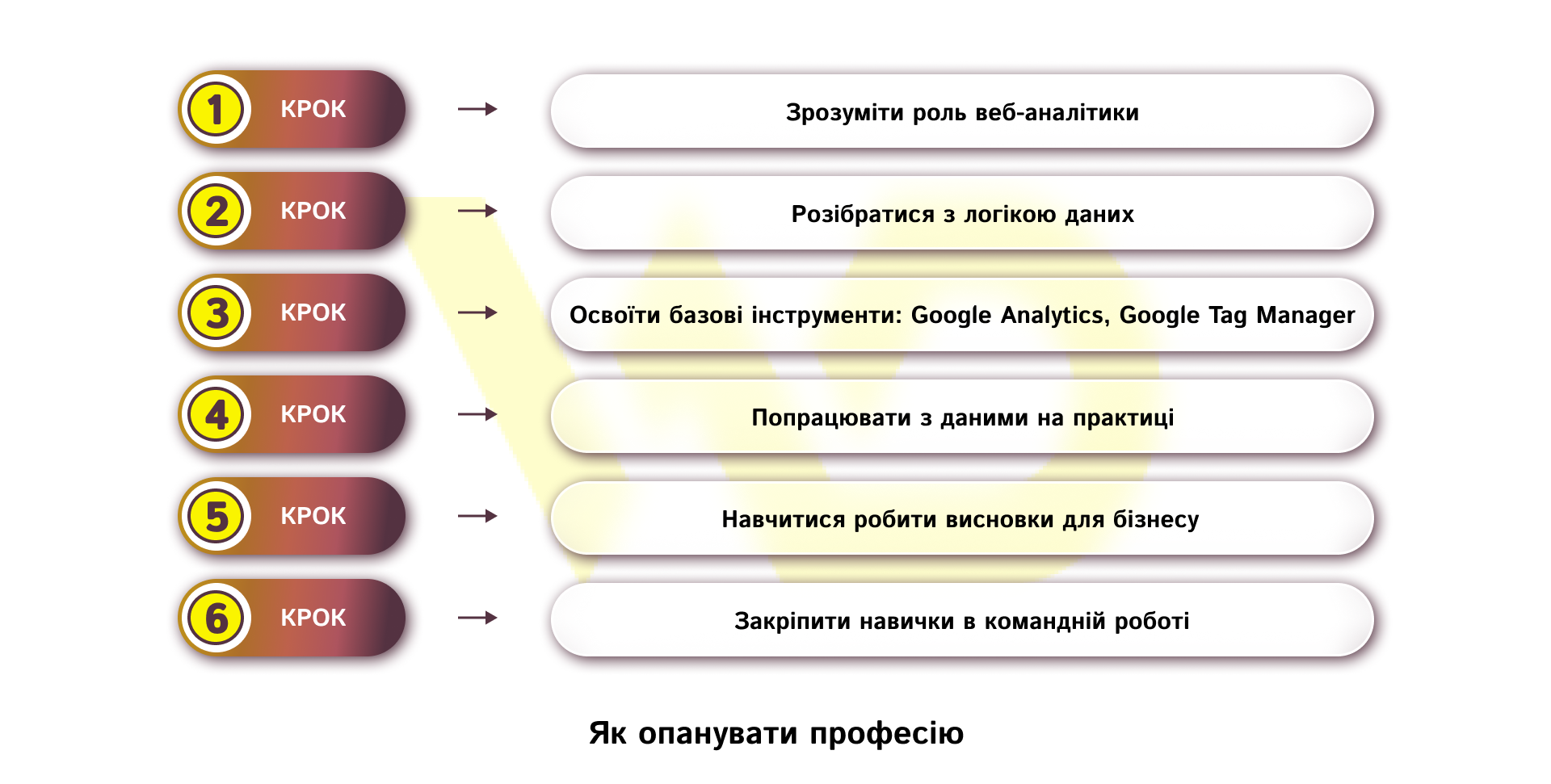
STEP 1. Start by understanding the profession itself
The first step isn’t learning the buttons in the tools, but understanding why web analytics is necessary for business in the first place. At this stage, it’s important to see the difference between simply collecting statistics and analytics that helps make decisions. If a person dives straight into the tools without understanding what problem they solve, learning quickly turns into a series of disjointed actions. Therefore, it’s best to start with foundational materials on digital marketing, user behavior, conversions, sales funnels, and the role of data in decision-making.
At the start, it’s best to rely on official learning resources and documentation, as this makes it easier to build a foundation without outdated or random advice. For web analytics, resources from Google are particularly useful, as well as practical courses from specialized educational platforms.
- Skillshop / Analytics Academy. This is a free collection of e-learning courses from Google Analytics experts. Analytics Academy on Skillshop is a collection of free courses, and Google Analytics currently offers 4 training courses and certification.
- Google Analytics Help Center. The official Google Analytics Help Center with tips, tutorials, and answers to common questions. This is a great place to start if you need to understand the logic of GA4 and basic settings.
- Google Tag Manager Help Center. The official help center with resources for getting started, tag configuration, basic explanations, and FAQs. It also includes separate guides on connecting Google tags and working with Tag Manager.
- Google Analytics Data API documentation. This is the official documentation for programmatic access to Google Analytics reports. It explicitly states that the Data API can be used for custom dashboards, automated reporting, and data integration with other business applications.
- Google Analytics video series. This is the official training video series for Google Analytics practitioners. It delves deeper into the platform’s most important and new features and was created by the people who worked on GA4.
- Looker Studio. This is a Google service for creating interactive, customizable dashboards and reports. It becomes useful once you’ve mastered the basics, when you need to visualize data for your team or business.
To get started, two or three resources are enough: one course for the basics, one official guide for practical application, and one real-world test task.
STEP 2. Understand how data works on a website
After gaining a general understanding of the profession, you need to move on to the technical logic of measurement. Here, it’s important to understand what events, key actions, tags, triggers, variables, and data transmission to analytics systems are. It is at this stage that the foundation is laid, without which it’s difficult to set up proper data collection.
It doesn’t necessarily have to involve complex programming, but a technical mindset is very helpful. For example, a web analyst needs to understand that a button on a website doesn’t «tell» the system anything on its own its action must be described and passed on to the analytics system. Once this principle is understood, everything else becomes much easier to learn.
STEP 3. Master the basic tools
Once you understand the logic behind the data, you can move on to the tools. We’ve already discussed them above. In this case, it’s important not to try to master everything at once. It’s better to have a solid grasp of the basic tools than to skim through a dozen services without any practical results.
At the start, it’s helpful to learn through hands-on tasks: create a test event, verify that it triggers, see how the data appears in reports, and understand exactly what each tool displays.
STEP 4. Practice on real or realistic case studies
It is practice that distinguishes someone who simply «knows about web analytics» from a specialist who can work in a team. At this stage, educational projects, internships, your own website, or a test case are well-suited. The main thing is not to limit yourself to reviewing materials, but to try analyzing data and drawing conclusions on your own.
For example, you can take a hypothetical online store and try to answer simple business questions: what sources visitors come from, on which page they most often leave the site, and where exactly conversion rates drop. It is precisely these exercises that teach you to think not in terms of «reports», but in terms of the user journey and business results.
STEP 5. Learn to turn data into insights
A separate skill that is often underestimated is the ability to explain numbers. In the work of a web analyst, it is not enough to simply see a drop in conversion. It is important to understand what is behind this drop and propose a specific action to the team. This is where analytics becomes useful for the business.
STEP 6. Learn to communicate with the team
The last, but very important step, which we’ve already mentioned, is learning to talk about data in plain language. Web analysts often have to work with marketers, developers, designers, and managers. Each of these roles has its own focus, so the analyst’s conclusions must be concise, accurate, and practical.
That is why it is helpful from the very beginning to get into the habit of not only analyzing but also explaining: what happened, why it happened, and what needs to be done next. This fosters a habit that is crucial for the profession thinking not in isolation but within the context of business objectives.
This approach yields much better results than trying to learn everything at once in a haphazard manner. If, at each stage, you not only read but also immediately apply your knowledge in practice, you’ll master the profession much faster and more deeply.
It’s worth remembering that without quality web analytics, businesses often end up solving the wrong problems such as increasing the advertising budget instead of improving the website, changing the marketing channel instead of fixing the application form, or launching new campaigns without understanding actual user behavior. That is why the role of a web analyst today goes far beyond «working with reports». This is a specialist who helps a company see cause-and-effect relationships, make more informed decisions in the digital environment, and generate greater revenue.

commercial offer
Other articles by the author

23/07/2026
An RSS feed is a separate file containing a list of a website's latest posts. When a new article, news item, or other content appears on the site, information about it is automatically added to this feed.

29/04/2026
Coworking as an alternative to an office: a detailed analysis of advantages and hidden disadvantages
In today's business environment, coworking is seen as a hybrid model between working from home and the traditional office.

24/09/2026
While feeds were previously viewed as a purely technical feature for running contextual ads in Google Ads, today their quality directly determines the share of impressions across all sales channels.
Latest articles by #Useful tips

06/10/2026
From a business perspective, updating content is a sensible way to protect existing investments.

30/09/2026
Google's main focus in 2026 was the large-scale rollout and deep algorithmic integration of the AI Overviews (AIO) tool.

29/09/2026
A content pipeline transforms the creation of content from a spontaneous creative process into a managed production system. In such a system, AI serves as a powerful assistant.