

 22/10/2026
  1008
1008

Інтернет-маркетинг
простою мовою
Content of the article
- /01 What it means to link Instagram and Facebook: distinguishing between account types
- /02 How to link personal Instagram and Facebook accounts
- /03 How to connect Instagram to a Facebook business page
- /04 Why should businesses link their accounts?
- /05 What to do if you can’t link Instagram and Facebook
- /06 How to check and unlink Instagram from Facebook
- /07 Practical tips before connecting
How to link Instagram and Facebook: a step-by-step guide for business and personal accounts
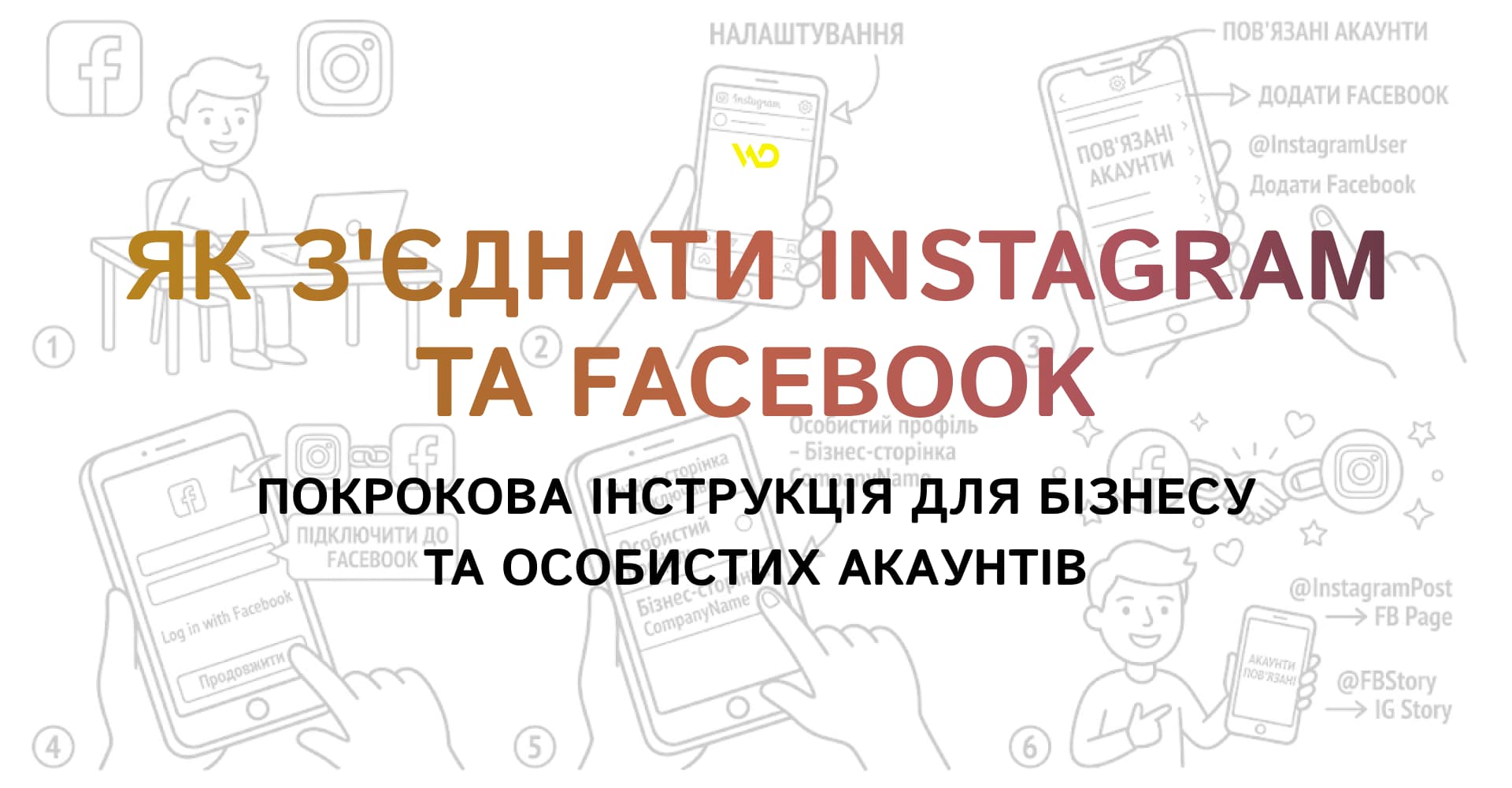
Constant updates to Meta platforms and the evolution of digital communications make syncing social media accounts essential for managing pages efficiently. It’s important for modern content creators, marketers, and business owners to understand how to link Instagram and Facebook to save time on posting and gain access to advanced management tools.
In this article, we’ll explore the difference between linking personal and business accounts, provide up-to-date step-by-step instructions for mobile devices and PC, outline the main benefits of integration, and discuss ways to resolve common technical issues.
What it means to link Instagram and Facebook: distinguishing between account types
Meta’s product ecosystem brings together billions of users, but Instagram and Facebook operate as standalone social networks. Syncing accounts isn’t mandatory for every user, as using the platforms separately is often more convenient for individuals. However, for commercial projects, this is a fundamental step that provides access to a single settings center, speeds up cross-posting, and simplifies the login process.
To properly link Instagram to Facebook, you need to distinguish between the different account types within the Meta ecosystem, as confusion between a personal profile and a business page is the most common cause of errors during setup.
|
Personal Facebook profile |
A personal account for communicating with friends, featuring a personal news feed. All business tools and public pages are built on this foundation |
|
Facebook page |
An official representation of a company or brand. It attracts followers, offers advanced analytics, and allows for the appointment of multiple administrators |
|
Personal Instagram account |
A basic profile for personal use, messaging, and posting without advanced analytics |
|
Instagram Business or creator account |
A specialized mode with access to analytics, contact buttons, the Ads Manager, and Meta’s commercial tools |
Linking a personal Instagram account to a personal Facebook profile is done through the Meta Account Center and is limited to personal features: profile picture synchronization, single sign-on, and cross-posting between personal profiles.
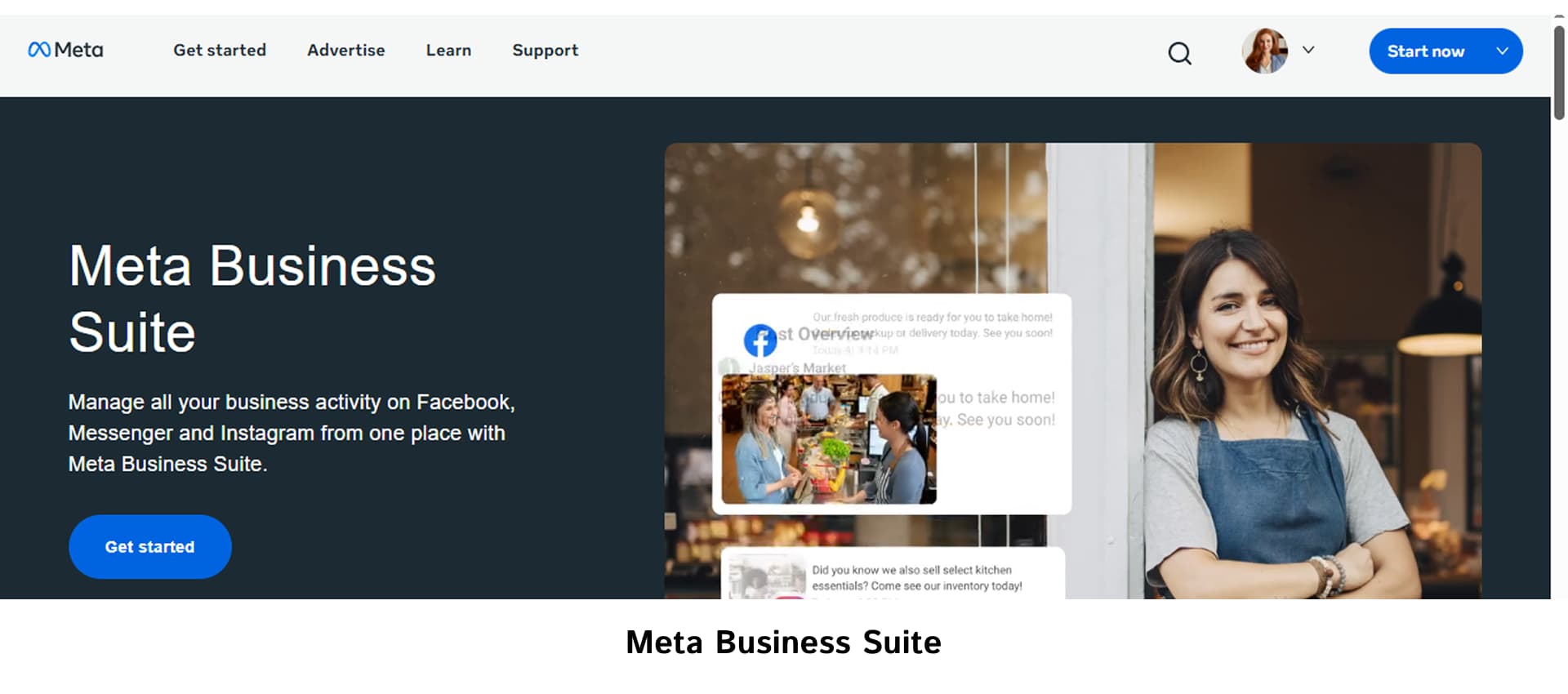
Integrating a professional Instagram account with a public Facebook page, on the other hand, falls under business connections. It is designed for use with Meta Business Suite, centralized message management, and running ads through Ads Manager.
Understanding these differences helps you avoid confusion in your settings and choose the right approach depending on your goals.
How to link personal Instagram and Facebook accounts
For users who need to sync their personal accounts to quickly share photos and stories, the setup is done through the Instagram mobile app via the Meta Account Center.
Let’s walk through the step-by-step process for iOS and Android mobile devices.
- Open your profile settings. Open the Instagram app, go to your profile (avatar icon), and tap the three-line menu in the upper-right corner.
- Go to the Accounts Center. At the top of the settings list, select «Accounts Center» or find it under «Settings & Privacy».
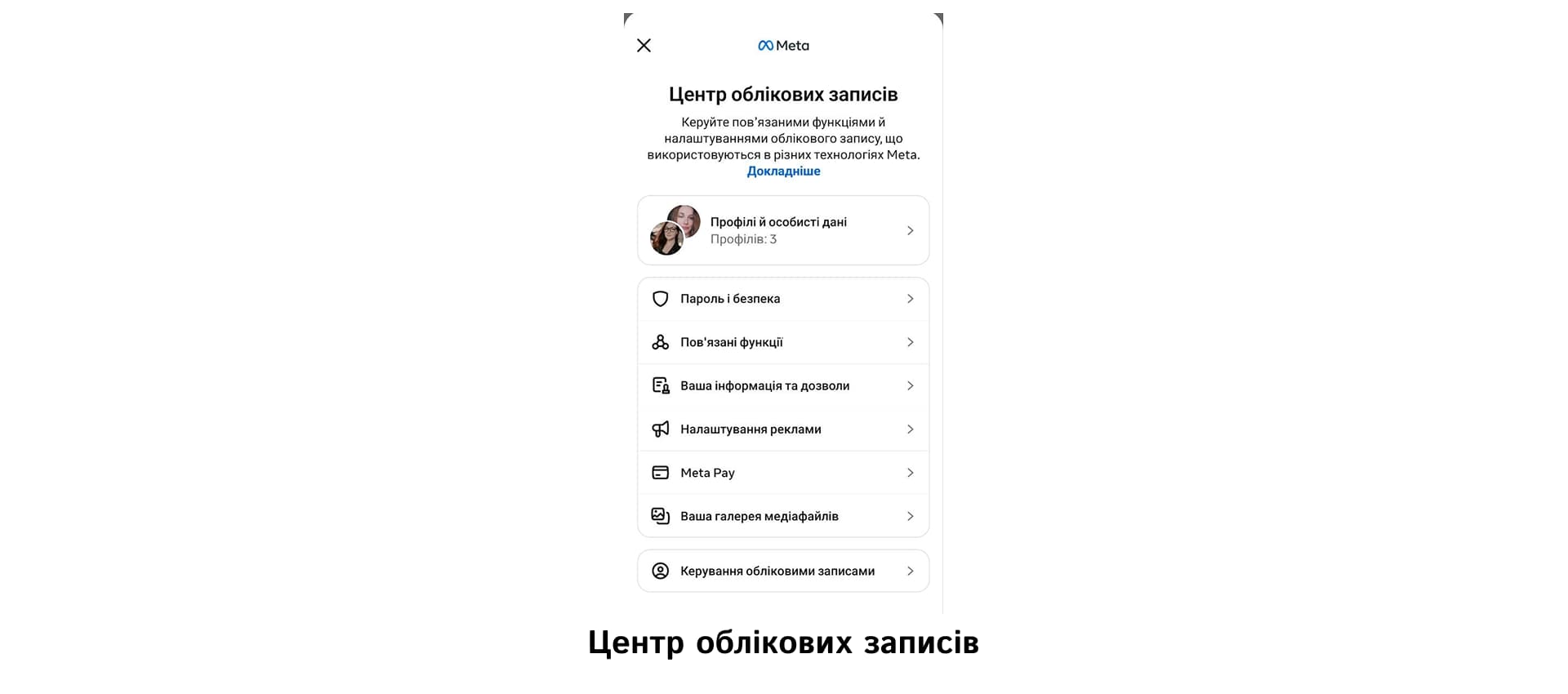
- Add an account. In the Accounts Center, open «Accounts» in the «Account Settings» section and select «Add Accounts».
- Signing in with Facebook. In the window that appears, click «Add Facebook Account» and confirm the sign-in (either automatically or by entering your username and password).
- Confirm the merge. After entering the information, click «Continue», verify your profile selections, and click «Yes, finish adding».
- Cross-posting settings. In the «Account Interaction» section of the Accounts Center, set up automatic sharing of posts, Stories, and Reels.
Keep in mind that the app’s interface may vary slightly depending on the update version, and button labels may differ from those listed in this step-by-step guide. However, the Meta Accounts Center where all cross-platform settings are grouped remains the primary reference point for personal accounts.
How to connect Instagram to a Facebook business page
Linking a professional Instagram account to a public Facebook Page is a fundamental step in building a business. To properly understand how to connect Instagram to Facebook, you must first switch your Instagram account to professional status (Creator or Business), create a public Facebook Page, and obtain full administrative access to it.
The main ways to complete this process are as follows:
|
Method 1 |
Through Facebook page settings (Desktop) |
Open Facebook in your browser, switch to your business page by clicking the profile picture in the top-right corner, then go to «Manage» → «Settings» → «Linked Accounts». Next, click «Connect Account» next to the Instagram icon and enter your login credentials. |
|
Method 2 |
Via the Instagram app |
In the mobile app, go to your business profile, tap «Edit Profile», select «Page» under «Public Business Information», and tap «Connect or Create». Then, at, select the desired Facebook page from the list. |
|
Method 3 |
Via Meta Business Suite |
In the web version of Meta Business Suite, open «Settings», go to the «Accounts» → «Instagram Accounts» section, click «Add», and log in via Instagram. |
Completing the process using any method guarantees the integration of business tools. You can verify that the connection was successful in Meta Business Suite, where both profiles will appear in the list of resources.
Why should businesses link their accounts?
Integrating a professional Instagram account with a Facebook Business Page enables a transition to systematic marketing. Users gain access to a whole range of practical tools:
- Cross-platform content sharing.
Creating a post or Story on Instagram allows you to publish it to your Facebook page with a single click. This saves time and helps maintain consistent activity across both platforms.
- Centralized message management.
All incoming messages from Instagram Direct, Facebook Messenger, and comments are consolidated into a single «Inbox» section in Meta Business Suite. This allows you to respond to customers promptly and set up automated replies.
- Advanced advertising capabilities.
If you link Instagram to Facebook, you can run targeted ads through Ads Manager. This gives you access to detailed audience targeting, the Meta Pixel, retargeting, and budget optimization.
- Planning and end-to-end analytics.
Meta’s tools let you create a content calendar for scheduled posts and Reels for free, as well as analyze reach and follower demographics.
All of the tools described become available immediately after confirming the integration in the Business Manager and significantly improve the efficiency of SMM specialists.
What to do if you can’t link Instagram and Facebook
Technical issues may arise during the setup process. Understanding the main causes allows you to quickly resolve these issues and figure out how to connect Instagram to your Facebook page without delay.
Common problems and how to solve them:
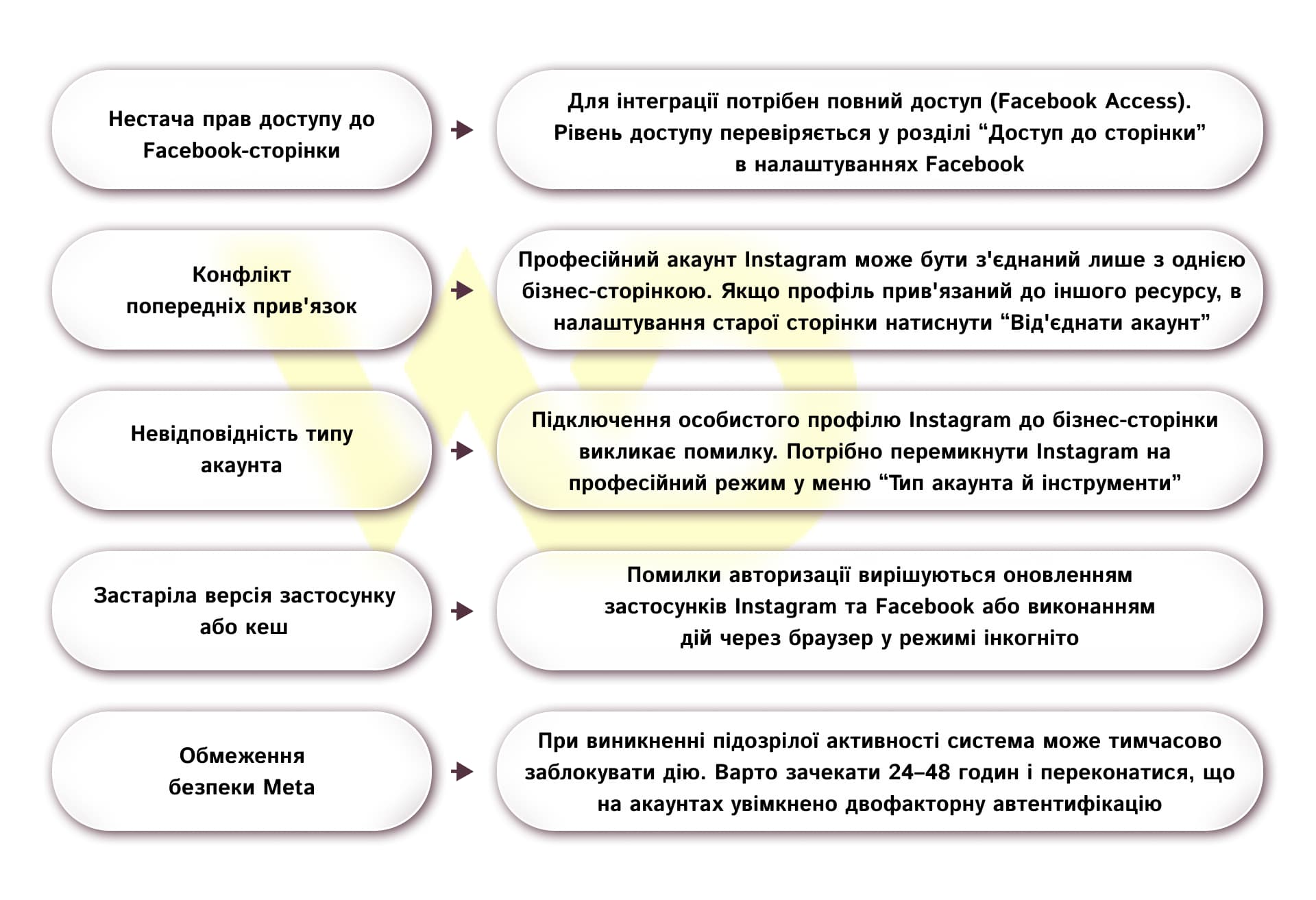
Checking these settings allows you to resolve most technical issues without contacting Meta support.
How to check and unlink Instagram from Facebook
Monitoring the status of connected accounts ensures account security. You can check whether a connection is active in the «Page settings» on Facebook under «Linked accounts» or in the «Page» section of your Instagram profile settings.
If you need to change your linked profile or cancel the integration, it’s important to know how to unlink Instagram from Facebook without losing any data.
|
For personal accounts |
In the «Meta Account Center», go to «Accounts», find the profile you want, and click the «Delete» button. This will stop cross-posting and shared login. |
|
For business accounts |
On your Facebook page, under «Linked Accounts», select «Instagram» and click «Unlink Account». |
Disconnecting the accounts will stop automatic content sharing, disable message synchronization in Meta Business Suite, and pause active campaigns in Ads Manager linked to this Instagram profile.
Practical tips before connecting
To ensure the integration process goes smoothly without technical delays, we recommend following these simple preparatory steps.
- Check active accounts. Make sure you’re logged into the exact profiles you plan to connect in the apps.
- Verify administrative rights. Check in advance that you have full access to manage the Facebook page.
- Set up your account type. Your Instagram profile must be switched to a Professional account in advance.
- Security settings. Enabling two-factor authentication on both platforms will protect your accounts from unauthorized access and account suspensions.
- Functionality testing. Once setup is complete, test by posting a story and verifying that the centralized inbox is working properly.
Following this sequence ensures the stable operation of cross-platform tools and allows you to effectively use the resources of both social networks to achieve your business goals.

commercial offer
Other articles by the author

29/05/2026
This is actually very important for businesses, because when content loses visibility, it doesn't just affect «pretty statistics» it also impacts real results.

02/06/2026
The best specialists are those who can see the real problems faced by clients and the needs of the business behind the lines of code.

31/08/2026
A strategic session is not a facilitated brainstorming session, not team coaching, and not motivational training. It is a strictly regulated management technique for making coordinated decisions under conditions of limited resources and uncertainty.
Latest articles by #Useful tips
22/10/2026
To properly link Instagram to Facebook, you need to distinguish between the different types of accounts within the Meta ecosystem, since confusion between a personal profile and a business page is the most common cause of errors during setup.

20/10/2026
Ben Hunt's model is a tool that helps break down a customer's path to purchase based on their level of awareness and select the right messages for each stage.
06/10/2026
From a business perspective, updating content is a sensible way to protect existing investments.