

 24/09/2026
  899
899

Інтернет-маркетинг
простою мовою
Content of the article
- /01 How AI and Google Shopping are changing product search in e-commerce
- /02 How the quality of a product feed affects impressions and sales on Google
- /03 Product feed vs. product page: how they work together in e-commerce
- /04 Common errors in product data and how to fix them
- /05 How to prepare product data for the development of AI Search
- /06 The future belongs to structured data

The evolution of e-commerce: why product feed quality drives sales in the age of AI

Changes in search engine algorithms and the rapid development of generative artificial intelligence are reshaping the rules of e-commerce. Previously, shoppers often began their search in the catalog of a specific online store. Now, they may first view and compare products in ads, on aggregator sites, or in AI-generated responses, and only then visit the seller’s website. In this environment, structured data serves as the key bridge between an online store’s product assortment and the shopper.
In this article, we’ll explore why the product feed has evolved from a purely technical file into a strategic sales tool, how Google’s algorithms and AI services like parse product information, where the line is drawn between the functions of the feed and the product page, and how to prepare your catalog data to meet new market standards.
How AI and Google Shopping are changing product search in e-commerce
E-commerce has evolved from simple catalog sites to complex multichannel ecosystems. Shopping platforms such as Google Shopping, marketplaces, social media, and generative AI systems have taken on the role of the primary filter.
Traditional SEO, which focuses solely on optimizing the text content of a product page, no longer guarantees visibility in commercial search results. The reason lies in changes to the algorithms themselves:
- the shift toward semantic understanding of entities: search engines don’t just process words on a page, but the relationships between objects. The algorithm defines a product as a set of specific parameters: brand, series, technical specifications, compatibility, and geographic availability;
- the growing share of AI Shopping and generative responses: artificial intelligence algorithms generate personalized product selections for complex queries, such as «winter waterproof hiking boots for up to 5,000 UAH with 2-day delivery». To generate such a response, the system requires clearly structured, machine-readable data;
- Aggregation of product listings on the platform side: Google compiles a single block of product information from multiple sources. If your data isn’t integrated into this system or contains errors, the algorithm will prioritize a competitor’s offer that is more understandable to the machine.
In this environment, the product feed serves as a universal communication protocol. It’s the digital passport for your product lineup, informing algorithms in real time which items are in stock, how much they cost, and who might find them useful.
How the quality of a product feed affects impressions and sales on Google
A product feed is a structured file, typically in XML, TSV, or JSON format, that contains a comprehensive list of an online store’s products and their characteristics. While feeds were once viewed as purely technical requirements for running contextual ads in Google Ads, today their quality directly determines the share of impressions across all shopping platforms.
Google Merchant Center artificial intelligence and merchandising algorithms evaluate the feed based on two key criteria: completeness of attributes and data accuracy. The search engine relies on the following key parameters:
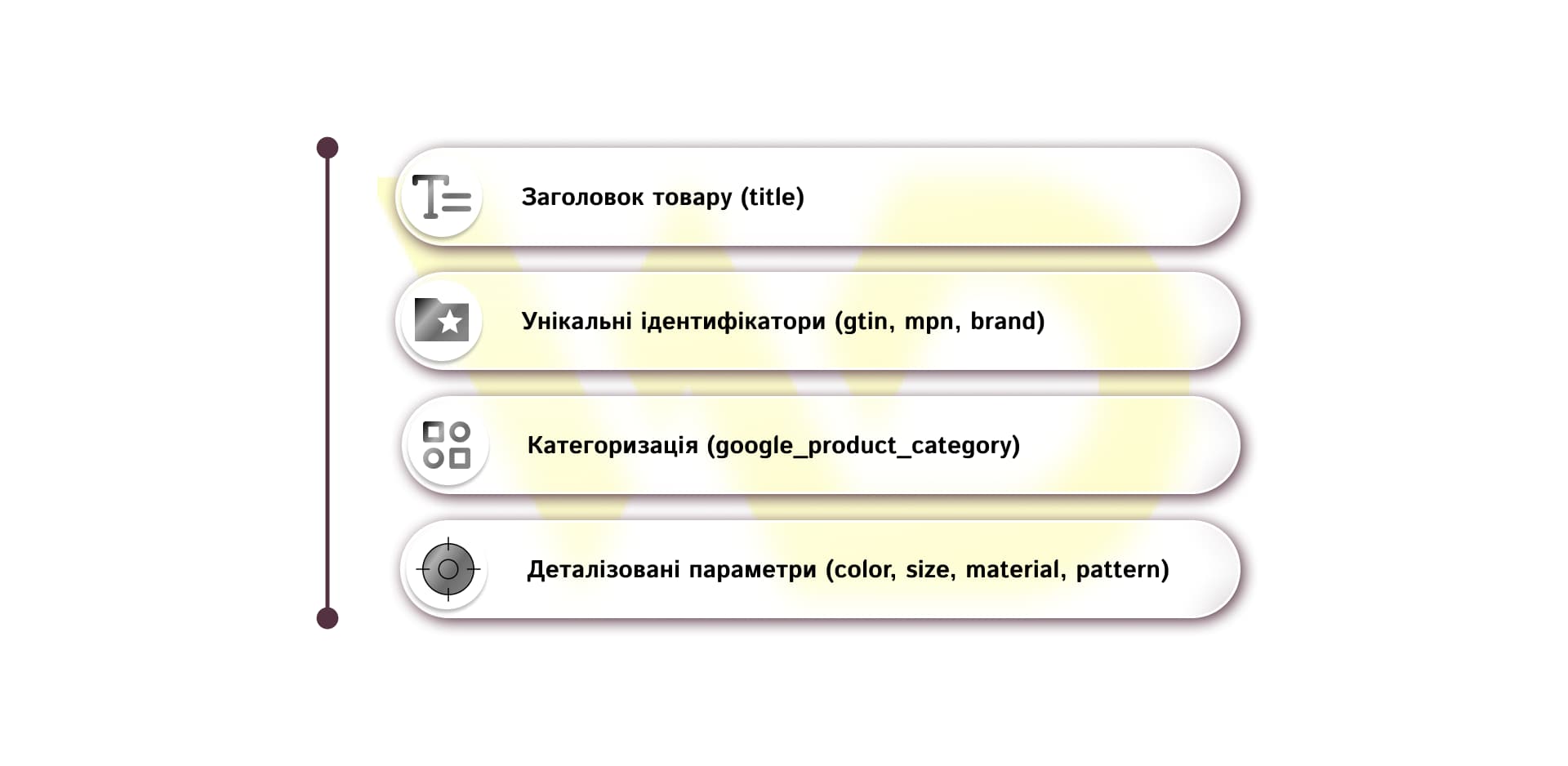
Product title
The most important text parameter. AI algorithms don’t just look for the presence of words; they analyze the structure of the title. The title «Sports Sneakers» has virtually zero relevance for specific search queries. In contrast, the structure [Brand] + [Series/Model] + [Product Type] + [Material/Color] + [Size/Gender] provides the algorithm with the full context needed for display. For example, Nike Air Zoom Pegasus 40 Running Sneakers Men’s Black 42.
Unique identifiers (GTIN, MPN, Brand)
The GTIN (Global Trade Item Number) barcode helps Google correctly identify a product and link it to product information in its systems. Having a correct GTIN allows the system to accurately match your product with the manufacturer’s listings, display it in comparison blocks, and include it in new AI-powered search tools.
Categorization (google_product_category)
Specifying the correct category according to Google’s classification system prevents situations where a children’s toy ends up in the adult section or car accessories are displayed among home appliances.
Detailed parameters (color, size, material, pattern)
Detailed product specifications help the system respond more accurately to specific user queries, which often have a higher conversion rate.
By including only basic fields such as name, price, and link in the feed, an online store voluntarily limits its reach. Google’s algorithm or that of any AI-powered search engine operates on the principle of risk minimization: if the system isn’t 100% convinced that a product matches a user’s query, it will prioritize a competitor’s listing with detailed and verified data.
In addition to losing visibility, poor data structure leads to a direct drain on the advertising budget. Shopping campaigns (Performance Max and Google Shopping) rely on the feed as their sole source of targeting. Incorrect categories or vague product names force the system to display ads for irrelevant search queries, which lowers the CTR and increases the cost per acquisition (CAC).
Product feed vs. product page: how they work together in e-commerce
The common claim that a product feed supposedly completely replaces a product page is a dangerous oversimplification. In reality, it’s not about replacing the website, but about a clear division of roles in the modern sales funnel.
To illustrate this, let’s compare the fundamental differences between these tools.
|
Comparison criteria |
Product feed |
Product page |
|
Primary audience |
Search algorithms, AI models, Merchant Center, advertising systems |
The buyer (a person) making the selection |
|
Key function |
Ensuring visibility, product attribution, and display in relevant search results |
Converting a visitor into a buyer, building trust |
|
Presentation format |
plain, structured, machine-readable data (XML, JSON, attributes) |
Visual content, UX/UI, emotional triggers, text descriptions |
|
Success metrics |
Impression share, CTR, cost per click, approval rate |
conversion rate, average order value, bounce rate, LTV |
|
Dependency on changes |
Requires instant automatic synchronization of price/availability changes |
Requires continuous A/B testing of the interface and content |
In short, the feed and the product page do not compete with each other but complement one another. The feed is responsible for attracting the right user, while the product page is responsible for ensuring that user isn’t lost after clicking through.
Practical synergy: a real-life purchase scenario
To understand this synergy, let’s consider the example of purchasing an ergonomic office chair with a mesh backrest and adjustable lumbar support.
The feed’s function
When a user enters the query «ergonomic computer chairs up to 12,000 UAH, gray» into Google or an AI search engine, it is the feed that transmits a structured data set to the algorithm:
- title: [Brand] [Model] Ergonomic Office Chair, Gray;
- price: 11,499 UAH;
- material: Breathable mesh / Aluminum;
- google_product_category: Furniture > Chairs > Office Chairs;
- custom_attributes: lumbar support, weight capacity up to 130 kg, in-store availability.
If these parameters are missing from the feed, Google algorithm or AI assistant simply won’t understand that your chair meets the user’s requirements and will display a competitor’s listing instead.
The role of the product page after the buyer clicks through
Algorithms bring the user to the website, and this is where the product listing itself comes into play. To make a final decision, a person needs more than just a dry table of attributes from the product feed. They’re looking for answers to emotional and practical questions.
- Visual confirmation and details: close-up photos, a 360° 3D view, or a short video demonstrating how to adjust the headrest.
- Proof of trust or social proof: real customer reviews with photos of the product in home settings, assessments of the material’s durability after use, and detailed responses from customer support.
- Convenient service and risk mitigation: transparent shipping information, an «Installment Payment» option from several banks, a warranty, and a clear return policy.
- Increasing the order value (cross-selling, upselling): an offer to add a discounted protective wheel mat or a replacement headrest to the order.
In this way, the feed sets the stage for the initial contact, while the product page addresses all the doubts a customer might have before making a purchase.
Consequences of an imbalance between the feed and the website
Neglecting either of these two elements leads to direct losses for e-commerce:
- Scenario A: Perfect feed + weak product page.
The online store has an excellent CTR in ads and receives thousands of clicks thanks to accurate product names and GTINs. However, the product page loads slowly, the mobile version is buggy, and instead of high-quality photos, there is only one small image. The result is a high bounce rate, a wasted ad budget, and no sales.
- Scenario B: Excellent product page + poor product feed.
The store has developed a modern product listing with interactive elements, video reviews, and hundreds of customer reviews. But the feed only transmits three basic attributes (name, price, link). The result: Google Merchant Center algorithms and AI systems fail to understand the relevance of the products, reach metrics plummet to zero, and potential buyers simply never learn of the site’s existence.
As a result, the projects that succeed are those that build seamless synergy between automated, machine-readable data and the human user experience (UX/UI).
Common errors in product data and how to fix them
Inconsistencies or negligence in handling product data lead not only to a drop in impressions but also to direct financial losses in the form of rejected ads or wasted advertising budgets.
Let’s take a look at the most common errors in product feeds, their direct consequences for businesses, and how to fix them.
|
Error in the feed |
Technical cause |
Consequences |
Solution |
|
Price/availability desynchronization |
Slow feed updates via CMS/ERP |
Merchant Center block, wasted budget on out-of-stock items |
Configuring delta updates via API |
|
Missing or incorrect GTIN |
Use of SKU instead of GTIN or missing barcode |
Loss of visibility in comparison blocks, lower priority in AI Shopping |
Filling in official EAN/UPC codes from the manufacturer |
|
Excessive use of keywords in the title |
Use of the words «Sale», «Free», «Discount» |
Automatic rejection of Google listings or a decrease in the quality score |
switch to the [Brand] + [Series] + [Type] + [Attributes] structure |
|
Empty extended attributes |
Missing «color», «size», «material» and «gender» fields |
Inability to appear in search results for long-tail queries |
Enriching the CMS database with additional parameters |
|
Low image quality |
Uploading only one low-resolution photo without an “additional_image_link” |
Low CTR on Google Shopping; product ignored by generative AI |
Adding high-quality photos on a white background and from contextual angles |
In short, most errors arise from a lack of systematic control and attempts to configure the feed just once during website creation.
A careless approach to the product feed deprives a business of control over its own sales. In today’s e-commerce ecosystem, the lack of systematic data control costs more than developing the online store itself. To avoid being blocked and losing traffic, working with the feed must evolve from a one-time setup into a continuous process.
How to prepare product data for the development of AI Search
Adapting an e-commerce business to the requirements of artificial intelligence and modern e-commerce platforms requires a restructuring of internal processes for working with content. Feed optimization is no longer a task that can be completed once during the launch of an advertising campaign and then forgotten.
As Sundar Pichai, CEO of Alphabet and Google, notes, the development of AI is changing the very principle of product search:
«Now, with the advent of AI Mode, we’re seeing these scenarios shift from keywords to natural conversations. This is a fundamental change. Whereas before you had to scroll through results pages, now AI can do the complex work of selecting exactly the products that best match the shopper’s interests.»
To maintain high product visibility and prepare for the era of AI Shopping, online stores should implement four practical steps:
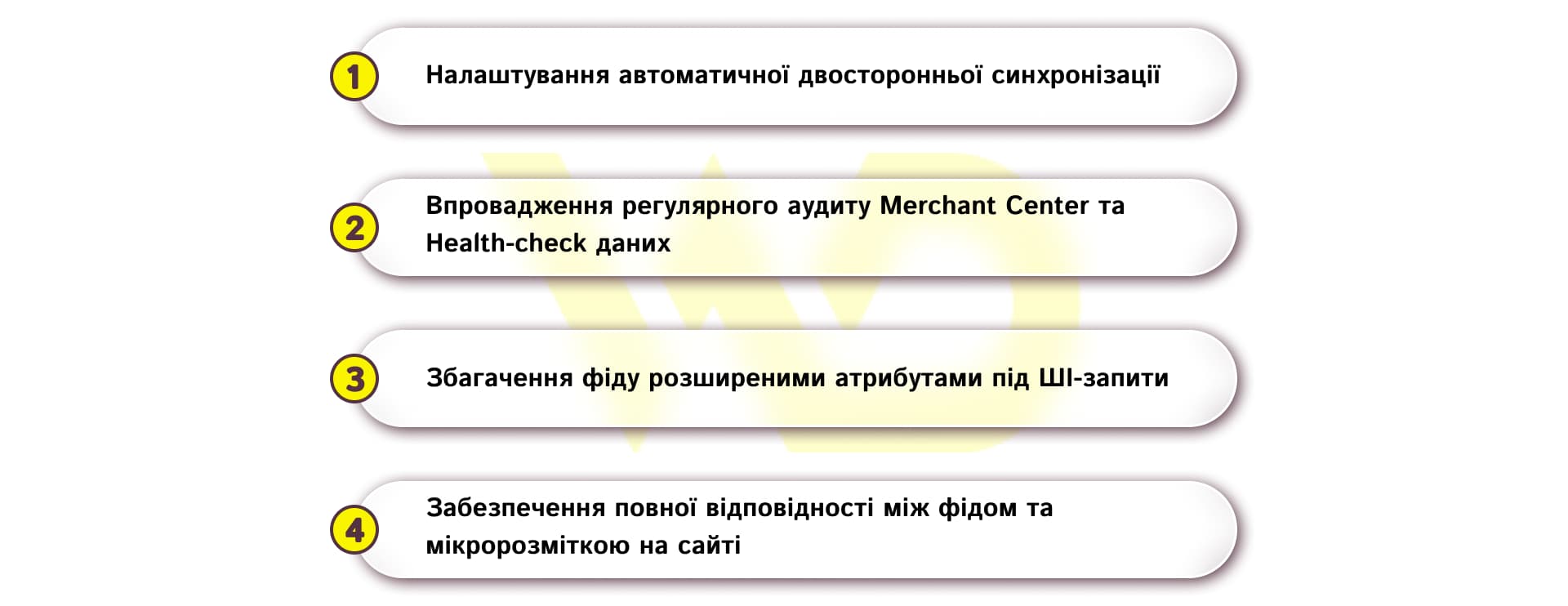
Set up automatic two-way synchronization
The use of static files, such as manually uploaded Excel spreadsheets, is completely outdated. The product feed should be generated dynamically based on data from the CRM/ERP system and the website’s CMS via APIs or automated plugins.
For example, if at 6:00 PM a price or inventory level changes in your ERP system, a delta update transmits the new data to Merchant Center within a few minutes. This prevents situations where shoppers click on ads for sold-out items or order products at outdated prices.
Implement regular Merchant Center audits and data health checks
The «Diagnostics» tab in Google Merchant Center should become a weekly tool for content managers and marketers. It’s important to respond promptly to system alerts and monitor products before they are rejected.
For example, identifying and promptly correcting bulk warnings such as «missing_gtin» or «image_link_broken» helps prevent an entire product category from being removed from search results during seasonal sales peaks.
Enrich the feed with advanced attributes tailored to AI queries
Generative AI search engines generate responses based on specific details. The more specific attributes included in the feed, the higher the likelihood of appearing in narrow, personalized selections.
Instead of a basic description of a summer dress, add advanced fields: pattern (checkered), sleeve_length (short sleeves), fabric_care (machine washable at 30°C). This will allow the AI assistant to recommend your product in response to a complex user query: «a lightweight cotton checkered dress for hot weather that’s easy to wash».
Ensure complete consistency between the feed and the microdata on the website
The data in the feed must match the structured data on the product page (schema.org/Product) 100%. If prices or specifications differ, the system lowers its trust level in the data source.
For example, the «offers.price» microdata tag in the page’s HTML code must accurately reflect the amount of 1,200 UAH and the «InStock» status as specified in the XML feed. Any discrepancy results in a lower Trust Score from Google.
Systematically following these four steps allows you to build a solid foundation for automated trading and protect your business from sudden drops in search rankings.
The future belongs to structured data
The evolution of e-commerce clearly shows that the businesses that succeed are those whose product catalogs are read by AI algorithms and search engines better, more accurately, and faster than those of their competitors.
A high-quality product feed does not eliminate the need for a user-friendly website, excellent customer service, and a well-designed UI/UX. However, it is the feed that determines whether your online store will have the opportunity to showcase its products to a potential buyer the moment demand arises. Investing in the quality of product data today guarantees visibility, preserves your advertising budget, and ensures sales stability in the era of AI Shopping.

commercial offer
Other articles by the author

08/05/2026
For local businesses, a Google profile is often the first point of contact, even before a visit to the website or a phone call.

18/08/2026
Advertising through bloggers is one of the fastest ways to attract customers to a business. However, every year, companies waste significant portions of their budgets by purchasing ad space on profiles with fake audiences.

29/01/2026
Search Generative Experience (SGE) is Google's approach to search that uses generative artificial intelligence to generate concise, coherent answers to user queries.
Latest articles by #PPC
24/09/2026
While feeds were previously viewed as a purely technical feature for running contextual ads in Google Ads, today their quality directly determines the share of impressions across all sales channels.

23/09/2026
Access to technology is no longer a competitive advantage what matters is a team of experts’ ability to integrate these solutions into real-world business processes.

18/08/2026
For businesses, the main challenge right now is not simply to “produce something,” but to speed up the time it takes for materials to reach the market, reduce the cost of content creation, and, at the same time, maintain the quality and human touch of communication.